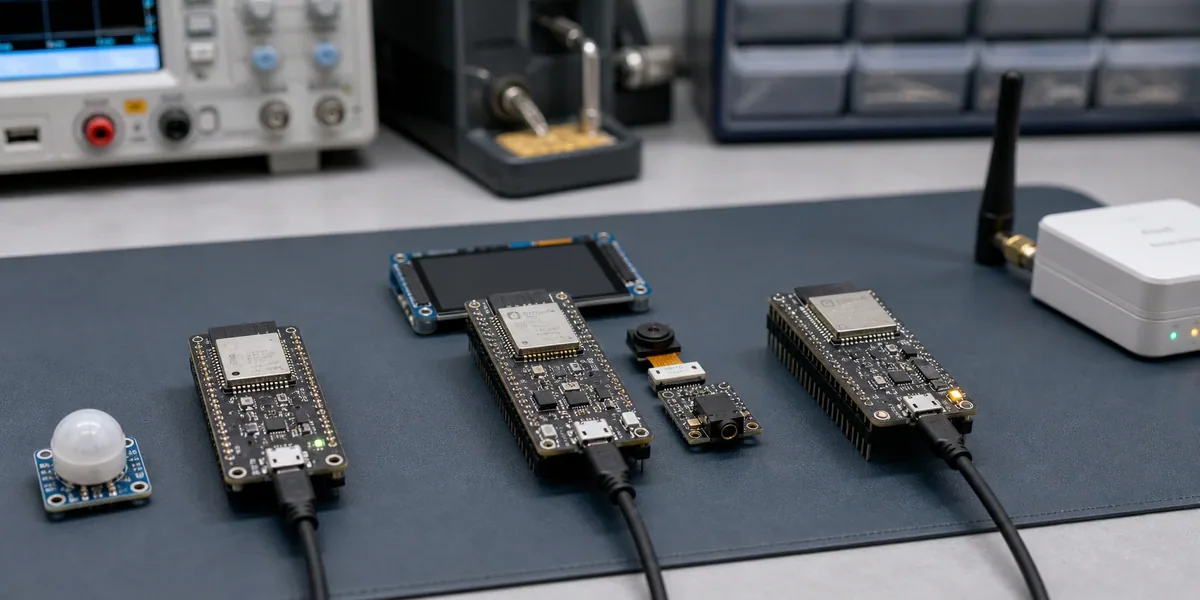
ZedIoT delivered a high-accuracy resistive sensor array solution for an industrial client, enabling real-time data acquisition and automated calibration through custom PCB hardware and upper computer software. The solution replaced legacy systems and established a foundation for edge-to-cloud IoT deployment.
Client Background
The client operates in precision manufacturing and requires accurate voltage readings from resistive sensor arrays to calibrate equipment and log test data. Existing tools were unreliable, costly, and lacked integration capabilities.
Key Challenges
Unable to capture stable readings from high-density sensor arrays
Overreliance on third-party DAQ tools with poor customization
No unified software interface to streamline testing or export data
ZedIoT Solution
ZedIoT delivered a full-stack solution combining custom hardware and tailored software to address the client’s sensor accuracy challenges. We designed a multi-channel PCB for precise analog signal capture and developed an upper computer interface for real-time monitoring and streamlined calibration. The system supports edge-to-cloud integration, enabling both local deployment and future IoT expansion. This modular approach ensures scalability and adaptability across industrial use cases.
Custom PCB for Sensor Data Acquisition
ZedIoT designed a dedicated analog board featuring:
64 input channels with low-noise routing
Buffering op-amps and anti-aliasing filters
Modular connectors for sensor grids
Integration with a 16-bit ADC module
This PCB ensured precision voltage capture across all resistive input nodes.
Precision Voltage Measurement Circuit
The analog front-end was engineered for high accuracy:
Low-drift signal amplification
Reference-stabilized voltage conditioning
Noise isolation for industrial interference environments
Together, these components achieved sub-1mV resolution in typical factory noise conditions.
Upper Computer Software Customization
We developed a bespoke HMI tool for engineers and QA staff:
Real-time matrix visualization of all sensor points
Auto-calibration and sweep test functions
CSV/JSON export with batch labeling
MQTT/SCADA readiness for future integration
The interface was built around operator feedback, reducing the learning curve and workflow friction.
Industrial IoT Sensor Application (Future-ready)
While the deployment was local-first, the system supported:
Edge gateway handoff (REST + MQTT)
Device ID mapping + timestamp precision
Future linkage to cloud dashboards or ERP systems
System Architecture
graph TD
A["Resistive Sensor Grid"] --> B["Custom PCB Interface"]
B --> C["Analog Signal Conditioning"]
C --> D["High-Resolution ADC"]
D --> E["Upper Computer HMI Software"]
E --> F["CSV/JSON Export"]
E --> G["Optional Cloud / SCADA Integration"]
System Dashboard
Results
Achieved stable 0.8mV precision across all channels
Cut per-device calibration time by 40%
Replaced $3,000/year software tool with an in-house HMI
Enabled downstream IoT roadmap with plug-in architecture
Positive client feedback: “Reliable, simple, and finally unified”
Technical Comparison
Component
Before
After (ZedIoT)
Signal Accuracy
~5 mV fluctuation
≤1 mV stable
Sensor Channels
8 max
64 scalable
Software Export
Manual only
Realtime CSV + API
UI Experience
Generic tool
Workflow-aligned UI
IoT Compatibility
None
Edge-ready MQTT/REST
Replicable Value
This solution is adaptable to any scenario requiring real-time, high-accuracy analog sensing, such as:
Tactile robotics
Smart beds and diagnostic pads
Environmental force mapping
Lab-grade calibration instruments
ZedIoT’s modular design ensures quick customization across verticals.
FAQ – Common Industry Questions
Q1:What types of resistive sensors are supported? A: Any analog resistive device, including FSRs, strain gauges, and pressure sensors.
Q2: Can I integrate this with our SCADA system? A: Yes. We support MQTT and Modbus TCP for SCADA/PLC data flow.
Q3:Does it support dynamic sensor re-mapping? A: Yes. You can reconfigure the matrix layout directly in the software UI.
Q4: How long does it take to deploy? A: Most clients complete hardware/software deployment within 1–2 weeks.
Q5: What if I want cloud dashboards later? A: The system is built API-first. You can integrate any backend you choose.
Tired of Unstable Readings? Let’s Fix That
ZedIoT’s resistive sensor array solution offers precise voltage capture, scalable hardware, and intuitive software—all built for industrial use. Whether you’re calibrating equipment or preparing for IoT integration, this solution is cost-efficient, customizable, and proven in production.
Why Retail Store Security Systems Must Go Smart in 2025 – And How ZedIoT Delivers It
Traditional retail security setups are often fragmented—separate cameras, disconnected alarms, and no centralized visibility. This is where retail store security systems need to evolve.
Powered by AI surveillance, smart sensors, and real-time analytics, ZedIoT delivers an integrated solution that protects assets, improves visibility, and adapts to multi-store operations.
In this article, we’ll explore how smart security works in modern retail, why unified systems matter, and how ZedIoT’s platform helps you build a safer, smarter store network.
Key Smart Store Features:
AI-powered store security cameras
Real-time gas leak detection solutions
Centralized multi-location monitoring
Remote alerts and predictive maintenance
From “gas leak alerts” and “real-time energy analytics” to “AI surveillance integration,” smart retail is no longer a futuristic idea but a deployable, system-level upgrade.
What Is Smart Retail Store Management – From Security to Energy Efficiency
Smart retail store management involves integrating technologies such as IoT, AI, and cloud computing into store operations to enable real-time sensing, intelligent processing, and responsive actions.
Core features include:
Video surveillance with AI detection (human shape, abnormal behavior, mask recognition, etc.)
Energy usage monitoring and optimization
Fire and combustible gas detection
Environmental controls for temperature, humidity, and air quality
Foot traffic analysis and staff behavior monitoring
Remote mobile management and alert notifications
Internationally, the following terms are often used for this concept:
Choose the right protocol (WiFi/Zigbee/LoRaWAN) based on wiring conditions
Evaluate how many devices need on-site AI to decide gateway specs
✅ Step 3: Define AI Capabilities
Need voice/image recognition or multi-turn conversation?
Decide between edge AI (e.g., YOLOv8, DeepSeek) or cloud models
✅ Step 4: Platform & System Integration
Enable centralized cloud dashboard with map view and multi-user support
Connect with existing SaaS like POS, CRM
✅ Step 5: Pilot Deployment & Tuning
Choose 1–3 pilot stores
Roll out modules in phases: energy, security, staff monitoring
✅ Step 6: Optimize & Measure ROI
Compare device data with sales/operations performance
Add predictive maintenance and behavior analysis features
ROI & KPIs of Smart Retail Security Systems
Here’s the typical ROI timeline for smart store IoT projects:
Use Case
ROI Timeline
Key Benefits
Smart Energy Management
6–8 months
Reduced kWh, lower energy costs
Fire/Gas Detection
Immediate
Risk reduction, insurance savings
AI surveillance
3–5 months
Theft reduction, faster security
Predictive Maintenance
8–12 months
Less downtime, longer equipment life
Traffic + Sales Linking
4–6 months
Better conversion, shelf optimization
Why Connected Stores Need Connected Security – ZedIoT’s Vision
Modern stores are no longer just sales spaces. They are hubs for operations, interaction, sensing, and data. Smart store construction improves efficiency and gives HQ complete data for decision-making.
Connected Store is the future of retail—it’s a must-have, not a nice-to-have.
Whether you’re a regional chain or a global brand, building smart capabilities—even in one store—can give you a competitive edge tomorrow.
Centralized deployment plans for multi-store operations
Toolkits for cloud + edge integration
As retail security challenges grow, it’s no longer enough to rely on fragmented tools. ZedIoT’s unified platform turns retail store security systems into smart, scalable solutions—combining cameras, sensors, and alarm systems into one AIoT-powered stack.
Explore our full platform to see how we help multi-location retailers secure their operations, reduce losses, and scale with ease.
Retail Store Security Systems: FAQs about Smart Cameras, Alarms & Deployment
1. What is a retail store security system? It’s a combination of surveillance cameras, alarms, and sensors designed to monitor and protect retail environments. Modern systems are cloud-based and AI-powered for real-time insights.
2. How does AI surveillance work in retail? AI surveillance analyzes video feeds to detect suspicious behavior, reduce false alarms, and enable faster security response. It’s used in theft prevention and operational analytics.
3. What’s included in a smart store alarm system? A smart alarm system includes gas leak detectors, smoke alarms, intrusion sensors, and remote alerting, often managed via cloud platforms like ZedIoT.
4. Can retail security systems be used across multiple store locations? Yes. Platforms like ZedIoT offer centralized control for multi-store retailers, enabling consistent monitoring and deployment.
5. What’s the ROI of implementing smart store security systems? Most retailers see ROI within 3–6 months through energy savings, reduced theft, and faster incident response. Predictive maintenance also lowers downtime and repair costs.
6. How fast can I deploy a smart retail security system? With ZedIoT’s plug-and-play architecture, retailers can deploy security systems in days, not weeks—without complex installations.
Why Real-Time ASR Needs a Better Streaming Pipeline
Real-time speech recognition has become essential in modern applications—from online classrooms and customer support to industrial IoT and field operations. WebRTC now makes it easy to stream live audio from browsers or mobile apps, but converting that audio into accurate, low-latency text still requires a strong ASR pipeline.
Most off-the-shelf models struggle with real-world scenarios: background noise, domain-specific vocabulary, unstable network conditions, or the need for sub-second response. This is where SenseVoice, the open-source, multi-language ASR model from FunAudioLLM, stands out. It supports streaming inference, offers low latency, and is flexible enough for industry-level customization.
In this guide, we walk through:
How to combine SenseVoice and WebRTC to build a real-time streaming ASR pipeline
How streaming inference works and how to manage audio chunks
Options for domain customization, such as hotword boosting or fine-tuning
Best practices for deploying a scalable, low-latency ASR system on edge or cloud infrastructure
Let’s dive into how SenseVoice turns live audio streams into reliable, real-time transcription.
1. The Modern Real-Time Speech Stack: WebRTC + SenseVoice
What is WebRTC?
WebRTC (Web Real-Time Communication) is an open standard for real-time audio, video, and data transmission. It powers live chat, conferencing, and interactive media in browsers and apps—with no extra plugins.
Typical WebRTC Use Cases:
Online conferencing (Zoom, Google Meet)
Customer support chatbots
IoT device voice control
Real-time classroom and education
WebRTC provides a stable way to stream PCM audio frames to an ASR model. See how this works in our Edge Computing AI deployments.
What is SenseVoice?
SenseVoice is an open-source, multi-language speech model—comparable to OpenAI’s Whisper, but with stronger Chinese and multi-language support, emotional recognition, event detection, and industry customization via hotwords and fine-tuning.
Key Advantages:
Fast: Real-time, low-latency inference (10s audio in ~70ms on Small model)
2. Why Industry-Specific ASR Customization Matters
General-purpose ASR models are trained on broad, open-domain data. In real business environments, this means:
They struggle with rare or domain-specific vocabulary;
Industry phrases (“catheter ablation”, “RCCB trip”, “asset liability ratio”) get misrecognized;
Ambient noise or dialects in factories, vehicles, hospitals further reduce accuracy.
Industry customization brings:
Higher accuracy for domain-specific terms and phrases;
More reliable transcription in real-world noisy environments;
Alignment with compliance and data privacy requirements.
Two Customization Approaches
Approach
Difficulty
Speed
Effect
Suitable For
Hotword List
★
★★★★
Targeted boost
High-frequency terms
Fine-tuning
★★★
★★
Global boost
Full industry scope
3. Solution Overview: How SenseVoice + WebRTC Works
Let’s break down the pipeline:
Browser or app uses WebRTC to capture microphone audio stream.
Audio stream sent (via WebSocket or WebRTC DataChannel) to a backend server.
Server runs SenseVoice ASR, receiving and decoding the audio in real time.
ASR results (text, emotion, events) streamed back to the frontend or used for business automation.
Solution Flowchart (Mermaid)
---
title: "Real-Time Speech Recognition Pipeline with WebRTC and SenseVoice"
---
graph TD;
A["User Mic (WebRTC)"] --> B["Browser/App"];
B --> C["WebSocket/DataChannel"];
C --> D["ASR Server (SenseVoice)"];
D --> E["Business App/Frontend"];
D --> F["DB/Analytics/Automation"];
Key points:
Audio never leaves the closed system—compliant with privacy and data residency.
Hotword and fine-tuned models can be deployed on the ASR server for maximum industry fit.
Security: Always use wss:// (WebSocket Secure) in production; restrict who can access ASR endpoints.
Latency: Choose the smallest model that meets your accuracy requirements; run on GPU if possible.
Scalability: Use containerized deployments (Docker, K8s), and autoscale ASR nodes as traffic grows.
Fallback: For unstable connections, buffer audio and implement automatic retry on client side.
7. Monitoring and Quality Control
ASR Quality: Regularly evaluate model output in your real-world environment.
Logs: Store input/output logs for troubleshooting and continuous improvement.
Metrics: Monitor latency, ASR accuracy, and resource utilization.
8. Real Industry Applications: Scenarios for SenseVoice + WebRTC
The integration of WebRTC and SenseVoice isn’t just a technical novelty—it is powering real business solutions in a wide range of industries. Let’s look at some representative cases:
A. Online Education & Assessment
Scenario: Teachers need to assess pronunciation and spoken fluency in live classes or language labs.
Solution: Students speak into the browser; audio is streamed via WebRTC to the backend. SenseVoice provides real-time transcription and even emotion analysis, giving teachers instant feedback on pronunciation and engagement.
Customization: Add hotwords for vocabulary lists, or fine-tune the model with recordings from your teaching materials.
B. Healthcare & Medical Documentation
Scenario: Doctors dictate notes or consult with remote colleagues. Medical terminology is complex and often misrecognized by generic ASR.
Solution: WebRTC ensures secure, real-time streaming from mobile apps or desktop EMR systems; SenseVoice (fine-tuned with medical audio data) generates accurate transcripts—even recognizing drug names, procedures, or diagnoses.
Customization: Fine-tune the model with your institution’s audio/text pairs for best accuracy. Use hotwords for new drugs or uncommon conditions.
C. Manufacturing & Industrial IoT
Scenario: Workers in noisy factory environments use voice for equipment control, reporting issues, or logging status.
Solution: Edge gateways use WebRTC to collect voice commands; SenseVoice runs locally or at the edge for low-latency transcription. Integration with MES/ERP systems automates data entry or alerting.
Customization: Fine-tune with field recordings, and add hotwords for device names or process terms.
D. Customer Service & Call Centers
Scenario: Live chat and voice support require accurate, real-time transcription—especially for industry-specific jargon or emotional cues.
Solution: Calls are routed through WebRTC softphones; SenseVoice performs real-time ASR and emotion detection. Transcripts feed CRM or QA dashboards, enabling better agent coaching and compliance checks.
Customization: Use hotwords for products and brand names; fine-tune with annotated call recordings.
9. Best Practices for Deployment & Optimization
Data Preparation & Model Adaptation
Collect diverse audio samples representing real working conditions, accents, and background noise.
Prepare high-quality text transcripts for fine-tuning.
Continuously update your hotword list as new industry terms emerge.
Infrastructure
Use GPU servers for lowest inference latency, or ARM edge devices for embedded use.
Deploy with Docker for easy migration and scaling.
Use secure WebSocket (wss://) endpoints to protect sensitive audio data.
Scalability
For large deployments, consider a microservices architecture. Each ASR node can be stateless and horizontally scaled.
Employ load balancing and auto-scaling strategies to match traffic peaks.
User Experience
Implement buffering on both the client and server to handle network jitter.
Provide visual feedback to end users (“Transcribing…”, “Recognized: Hello world”) for better UX.
Compliance
Store or process only what’s necessary. Respect user privacy by processing sensitive data on-prem or at the edge when required.
Consider local language policies, especially for healthcare or legal sectors.
10. FAQ: SenseVoice + WebRTC Integration
Q1: Does SenseVoice support real-time streaming ASR?
Yes. SenseVoice includes chunk-based streaming mode, enabling low-latency speech recognition suitable for WebRTC-based audio pipelines.
Q2: Can SenseVoice run on embedded or edge devices?
Yes. With ONNX Runtime or TensorRT optimization, SenseVoice can run on ARM devices such as Jetson, NPU gateways, and industrial edge hardware.
Q3: What audio formats work best for WebRTC audio streaming and SenseVoice streaming?
Most implementations use 16-kHz, 16-bit PCM audio (mono). WebRTC audio can be decoded back to PCM frames before being passed to the SenseVoice inference loop.
Q4: How do I handle latency when streaming to a SenseVoice ASR pipeline?
Latency mainly depends on chunk size and network delay. Using smaller audio chunks (e.g., 20–40 ms) and keeping the inference on the same server or device usually provides real-time transcription.
11. Summary and Outlook
The future of business automation and smart services is voice-driven, real-time, and deeply customized. By combining the open, flexible power of WebRTC with advanced domain-adaptive models like SenseVoice, developers and solution providers can rapidly build industry-grade, privacy-respecting, and highly scalable speech recognition applications.
Key takeaways:
WebRTC + SenseVoice delivers low-latency, secure, and customizable ASR for any industry scenario.
Customization via hotwords and fine-tuning turns generic ASR into an industry specialist.
Open deployment (cloud, edge, or hybrid) lets you control your data and scale with your needs.
Ready to build your own real-time voice application?
Start by experimenting with SenseVoice on GitHub, try industry hotwords, and roll out your first prototype. If you need help with integration or adaptation, the open-source community and technical docs are just a click away.
SenseVoice enables flexible, scalable streaming ASR. For real-world use cases, check out our Voice AI Solutions page.
Example Table: Hotword & Fine-Tuning Comparison
Aspect
Hotword List
Fine-Tuning
Setup Time
Minutes
Days to Weeks
Impact Scope
Specific terms
Global (all speech)
Data Needed
None (just keywords)
Industry audio + transcript
Maintenance
Update word list
Update & retrain
Best Use
Small vocab, fast
Full domain adaptation
If you’d like technical guidance or integration support, feel free to contact us.
With the explosive growth of IoT devices, traditional network protocols are facing new challenges like a surge in connected nodes, power consumption concerns, and diverse deployment environments. Especially in large-scale wireless sensor networks (WSNs), low-power wide-area networks (LPWANs), and battery-powered smart terminals, achieving efficient, low-power, and stable connections for thousands of devices has become a major technical hurdle.
In this context, MQTT-SN (MQTT for Sensor Networks)—a lightweight evolution of the MQTT protocol—has emerged as an ideal standard for low-power and large-scale IoT communication. It retains MQTT’s simplicity and efficient publish/subscribe model while being deeply optimized for wireless networks, embedded microcontrollers, and non-IP environments, making it a cost-effective protocol choice for IoT solution providers and platform developers.
What is MQTT-SN and Why It Matters for Low-Power Communication
What is MQTT-SN?
MQTT-SN, short for Message Queuing Telemetry Transport for Sensor Networks, is a lightweight messaging protocol defined by OASIS for IoT scenarios. Compared to standard MQTT, MQTT-SN is optimized for non-IP networks like WSN, Zigbee, LoRa, and NB-IoT. It supports lower power usage, smaller message sizes, and more flexible addressing mechanisms.
Key Features:
Ultra-light packet design; headers can be as small as 2 bytes
Topic ID addressing for better efficiency in low-bandwidth scenarios
Operates over UDP, serial ports, LoRa, and other non-IP links
Built-in sleep mode for long-term low-power standby
Fully compatible with MQTT servers via gateway conversion
Network Architecture of MQTT-SN
Unlike standard MQTT (which is TCP/IP-based and follows a “client-broker” model), MQTT-SN typically includes three layers: Client – Gateway – Broker.
MQTT-SN Network Architecture & Communication Flow
Client Nodes: Wireless sensors and low-power devices collecting and transmitting data
Gateway: Handles local protocol adaptation and aggregation (MQTT-SN to MQTT conversion), runs on embedded or edge devices
Broker: Cloud MQTT server responsible for message routing and distribution
MQTT-SN vs Traditional IoT Protocol: Benefits and Tradeoffs
Limitations of Traditional MQTT
While MQTT is widely used in IoT, it falls short in these areas:
Power consumption: TCP-based keep-alive connections are unsuitable for battery-powered devices
Protocol overhead: Headers and topic strings consume bandwidth, problematic for low-speed networks
Poor support for non-IP networks: Hard to deploy over LoRa, Zigbee, RS485, etc.
Scalability: Performance drops significantly when managing thousands of nodes
MQTT-SN Advantages & Common Use Cases
Ultra-low power: Supports deep sleep and optimized keep-alive
Lightweight payload: Topic IDs replace long text, minimizing message size
Highly compatible: Works on UDP, serial, and other constrained links
Scalable: Handles thousands of device connections efficiently
Cloud-ready: Seamless protocol conversion via gateway to standard MQTT platforms
Inside MQTT-SN: Lightweight Messaging and Power-Saving Features
1. Data Packets and Communication Process
MQTT-SN packets are much more compact than MQTT. A typical packet includes fields like Length, Message Type, Topic ID, Payload, etc., and can be as small as 2–4 bytes.
Device powers on and sends a Connect request to the gateway.
Device registers or subscribes to a topic.
Device sends data via Publish with Topic ID and payload.
Device can request sleep mode; the gateway buffers downstream messages.
Cloud commands are sent via Broker → Gateway → Device, ensuring reliable delivery.
2. Key Mechanisms in Detail
Topic Registration and ID Addressing
MQTT-SN uses Topic ID addressing to avoid long string topics.
Devices use the Register message to declare a topic and receive a unique ID.
All further communication uses the 2-byte Topic ID, saving bandwidth.
QoS and Acknowledgment
MQTT-SN supports the same QoS levels as MQTT:
QoS 0: At most once (no ACK, ultra-efficient)
QoS 1: At least once (ACK required, for critical data)
QoS 2: Exactly once (ensures reliability via handshake)
Sleep and Offline Modes
Devices can enter sleep mode to extend battery life
Gateways buffer messages while devices are offline
Ideal for periodic data reporting in low-power wireless setups
Protocol Adaptation
Operates over non-IP protocols like UDP, RS485, LoRa, Zigbee
Reduces terminal hardware and software complexity
3. Protocol Comparison
Aspect
MQTT-SN
MQTT
CoAP
LoRaWAN
Zigbee
Connection
Stateless/light
TCP persistent
UDP
ALOHA access
Mesh network
Stack
UDP/Serial/Radio
TCP/IP
UDP/IP
LoRa PHY/MAC
IEEE 802.15.4
Packet Size
Very small (2–7B)
Moderate
Small
Moderate
Small
Sleep Support
Fully supported
KeepAlive only
Token-based
Fully supported
Partial
Ideal Use
Low-power WSN/LPWAN
Indoor IoT/Industry
Constrained IoT
Long-range, low-power
Zigbee networks
Cloud Support
Gateway bridging
Widely supported
Needs custom server
Proprietary
Requires gateway
4. Engineering Best Practices
Gateway Selection: Choose gateways with high concurrency, message buffering, and protocol conversion.
Device Design: Use low-power MCUs with minimal protocol stacks (e.g., STM32, NRF52).
Protocol Stack: Use stable MQTT-SN libraries like Eclipse Paho, emqtt-sn, or Mosquitto for C/embedded/Java.
Data Security: Implement link-layer encryption and authentication where possible.
MQTT-SN Use Cases in Sensor Networks and Utilities
1. Smart Agriculture
In large smart farms, thousands of soil, temperature, humidity, and light sensors operate on batteries and are spread across long distances. Using MQTT-SN, these devices periodically wake up and report data with minimal energy. Gateways aggregate and forward data to the cloud for cost-effective and scalable monitoring.
---
title: "Smart Agriculture: MQTT-SN Multi-node Monitoring Architecture"
---
graph TD;
A["Temp & Humidity Sensor (MQTT-SN Client)"] --> B["LoRa/RS485 Link"]
B --> C["MQTT-SN Gateway / Edge Node"]
C --> D["MQTT Broker (Cloud/Local)"]
D --> E["Agri Big Data Management Platform"]
E --> F["Mobile/PC Maintenance App"]
D --> G["Auto Alerts / Environmental Control"]
C --> H["Local Buffering & Batch Sync"]
Key Benefits:
High sleep ratio, over 2 years battery life
Supports various links (LoRa/RS485/mesh)
Seamless integration with MQTT platforms
2. Smart Utility Metering
In residential or industrial areas, water, electricity, and gas meters require remote data collection. Instead of costly GPRS/4G, MQTT-SN with wireless modules like NB-IoT or LoRa provides simple and scalable deployment, with gateways handling collection and transmission.
Improvements:
One site can manage thousands of meters
Real-time reporting and quick maintenance response
Lower power usage and reduced deployment cost
3. Industrial Equipment Monitoring
In factories or remote stations, sensors monitor vibration, temperature, and pressure. MQTT-SN enables compact and efficient reporting with local caching and reliable cloud syncing via gateways.
Engineering Advantages:
Easily integrates heterogeneous devices
Supports resume and retransmission on failure
Edge gateway filters data to reduce cost and improve efficiency
Look for support for message buffering, QoS, OTA updates
Choose industrial-grade products with remote management features
Cloud Integration
Use mainstream MQTT brokers (e.g., EMQX, Mosquitto, HiveMQ)
Implement topic mapping, access control, and data processing
Recommend secure data encryption and device authentication
Future of MQTT-SN in Low-Power IoT Communication
Edge-Cloud Integration: MQTT-SN enables real-time decisions at the edge and facilitates big data processing in the cloud, thereby enhancing system resilience and scalability.
Heterogeneous Network Support: More devices will run on non-IP/mixed networks, and MQTT-SN’s flexibility will shine.
AI Integration: With edge AI, devices can adjust reporting strategies intelligently based on collected data.
Protocol Evolution: As IoT grows, MQTT-SN will gain more open-source implementations, gateway modules, and integration tools, lowering development barriers.
As a vital part of the IoT protocol family, MQTT-SN provides a solid foundation for massive, low-power, and heterogeneous device access. It complements MQTT’s weaknesses in wireless, non-IP, and constrained environments, empowering industries like smart agriculture, utility metering, and industrial automation. For solution providers and platform developers, leveraging MQTT-SN is a key step toward building more efficient, scalable, and cost-effective IoT systems.
FAQ:
Q1: What is MQTT-SN used for in IoT? A1: MQTT-SN is designed for low-power and large-scale IoT sensor networks. It reduces communication overhead and supports non-IP protocols, making it ideal for LPWAN and battery-powered devices.
Q2: What’s the difference between MQTT and MQTT-SN? A2: MQTT uses TCP/IP, while MQTT-SN runs over UDP or serial links. MQTT-SN also supports topic IDs and sleep mode for better performance in constrained environments.
Q3: Is MQTT-SN suitable for LoRa and Zigbee? A3: Yes. MQTT-SN is optimized for non-IP networks like LoRa, Zigbee, and RS485, enabling lightweight and efficient messaging without requiring full IP stacks.
Q4: Can MQTT-SN work with standard MQTT brokers? A4: Absolutely. MQTT-SN clients communicate via a gateway that translates MQTT-SN messages to standard MQTT format for compatibility with brokers like EMQX and Mosquitto.
At the Mobile World Congress (MWC 2025) held in Barcelona, the GSMA officially released the next-generation SGP.32 eSIM standard, drawing widespread attention across the global IoT industry. Designed for massive IoT devices—including smart sensors, industrial terminals, wearables, and automotive systems—this standard addresses global connectivity, remote provisioning, and security management, removing the physical limitations of traditional SIM cards and offering greater flexibility and deployment efficiency for manufacturers, operators, and enterprise users.
Since the introduction of eSIM (embedded SIM), the IoT sector has aimed to overcome the challenges of SIM swapping, carrier lock-in, and complex configurations. Earlier eSIM standards like SGP.02 and SGP.22 primarily served smartphones and premium devices, but they fell short in meeting the fragmented, automated, and large-scale management needs of the IoT space.
SGP.32 directly addresses these pain points, simplifying global connectivity and lifecycle management for IoT terminals and injecting new energy into smart cities, industrial IoT, connected vehicles, and smart metering scenarios.
SGP.32 eSIM Overview: Key Innovations in IoT Connectivity
SGP.32 is GSMA’s newly tailored eSIM standard for IoT devices and is seen as a “powerful enabler for large-scale remote IoT connectivity.” Compared with previous solutions, SGP.32 focuses on:
Mass automated deployment: Supports batch activation and remote provisioning for thousands of devices, drastically reducing manual labor and operational costs.
Flexible carrier switching: Devices can switch carriers remotely based on location or lifecycle, supporting global out-of-box usage and cross-border operations.
Simplified remote configuration: Offers a standardized remote process, with fast provisioning via OTA (Over-the-Air) updates.
End-to-end security: Integrates robust identity authentication, encryption algorithms, and lifecycle controls to enhance security and compliance.
---
title: "SGP.32 eSIM Application Architecture in IoT Device Lifecycle"
---
graph TD;
A["IoT Device (SGP.32 eSIM)"] --> B["Local Activation/Factory Binding"]
B --> C["Remote Provisioning Platform"]
C --> D["Global Cellular Network (Multi-Carrier)"]
D --> E["Remote Lifecycle Management"]
E --> F["Security Policy Delivery & Data Encryption"]
F --> G["Enterprise Cloud Platform & Services"]
Industry Impact of SGP.32: Global IoT Deployment
SGP.32 is not just a technical upgrade—it’s a key driver of globalization and scalability in the IoT ecosystem. It brings:
Faster time-to-market: eSIMs can be embedded and pre-activated at the factory. Devices can be used immediately upon delivery—no SIM cards or setup needed.
Unified global platform management: Enables global connectivity and centralized remote configuration, simplifying international project rollouts.
Improved security and operations: Devices can receive OTA updates for configuration and security throughout their lifecycle, lowering the risk of hijacking and cloning.
From SGP.02 to SGP.32: Evolution of eSIM for IoT
Earlier eSIM standards by GSMA include SGP.02 (for consumer devices) and SGP.22 (for M2M IoT), each with limitations. SGP.02 suits phones and tablets, while SGP.22 focuses on secure remote management but lacks user-friendliness for bulk operations.
SGP.32 fills the gap by offering lightweight remote provisioning and global unified management for massive-scale IoT deployments.
Comparison
SGP.02 (Consumer)
SGP.22 (M2M IoT)
SGP.32 (IoT)
Main Use
Phones, laptops, wearables
Automotive, industrial, metering
Sensors, edge devices
Provisioning
User self-service
Remote by admins
Bulk automated setup
Deployment
Difficult
Complex
One-click OTA provisioning
Carrier Switch
Manual
Platform-based
Rule-based, automated
Security
High
Higher
End-to-end encryption & auth
Ecosystem
Consumer-centric
Industrial/operator
Full IoT ecosystem support
SGP.32 Architecture: Remote SIM Provisioning and Lifecycle
SGP.32 combines eUICC (embedded Universal Integrated Circuit Card) with remote provisioning services (SM-DP+), lowering the barrier for large-scale deployments.
1. Standardized Provisioning and Activation
Preconfigured in bulk: eSIM credentials can be injected during manufacturing; post-deployment activation happens automatically via global carrier platforms.
OTA configuration: No physical intervention is needed for carrier switching or updates—everything is pushed remotely.
2. Global Dynamic Carrier Switching
SGP.32 allows devices to choose and switch to the best local carrier based on deployment location.
Ideal for cross-border logistics, connected vehicles, and wearables.
Carrier platforms can assign eSIM profiles dynamically based on policies, geofencing, or lifecycle stages.
3. End-to-End Security and Lifecycle Control
Authentication and encrypted communication: Certified algorithms ensure tamper-proof identities and protect against hijacking.
Lifecycle management: Devices can be activated, deactivated, or reassigned securely at any stage, ensuring compliance.
Real-World Use Cases: How SGP.32 Enables Secure IoT
Smart Cities & Public Infrastructure
Streetlights, traffic sensors, and environmental monitors can be configured in bulk, enabling plug-and-play deployment and remote updates to cut costs.
Connected Vehicles & Logistics
Smart containers and fleet vehicles can automatically switch networks across borders, with remote controls to freeze or restore connectivity in emergencies.
Industrial IoT & Smart Metering
Smart meters for water, electricity, or gas can be embedded with eSIMs at the factory. Once deployed, they connect automatically and securely for remote monitoring.
mermaid
---
title: "SGP.32 Remote Provisioning Flow in Connected Vehicles"
---
flowchart TD
A["Vehicle Preloaded with SGP.32 eSIM"] --> B["Global Carrier Registration"]
B --> C["Auto-activation on Road"]
C --> D{"Cross-border?"}
D -- "No" --> E["Connect to Local Network"]
D -- "Yes" --> F["Auto-switch to Optimal Carrier"]
E & F --> G["Data Securely Uploaded to Cloud"]
G --> H["Remote Operations & Updates"]
SGP.32 Deployment Best Practices for Scalable IoT
SGP.32 enables plug-and-play experiences with bulk remote provisioning and secure management. Recommendations include:
1. Factory Integration & Activation
Embed and register eSIMs during manufacturing.
Use production-line activation to sync device IDs with platforms.
2. Platform Integration & Automation
Connect to certified provisioning platforms (SM-DP+/SM-DS) for centralized management.
Enable custom rules for batch configurations across projects.
3. Remote Security and Lifecycle Management
Push regular updates and security policies remotely to prevent threats.
Define activation, sleep, deactivation, and retirement processes.
4. Seamless Integration with IoT/IT Systems
SGP.32 can interface with enterprise IoT platforms, ticketing systems, and analytics engines.
Use APIs to automate provisioning and anomaly handling.
Global Trends in eSIM and Secure IoT Management
SGP.32 will accelerate global deployment, remote operations, and international business in IoT.
Future directions include:
Full automation: From manufacturing to retirement—all managed remotely and automatically.
Multi-carrier switching: Auto-switch based on geography, signal quality, or compliance.
Stronger security: Continued upgrades in identity, encryption, and lifecycle safety.
Expanding ecosystem: Collaboration among operators, OEMs, and platform providers.
Integration with AI & Blockchain: Enabling intelligent and trustworthy IoT infrastructure.
Use Cases
Smart City Terminal Deployment
A European smart city project used SGP.32 to manage tens of thousands of sensors and lights. eSIMs were preloaded at the factory. No SIM cards or manual steps needed onsite. Carrier switching took just one click, cutting O&M costs dramatically.
Global Logistics & Fleet Operations
A global logistics provider equipped cargo units and vehicles with SGP.32 eSIMs. Devices auto-switched networks across borders. In case of theft or issues, connectivity could be frozen or rerouted remotely, securing valuable assets end-to-end.
SGP.32: A New Era of Secure, Scalable IoT Connectivity
SGP.32 sets a new standard for secure, efficient, and scalable IoT device connectivity. It boosts operational efficiency, safety, and business agility in smart manufacturing, smart cities, automotive, metering, and more.
With continued growth in technology and ecosystems, SGP.32 is poised to drive the next wave of globally connected, remotely managed, and securely operated IoT infrastructure.
FAQ: Frequently Asked Questions about SGP.32
Q1: What is SGP.32 and how is it different from previous eSIM standards? A1: SGP.32 is a GSMA standard designed for massive IoT deployments. Unlike SGP.02 and SGP.22, it supports remote sim provisioning, secure management, and automated global carrier switching.
Q2: Can SGP.32 improve IoT connectivity for global deployments? A2: Yes. SGP.32 enables flexible, secure, and carrier-independent connectivity across regions, making it ideal for logistics, smart cities, and industrial IoT applications.
Q3: How does SGP.32 enhance secure device management? A3: Through end-to-end encryption, secure provisioning, and OTA updates, SGP.32 ensures the integrity and security of IoT device identities across their lifecycle.
Q4: What types of IoT devices benefit most from SGP.32? A4: Smart meters, logistics trackers, vehicles, wearables, and industrial edge devices that require remote provisioning and multi-region support.
Voice biometrics represents a revolutionary approach to identity authentication, transforming how we verify user identity through unique vocal characteristics. Unlike traditional speech recognition that focuses on understanding spoken words, voice recognition technology analyzes the distinctive “voiceprint” in each person’s voice for speaker recognition and authentication purposes.
How does voice recognition work? This advanced biometric identity verification system captures unique physiological and behavioral voice patterns, creating a secure foundation for contactless authentication. As organizations seek seamless authentication solutions, voice biometrics authentication emerges as a game-changing technology that combines the convenience of voice identity verification with the security of traditional biometric systems.
This comprehensive guide explores voice recognition biometrics, comparing it with speech recognition biometrics, and demonstrating how this intelligent security technology reshapes modern authentication landscapes across industries.
Traditional Identity Authentication Challenges: Why Voice Biometrics Technology is Needed
In the security and management fields, traditional identity authentication and audio analysis solutions have many pain points:
• Identity Authentication Pain Points:
Traditional access control and authentication rely heavily on keys, access cards, passwords, or biometric features like fingerprints and facial recognition. Keys and access cards are easily lost or misused, passwords are easily leaked and create memory burden for users. While fingerprint recognition is mature, it requires device contact, and worn fingerprints or dirty fingers can cause recognition failure; facial recognition performs poorly in insufficient lighting or when people wear masks. Especially in pandemic prevention scenarios, facial recognition requires removing masks for verification, which not only reduces efficiency but also increases contact infection risks. These methods are either not convenient or seamless enough, or have hygiene and security risks, making it difficult to meet the ideal requirements of “contactless, high accuracy, and security.”
• Audio Monitoring and Analysis Pain Points:
Traditional security audio analysis can often only detect abnormal sounds or simple sound events, lacking the ability to judge sound sources. For example, monitoring systems might detect human voices or screams but cannot distinguish whether the speaker is an internal employee or a stranger. Existing solutions require security personnel to personally identify or retrieve video evidence, resulting in delayed response and effort. Audio recording content also lacks automatic analysis methods and cannot directly correlate with speaker identity information. When facing security for large enterprises, data centers, and other important areas, this limitation makes both proactive prevention and real-time response difficult to optimize.
The above pain points call for smarter solutions: ones that can extract information from sound like speech recognition, verify identity like biometric identification, and achieve truly seamless interaction. Voice biometrics technology emerges as the ideal solution to address these traditional authentication challenges. In the following sections, we will introduce how voice recognition technology works and explain how it systematically addresses each shortcoming of conventional identity authentication systems.
How Does Voice Recognition Work: Core Principles & Biometric Identity Verification
Voice recognition, also known as speaker recognition or voiceprint recognition, is a technology that uses unique physiological and behavioral characteristics contained in human speech to confirm identity. Each person’s vocal organs (vocal cords, throat, nasal cavity, oral cavity, etc.) have different structures and habits. As the metaphor “voiceprint” suggests, voice is as unique as fingerprints. Therefore, regardless of speech content, the system can determine “whether the speaker is the person they claim to be” by analyzing the characteristic parameters of the voice.
The voice recognition process includes several key steps, which we can describe with a flowchart showing its working principles:
flowchart LR
subgraph Frontend
A[Voice Input] --> B[Preprocessing]
end
subgraph Feature Engineering
B --> C[Feature Extraction]
C --> D[Voiceprint Model]
D --> E[Feature Vector]
end
subgraph Decision Layer
E --> F[Similarity Comparison]
F --> G{Match?}
G -- Yes --> H[Auth Passed]
G -- No --> I[Auth Failed]
end
As shown above, feature extraction and model comparison are the core of voice recognition:
• Voice Preprocessing:
First, preprocess the collected voice, including voice activity detection (extracting clear voice segments) and noise reduction processing. Good preprocessing can improve subsequent recognition accuracy, especially in noisy environments, reducing background noise interference through spectral subtraction, filtering, and other technologies.
• Acoustic Feature Extraction:
Convert the preprocessed voice into parameter features that can represent speaker characteristics. A common method is calculating Mel-frequency cepstral coefficients (MFCC) and other acoustic features, which can capture key details of human voice timbre. Modern systems also directly use deep learning to extract higher-level implicit features, such as learning subtle differences between different people from spectrograms through convolutional neural networks or transformers.
• Model Training and Voiceprint Modeling:
Train voice recognition models using large amounts of voice data. Early classic methods include Gaussian Mixture Model-Universal Background Model (GMM-UBM) and i-vector methods, mapping speaker features to fixed-length vectors. In recent years, deep learning has become mainstream, with x-vector, d-vector, and other voiceprint embedding representations based on deep neural networks emerging. These models learn from thousands or even more people’s voices in training sets, enabling them to cluster the same person’s voice nearby in feature space while distancing it from others’ voices. Trained models map input voice to a compact voiceprint feature vector (as shown in E) during runtime, like each person’s exclusive “voice ID.”
• Comparison and Decision:
Compare extracted voiceprint features with registered voiceprint templates stored in the database for similarity comparison. Common methods include calculating cosine similarity and combining probabilistic models (like PLDA) to verify match credibility. For 1:1 verification (speaker voiceprint verification), the system compares current voiceprint with user voiceprint profiles to determine if they’re the same person; for 1:N identification (speaker identification), it searches the voiceprint database for the most similar record to find matching identity. Comparison results undergo threshold judgment to decide whether to pass verification, triggering corresponding business logic (such as access control release or access denial).
It’s worth noting that voice recognition can be divided into text-dependent and text-independent categories: the former requires speakers to say specified passwords or sentences (such as fixed phrases or random numbers), helping make more accurate matches and prevent fraud; the latter has no requirements for speech content, allowing users to be identified with any natural speech, making usage more flexible. Both modes have applicable scenarios: fixed passwords suit high-security scenarios for identity verification, while text-independent mode is more suitable for natural interaction. Modern voiceprint systems have also made significant progress in the more challenging text-independent recognition.
Through the above processes, voice recognition achieves transformation from voice signals to identity information. The entire process is very quick for users, with advanced algorithms completing recognition comparison within 200 milliseconds – almost in the blink of an eye. This efficient processing enables voiceprint verification to be applied in real-time interaction and security without adding user wait time.
Compared to traditional identity authentication and audio analysis solutions, introducing voice recognition brings many unique advantages:
• Contactless, Seamless Interaction:
Voice recognition is a truly non-invasive biometric identification technology. Users only need to speak through a microphone to complete identity verification without touching any device or deliberately facing a camera. For access control scenarios, users can report their identity through voice while walking without stopping to swipe cards or use fingerprints, creating an almost seamless experience. During special periods, this contactless authentication also reduces hygiene risks. For example, a smart building in Beijing deployed voice recognition access control during the pandemic, where personnel could complete identity verification by saying one sentence without removing masks, achieving contactless access throughout and reducing cross-infection risks. Voice recognition integrates identity verification into natural voice interaction, truly achieving “speak and pass.”
• High Accuracy and Reliability:
Thanks to deep learning models and rich acoustic features, modern voice recognition accuracy has significantly improved. Under quiet environments with clear voice conditions, voiceprint system recognition accuracy can reach over 99%. Even in far-field, noisy environments, advanced algorithms combined with noise reduction and feature enhancement can maintain good performance. In comparison, traditional facial recognition accuracy drops sharply under mask coverage or low light, while fingerprint recognition fails when encountering wet/dry fingers or wear. Individual voiceprints have relative stability and specificity, won’t wear out like fingerprints, and aren’t affected by lighting. Moreover, voice recognition isn’t limited by language and accent – even with dialect accents, it can be supported through personalized training. Of course, noise and recording attacks remain challenges, but the industry continues to improve system interference resistance and anti-spoofing capabilities through multi-modal noise reduction, voice liveness detection, and other technologies, further enhancing voice recognition reliability.
• Security and Anti-Fraud Capability:
Sound is produced by internal body organs, making forgery difficult. Voice recognition naturally has certain “liveness” characteristics because the system can require random voice passwords or monitor interaction processes to prevent simple recording replay attacks. Additionally, researchers have introduced voice anti-spoofing algorithms that identify fraudulent behavior by detecting synthesis traces or distortions in sound. Unlike passwords or cards, voice cannot be directly observed and copied, nor is it as easily forged through photos or finger molds like fingerprints and faces. Reports indicate that voice recognition has advantages of low cost, remote verification capability, and no privacy concerns, which are valuable for building secure identity authentication. Of course, any biometric identification needs to protect template data security. Voice recognition systems typically encrypt stored voiceprint features and implement strict access control to ensure user voice privacy isn’t misused. Overall, in a multi-factor integrated security system, introducing voiceprint as a factor can greatly improve system attack resistance and reliability.
• Deployment Cost and Compatibility:
Voice recognition only requires microphones and other audio collection equipment, which almost all smartphones, intercom devices, and even many IoT sensors already include as standard. This means adding voice authentication functionality often doesn’t require additional expensive hardware investment. In comparison, fingerprint locks and iris scanners require dedicated sensors with higher deployment costs. Voice algorithms can be implemented both in the cloud and on local embedded devices – engineers have even implemented local voice recognition door locks on STM32 microcontrollers using MFCC features and DTW algorithms for speaker matching. This flexibility enables voice recognition to smoothly integrate into existing systems. For example, adding a voice identity recognition layer to existing security monitoring platforms or adding voice login functionality to existing office systems doesn’t require major infrastructure modifications. Low cost and high usability characteristics will lower the threshold for intelligent security and IoT solution providers to adopt voice technology.
The following table compares characteristics of several common identity verification technologies, further demonstrating voice recognition advantages:
Solution
Contactless
Accuracy
Convenience
Security Risks
Voice Recognition
Yes
High, ≈99% in good environments
Very convenient, just speak
Anti-recording attack requires technical safeguards, high noise resistance requirements
Fingerprint Recognition
No, requires contact
Very high, <1% error rate
Relatively convenient, but sensor needs touch
Can be cloned with fake finger films; wet fingers affect recognition
Table: Comparison of common identity authentication methods, showing voice recognition has obvious advantages incontactlessandconvenience*, while achieving high standards in accuracy and security through optimization.*
Overall, voice recognition combines the security of biometric identification with the convenience of voice interaction, achieving accurate, convenient, seamless identity authentication experience. This has great appeal for scenarios like smart building access control, data center operations, secure office login, and industrial site management.
Voice Identity Applications: From Contactless Authentication to Smart Buildings
Voice recognition, as an emerging “voice ID” technology, is showing broad application prospects across industries. Below we’ll briefly list several typical scenarios, then focus on analyzing a practical case:
• Access Control Systems and Access Management:
In smart buildings, data centers, and other places requiring strict access control, voice recognition can serve as one of the access control identity verification methods. Employees only need to say a word, and the system compares the voice before automatically opening doors, achieving high-security keyless access. Especially in environments requiring facial protection (like masks, safety helmets), voice verification is more practical than facial recognition. Voice recognition can also combine with existing access card/facial recognition systems for dual-factor authentication, further improving security levels.
• Remote Identity Verification (Finance and Customer Service):
In bank phone customer service, remote financial services, and other scenarios, voiceprint verification replaces cumbersome manual Q&A verification. While customers speak naturally during calls, the system backend real-time compares their voiceprint with account registration voice templates, confirming identity within seconds without needing to remember additional passwords. For example, many banks and insurance customer services have launched voiceprint verification services where users leave voice samples during first calls, then future calls can “identify people by voice,” ensuring only the account holder can access sensitive services. This improves customer experience and security while avoiding social engineering attacks that obtain passwords.
• Multi-User Personalized Services:
In smart offices and smart homes, the same device often has multiple users. Voice recognition can be used for voice assistants, conference systems, etc., to provide person-specific services. For example, smart speakers confirm speakers through voiceprints to distinguish family members and provide personalized responses or access control; intelligent meeting assistants identify speaker identity to annotate “who said what” when automatically transcribing meeting minutes, facilitating post-meeting organization. In these applications, voice technology solves the identity distinction problem when multiple people share devices, protecting personal privacy and improving interaction experience.
• Public Safety and Judicial Evidence:
Public security agencies have established voiceprint databases, comparing suspect recordings with case recordings to assist in identity confirmation. In prison visits, phone monitoring, and other situations, voice recognition can real-time monitor caller identity authenticity, preventing impersonation. Security monitoring systems can also upgrade voice analysis capabilities, such as alerting when unauthorized personnel voices are detected in restricted areas. These all provide “voice + identity” intelligence support for public safety.
Case Study: Voice Recognition Access Control in Smart Buildings
Imagine in a smart office building equipped with advanced security systems, when employees arrive at the company entrance in the morning, they don’t need to take out work cards or press fingers on fingerprint machines. They naturally speak a “one-sentence password” to the access control terminal’s microphone – for example, “Good morning” – and the access control system immediately responds: “Welcome, Zhang Wei,” and the door opens accordingly. Behind this is voice recognition at work:
• System Architecture: The voice recognition access control integrated machine installed at the entrance includes microphones, speakers, and network modules. Employee voiceprint templates are pre-stored in the company’s internal voiceprint database. That morning, after the terminal collects employee voice, it sends extracted voiceprint features to backend voiceprint comparison servers through the local network for identity verification. The entire process can also be completed locally (if devices have embedded AI chips), achieving edge computing real-time response.
• Verification Process: When Zhang Wei says “Good morning,” the system doesn’t care about the specific meaning of this sentence but extracts voice features and compares them with “Zhang Wei’s” voiceprint template in the database. If similarity exceeds the preset threshold, it confirms Zhang Wei’s identity, then controls the access control system to open the door and provides welcome messages through voice or screen prompts. If an unregistered person tries to imitate, the same “Good morning” won’t match voiceprint features, causing system recognition failure, no door opening, and possible security department notification.
• Seamless and Secure: The entire access process takes less than 1 second, with employees barely needing to stop. Reported real cases show that voice access control can still accurately identify people wearing masks, with average recognition accuracy reaching 99%, greatly improving traffic efficiency and user experience. Meanwhile, the access control system can record voice logs for each voice-activated door opening, creating traceable audit records that provide more evidence than traditional card-swiping records about “who was speaking,” preventing tailgating and impersonation. For scenarios concerned about recording attacks, the system can also change daily password phrases or ask random questions like “Please report the last two digits of your employee ID” to further ensure only live people can pass verification.
This smart building case fully demonstrates the value of voice recognition in identity authentication scenarios: Convenience – no contact or stopping required, achieving truly seamless access; Accuracy – voice verification is fast and highly accurate; Security – solves facial recognition mask problems and provides auditable identity records. For solution providers, voice recognition access control can serve as a differentiating highlight, integrating with existing systems like door cards and cameras to provide more intelligent entrance control solutions.
The Future of Voice Authentication & Seamless Authentication Solutions
Voice biometrics technology continues advancing rapidly, positioning voice recognition technology as a cornerstone of future identity authentication systems. The evolution from traditional security methods to contactless authentication solutions demonstrates how voice biometrics authentication addresses modern security challenges while providing seamless authentication experiences.
For organizations implementing intelligent security strategies, speaker recognition and voice identity verification offer scalable, cost-effective solutions. Whether deploying biometric identity verification for financial services or voice verification for smart building access, this technology delivers measurable improvements in both security and user experience.
As voice recognition biometrics and speech recognition biometrics technologies converge, we anticipate even more sophisticated applications. The future promises integrated solutions where voice authentication becomes invisible yet omnipresent, creating truly seamless authentication environments that protect without hindering productivity.
Ready to explore voice biometrics for your organization? Contact our experts to discover how voice recognition technology can transform your identity authentication strategy.
Frequently Asked Questions About Voice Biometrics
How Does Voice Recognition Work for Identity Authentication?
Voice recognition technology analyzes unique vocal characteristics through feature extraction, model training, and comparison mechanisms to verify speaker identity.
What’s the Difference Between Voice Biometrics and Speech Recognition?
Voice biometrics focuses on identifying WHO is speaking, while speech recognition converts WHAT is being said into text.
How Accurate is Voice Authentication Technology?
Modern voice biometrics systems achieve over 99% accuracy in optimal conditions, making them highly reliable for identity authentication.
What is a Voiceprint and How is it Created?
A voiceprint is a digital representation of unique vocal characteristics, created through acoustic feature extraction and machine learning algorithms.”
As smart manufacturing and industrial automation continue to evolve, traditional acoustic detection and single-sensor systems are revealing limitations. That’s why multimodal AI—which integrates voice recognition AI, video surveillance, and environmental sensing—is emerging as a more intelligent and robust solution for industrial anomaly detection and fault response.
Why Industry Is Adopting Multimodal AI for Smarter Monitoring
Traditionally, industrial health monitoring and security relied on manual inspection or single-sensor systems focused on sound, vibration, or temperature. These systems often faced issues such as:
High false alarm rate: Environmental noise interference makes it hard to identify sound events precisely, causing missed or false alerts.
No real-time traceability: Sound alone can’t fully reconstruct incidents or support timely review and localization.
Slow response: Manual verification and response delay the best time for resolution.
Limited compatibility: Diverse factories and environments require different signal models, making general solutions hard to deploy.
With the spread of Industrial IoT (IIoT), edge computing, and AI chips, more enterprises are exploring smart surveillance systems that combine “audio + video + environmental” data. Solution providers are now upgrading from legacy single-signal analysis platforms to AI-powered multimodal perception systems to improve value-added capabilities and boost competitiveness.
Core Architecture of Multimodal AI Systems for Voice and Video Fusion
AI multimodal sensing systems integrate various sensors (microphone arrays, cameras, temperature/humidity, etc.) and use AI inference engines (local or cloud-based) to deliver key capabilities:
Sound event detection and recognition: Using deep neural networks (e.g., CNN, Transformer) to distinguish abnormal noise, mechanical faults, alarms, etc.
Video stream fusion and object detection: Synchronously analyze video footage and link sound sources to visual tracking, improving event reconstruction.
Multimodal data correlation and decision-making: Build spatial-temporal fusion models from sound, video, and environmental data to reduce false alarms and enable automatic event classification.
Intelligent linkage and remote response: Automatically trigger alarms, control PTZ cameras, or initiate remote inspection/workflows.
---
title: "AI Multimodal Perception System Architecture"
---
graph TD;
A["Sound Collection (Mic Array)"] --> C["Multimodal AI Processing Engine"]
B["Video Collection (Camera)"] --> C
D["Environmental Sensors (Temp/Humidity/Gas)"] --> C
C --> E["Anomaly Detection & Event Recognition"]
E --> F["Smart Linkage & Remote Alerts"]
F --> G["Auto Work Order / Remote Handling"]
Technologies Behind Voice Recognition AI and Video-Based Multimodal AI
The core strength of an AI multimodal system lies in multi-source data fusion and an intelligent decision engine. Below is a detailed breakdown of modules and tech implementation.
1. Sound Event Detection & Acoustic AI Recognition
Frontend Collection: Industrial-grade microphone arrays capture audio signals; local A/D conversion yields high-resolution raw audio.
Edge Noise Reduction: Use time/frequency domain filters (Wiener, FFT, wavelet transform) to suppress background noise and boost signal-to-noise ratio.
AI Feature Extraction: CNN and Transformer models extract deep features like Mel spectrogram and temporal patterns to identify key sound events.
Anomaly Classification: Match known acoustic signatures or use unsupervised learning to discover new anomalies.
2. Smart Video Fusion & Linkage
Real-time Video Capture: Use high-definition RTSP/Onvif-compatible cameras for 24/7 monitoring across the site.
Object Detection & Tracking: AI models (e.g., YOLOv8, DETR) identify machines, people, and relevant zones in real time.
Event Review: Synchronize sound and video to auto-record and tag event clips for forensics and diagnostics.
3. Multimodal Fusion & Decision Engine
Temporal-Spatial Alignment: Sound, video, and environmental data are synced via timestamps to form an integrated event stream.
AI Decision Models: Use multimodal Transformers, GNNs, etc., to learn inter-event logic and reduce false positives.
Cloud + Edge Inference: Edge gateways screen events locally; complex cases are escalated to cloud AI for deeper analysis, balancing speed and accuracy.
4. Smart Linkage & Auto Response
Alert Automation: Upon anomaly detection, the system pushes alerts via SMS, app, WeChat/Work WeChat, etc., and can trigger on-site alarms.
Camera PTZ Control: Automatically adjusts camera angles for multi-angle review and tracking.
Auto Work Orders & Remote Support: For serious incidents, generate work orders and send to maintenance teams via app/system for remote resolution and tracking.
Real-world Use Cases of Multimodal AI in Smart Surveillance
Smart Factories & Unmanned Production Lines
Acoustic fault detection of machinery, fused with visual positioning for rapid fault localization.
Linked robotic arms/AGVs for automatic avoidance and production recovery.
Fast model iteration, easier deployment to new scenes
Deployment
Limited sensors, few interfaces
Unified multi-source collection, cloud/edge ready
Maintenance
Labor-intensive
Remote ops, auto work orders, saves manpower
---
title: "Multimodal AI Anomaly Detection Flow"
---
flowchart TD
A["On-site Multi-source Collection"] --> B["Local Preprocessing & AI Event Detection"]
B --> C{"Anomaly Detected?"}
C -- "No" --> D["Normal Operation"]
C -- "Yes" --> E["Camera Tracking via Smart Linkage"]
E --> F["Remote Alert / Work Order Dispatch"]
F --> G["Cloud Event Archive & Review"]
Best Practices for Multimodal AI Deployment in Industrial Environments
Deploying AI multimodal sensing systems requires consideration across hardware, network, software, and maintenance. Based on real-world projects, key tips include:
1. Hardware & Sensor Layout
Mic Array Selection: Use industrial-grade noise-resistant mics with directional pickup and noise-canceling algorithms.
HD Camera Setup: Support low-light, infrared night vision, and PTZ control for all-weather, full-scene coverage.
Edge-first Processing: Edge AI gateways handle local screening to reduce upload load and latency.
Cloud Collaboration: Cloud handles complex analysis, model training, OTA updates—keeping AI evolving.
Data Security Compliance: Encrypt all sensitive audio/video, and follow GDPR or other relevant regulations.
3. Platform & Algorithm Development
Open APIs & Protocol Support: Ensure support for RESTful, MQTT, WebSocket, etc., for third-party integration.
Multimodal Algorithm Support: Use AI frameworks (PyTorch, TensorFlow, OpenVINO) that support multi-task and heterogeneous data fusion.
Custom Training & Scene Adaptation: Allow local annotation and fine-tuning for different industries/environments to improve generalization.
4. Deployment & Maintenance
Phased Rollout Strategy: Start with pilot zones, then expand gradually for risk control and knowledge reuse.
Remote Monitoring & Visualization: Backend should offer health monitoring, online alerts, and event review to reduce manual workload.
Continuous Optimization: Periodically review false positives/negatives and adjust sensor placement or AI parameters.
The Future of Video Surveillance and Anomaly Detection Powered by Multimodal AI
Trends & Outlook
AI multimodal perception is reshaping industrial monitoring and smart security with its automation, full-scene coverage, and high accuracy. Looking ahead:
Edge-cloud synergy & self-evolving AI: Edge devices + cloud AI will dominate, enabling seamless model updates and adaptation.
Foundation Models for Perception: Audio-visual foundation models will enable richer event understanding and reasoning.
Deeper OT/IT Integration: Perception systems will link with MES, SCADA, EAM for full-loop operations and predictive maintenance.
Fully Automated Ops & Low-code Tools: Non-experts can easily customize rules and responses via low-code interfaces.
Privacy & Explainability: Techniques like federated learning and homomorphic encryption will protect data while making AI decisions more transparent and trustworthy.
Value Proposition
AI multimodal perception combines sound, video, and environmental data to deliver unprecedented intelligence for equipment monitoring, campus security, and unattended site management. Compared to traditional methods, it offers significantly improved detection accuracy, full-process automation, remote response, and reduced human and error costs.
For solution providers, embracing this AI-driven shift and building automated, intelligent, and scene-adaptive industrial monitoring and safety products is key to staying competitive. As AI, edge computing, and foundation models evolve, smart perception systems will continue to unlock new scenarios and business value.
Frequently Asked Questions
1. What is multimodal AI in industrial monitoring?
Multimodal AI combines data from microphones, cameras, and environmental sensors to provide more accurate anomaly detection and intelligent video surveillance capabilities.
2. How does voice recognition AI improve fault detection?
By detecting abnormal sound patterns such as leaks, impacts, or alarms, voice recognition AI allows early detection and automated alerts in smart industrial systems.
3. What makes multimodal AI more effective than traditional systems?
Unlike standalone audio or video setups, multimodal AI systems deliver smart surveillance through cross-validation across data sources, reducing false alarms and improving event traceability.
4. Can I integrate video surveillance and voice recognition AI into existing setups?
Yes. Modular multimodal AI systems are designed for seamless integration, whether you’re upgrading a factory, a campus, or a remote infrastructure site.
A practical guide for developers: learn what AG-UI is, where it fits in, and why it matters.
Why Agent–User Communication Needs a Standard Like AG-UI
AI agents are great at doing tasks behind the scenes. But when it comes to talking with users on the frontend, things often get messy. That’s where AG-UI (Agent–User Interaction Protocol) comes in—it makes communication between agents and UIs consistent and predictable—filling a crucial gap in the growing field of frontend AI protocols like AG-UI designed for real-time human–agent interaction.
What Is AG-UI? The Agent–UI Agent-user Interaction Protocol You Need?
What It Is
AG-UI, ag-ui agent-user interaction protocol, is a lightweight AI agent protocol created by CopilotKit. It defines a structured way for agents to send and receive events from frontend interfaces. It uses streaming JSON events over standard HTTP, SSE, or WebSocket to connect AI agents to frontend apps.
It’s designed to keep agent–UI communication fast, clear, and easy to manage—whether you’re building a simple chatbot or a full-featured Copilot interface. It was built specifically to streamline agent–UI communication and reduce frontend complexity.
How It Fits Into the Agent Ecosystem
AG-UI is part of a larger stack that includes:
MCP (Model Context Protocol): Connects agents to tools and APIs.
A2A (Agent-to-Agent): Manages communication between multiple agents.
AG-UI: Bridges the gap between the agent and the user interface.
Together, these protocols help build structured, scalable agent systems.
Why Developers Love AG-UI: Simple, Streamed, Structured
Event-Based Architecture
AG-UI is built around a small, clear set of JSON event types:
Lifecycle events: Start and end of a task
Text events: Streamed text content (e.g., chat)
Tool call events: When an agent wants to use a tool
Tool result events: When a tool sends back data
State updates: Sync frontend state (like UI modes, active cards)
Works With Any Frontend
AG-UI works with most modern frontend frameworks—React, Vue, Web Components, even Svelte. It supports both SSE and WebSocket, and ships with reference clients and connectors. Developers can speed up integration by using the CopilotKit reference implementation, which includes default event handlers and client libraries for major frontend frameworks.
How AG-UI Works: Architecture & Event Design
You can think of AG-UI as a bridge that turns backend reasoning into real-time UI actions. It enables an event-driven LLM UI, where the interface reacts instantly to AI decisions and intent.
Discover how the Model Context Protocol (MCP) transforms AI with seamless context modelling and MCP Servers. Unlock AI’s potential with dynamic integration and smart execution.
Quickly set up AG-UI CopilotKit integration with this tutorial. Learn how to stream JSON events using the AG-UI protocol and render agent UIs seamlessly.
A practical guide for developers and tech product teams: Learn how Dify’s two execution models—Agent and Workflow—power different types of AI workflows. Understand their differences and when to use which, so you can build more intelligent, more manageable AI automation systems.
1. When Your AI App Needs a Smarter Brain: Dify Agent vs Dify Workflow
Dify provides two powerful automation tools: Agent and Workflow. But what’s the real difference between Dify Agent and Dify Workflow—and when should you use one over the other?
In short:
Dify Agents act like AI brains. They make decisions, remember user context, and dynamically call tools or APIs.
Dify Workflows are visual pipelines for building structured, step-by-step automation—without decision-making logic.
Both are essential features of the Dify platform, and both can drive real LLM-powered applications. But they serve very different roles.
This article compares the strengths of Dify Agent and Dify Workflow and shows when and how to use each one. This guide will help you make the right call if you decide between them.
Generative AI is here, but building real AI apps requires more than just clever Generative AI, which is powerful. Building production-grade AI applications takes more than clever prompting. Most real-world apps need to:
Coordinate multi-step tasks
Query databases or call external APIs
Remember user sessions
Make decisions across multiple interactions
Dify supports two main logic modes to power this: Agent and Workflow. Both are capable—but they think differently.
So the real question is: Which one should you use? Can they work together? Are they overlapping?
Let’s break it down.
2. What Are Dify Agents and Dify Workflows?
2.1 What Is a Dify Agent?
A Dify Agent is designed for long-form, multi-turn interactions. It retains memory and supports reasoning across conversations, making it ideal for tasks like AI assistants or chatbots. If your use case involves human-like interaction or complex tool calling, a Dify Agent is likely the right fit.
Capability
Description
Smart decision-making
Uses ReAct, Function Calling, Tool-use, etc.
Tool access
Can connect to APIs, databases, plugins
Multi-turn reasoning
Remembers context, calls multiple tools, loops through logic
State awareness
Makes decisions based on input, history, and system states
Use Dify Agents when building AI agent workflows that require contextual understanding, autonomous decisions, and dynamic tool use.
2.2 What Is a Dify Workflow?
A Dify Workflow is a no-code solution to build structured, logical pipelines that automate LLM tasks. Whether you’re parsing a document, triggering an API, or processing user input, use cases for Dify Workflow typically involve clear, predictable steps. Unlike agents, workflows are stateless and designed for single-turn operations.
A flowchart that runs an LLM app using nodes, rules, and conditions.
Key parts of a Workflow:
Element
Description
Node
Each node is an action: LLM call, function, HTTP request, logic branch, etc.
Data flow
Passes structured data (like JSON) between steps
Conditional logic
Supports if/else, switch, loops
Agent embedding
You can add Agent nodes inside the flow
It’s like LangChain Flow or Zapier Flow—focused on orchestrating LLM actions.
2.3 Dify Agent vs Dify Workflow: Feature Comparison
Understanding the difference between Dify Agent and Workflow is essential when deciding how to structure your AI application. Here’s a side-by-side comparison:
Feature
Dify Agent
Dify Workflow
Execution Model
Stateful, long-running with memory
Stateless, triggered per execution
Context Handling
Supports memory and multi-turn reasoning
No memory, single-turn logic
Ideal Use Cases
AI assistants, chatbots, dynamic decision making
Automation flows, API orchestration, batch tasks
Flexibility
High – can call tools, APIs, and external services
Medium – fixed logical steps
Ease of Use
Requires setup (tools, memory config)
Easier to build visually via no-code editor
Input/Output Control
More dynamic, supports reasoning and feedback loop
More rigid, good for structured pipelines
Integration Style
API + frontend interactions
Webhook/API triggered workflows
Best For
Reasoning, context-aware tasks
Logic-based automation with predictable flow
3. Deep Dive: How Do Agents and Workflows Actually Work?
Even though both can run tasks, their underlying logic and purpose are very different.
3.1 Visual Comparison Agents vs Workflows: Who Controls What?
Workflow is the main controller—it decides when to use an Agent, call a tool, or move to the next step.
Agent is the smart thinker—handling reasoning, tool use, and complex tasks inside the flow.
3.2 Side-by-Side Comparison
Aspect
Dify Workflow
Dify Agent
Control method
Visual flow (nodes + logic)
Reasoning strategy (ReAct, Function Calls)
Stateful
✅ Yes
❌ No (depends on LLM memory)
Best for
Clear logic flows
Fuzzy goals or decisions
Multi-turn support
Partial (needs node setup)
✅ Built-in
Tool use
Explicit node calls
Triggered by LLM reasoning
Debuggability
✅ Easy (trace each node)
⚠️ Harder (requires logs)
Reusability
Modular nodes
Shareable agent configs
Example use
CRM automation, webhook flows
Q&A, retrieval, code tasks
3.3 How They Actually Run
Workflow Example:
User input triggers the start
A condition node checks inputs
Calls an Agent to generate content
Passes output to HTTP/API node
Makes external API call
Returns result to user
Agent Example:
Reads input + history
Enters reasoning loop (e.g. ReAct)
Decides to call tool → gets result
Thinks again → outputs final result
Agents are “smarter,” but less transparent. Workflows are easier to control and trace.
4. When to Use Agent vs Workflow in Dify?
If you’re unsure whether to use a Dify Agent or Workflow, consider the nature of your task. For reasoning, conversation, or memory-based tasks, choose an Agent. For task automation with fixed steps, go with a Workflow.
This section highlights the key distinctions in the Dify Agent vs Workflow debate, helping developers decide the right tool for each scenario. Knowing the difference is step one. Choosing the right tool is what really matters.
Your Goal
Best Pick
Why
Build an internal AI assistant
✅ Agent
Needs multi-step reasoning
Connect APIs / databases
✅ Workflow
Clear logic, stable variable flow
Combine Q&A + tool usage
✅ Both
Agent thinks, Workflow controls
Lots of logic branches
✅ Workflow
Clear visual structure
Trigger backend task chains
✅ Workflow (main) + Agent (sub-task)
Best practice combo
If you’re building intelligent assistants or decision engines, AI agent workflows with Agents are the way to go. For API orchestration, automation flows, and logic control, dify workflows are more effective. Many advanced systems use both for maximum flexibility.
Use Workflow to run the process—and let Agent handle deep reasoning inside.
6. Final Thoughts: Combine Logic and Intelligence for Better AI Apps
To summarize, knowing the difference between agent and workflow in Dify is essential when designing modern AI applications. Both offer unique strengths—Dify Agents for dynamic interaction, and Dify Workflows for rule-based automation. For most real-world projects, combining both is the best path to scalable AI automation with Dify.
Workflow gives you structure—like an AI production line.
Agent adds smart thinking—like a skilled AI worker.
Use Workflow when you want control. Use Agent when you need reasoning.
The best systems combine both—so your AI can be predictable and intelligent.
FAQ
What is a Dify Agent?
A Dify Agent is an intelligent logic unit powered by LLMs. It can independently set goals, simplify complex tasks, operate tools, and optimize workflows to complete tasks autonomously.
What is a Dify Workflow?
A Dify Workflow is a visual sequence of tasks, plugins, or API calls. It’s designed for linear automations that don’t require complex logic or LLM-based reasoning.
When should I use Agent vs Workflow?
Use an Agent when your task involves reasoning, memory, or multi-turn conversation. Use a Workflow for linear task orchestration and API execution.
Can Agent and Workflow be used together?
Yes. You can embed Agents inside Workflows to handle logic-heavy nodes, or call Workflows from Agents for task automation.
What’s the difference between Dify and n8n?
Dify focuses on AI-native automation with LLM reasoning, ideal for building AI copilots. n8n specializes in traditional logic-driven workflows. Use Dify when you need LLM intelligence, and n8n when your logic is rule-based.
Learn how to use Dify MCP Server to build modular, multi-agent AI systems that are flexible, scalable, and easy to maintain.
Need Help Designing Your AI Workflow?
We help businesses build AI-powered workflows and automation systems using Dify’s Agent and Workflow models. Whether it’s designing an AI assistant or orchestrating business logic across APIs—we’ve done it.
Upload your use case or business workflow — our engineers will review feasibility and design an automation plan (free). →Start your automation review.
A comprehensive guide for engineers and developers: Explore the evolution of HMI development in 2025, focusing on embedded programming, touchscreen interfaces, and the tools shaping the future of human-machine interaction.
1. What is HMI? It’s More Than Just “Touching the Screen”
Human-Machine Interface (HMI) refers to the user interface that connects a person to a machine, system, or device. It encompasses the hardware and software that allow human operators to interact with machines, from simple control panels to advanced touchscreen interfaces.
HMI development encompasses various platforms, with embedded systems playing a crucial role in 2025. Embedded HMI development involves creating interfaces for devices with limited resources, requiring efficient programming and optimized performance.
???? Typical HMI application scenarios include:
Touchscreen operation panels in industrial automation systems
LCD interfaces on smart home devices like air conditioners and water heaters
Control consoles for elevators, robotics, or factory machines
In-car infotainment systems and EV charging station interfaces
Medical device displays for parameter adjustment and real-time monitoring
In any of these cases, whether you’re building with C++ on Linux, .NET for Windows, or LVGL on MCUs, the HMI is the crucial bridge between your technology and the user.
2. Categorizing HMI Development Technologies: It’s Not Just Qt and PLC
HMI development is not a “single technology,” but a combination of UI frameworks, communication protocols, operating platforms, and deployment methods. We can generally understand it in two categories:
2.1 HMI Development Platforms: Embedded Systems vs. Desktop Applications
Type
Operating Environment
Development Language
Typical Scenario
Embedded HMI
Linux/RTOS/Bare-metal + MCU/ARM
C / C++ / Qt / Micropython
PLC panels, IoT control screens
Desktop HMI
Windows / Linux PC
C# / WPF / Electron / PyQt
Industrial PCs, remote consoles
2.2 By Architecture: Local Rendering vs. Web Remote
Architecture
Description
Technology Stack
Local HMI
Application and display run on the same device
Qt, LVGL, WPF, TGUI
Web HMI
Interface runs in a browser, communicating with devices over the network
HTML5 + Vue/React + WebSocket/MQTT
???? Tip:
Modern HMI increasingly favors “UI and logic separation,” leading to “micro-frontend HMI” and “containerized deployable UI,” focusing on enhancing scalability and maintenance efficiency.
2.3 Overview of Common HMI Development Technologies
Whether you’re building embedded interfaces or desktop HMIs, understanding the programming tools involved is key. Common languages include C/C++ for embedded HMI, C# and Python for desktop, and JavaScript/HTML5 for web-based HMIs.##
Desktop HMI Programming: Visual Studio + .NET / WPF (for C#), or PyQt + Python
Web HMI: VS Code + Vue/React + Electron/Node.js
3.2 What to Consider When Choosing an HMI Programming Stack
Choosing the right tools isn’t just about preference — it’s a decision that impacts performance, scalability, and long-term maintainability. Here are key factors:
???? 1. Platform Constraints
MCUs (e.g. STM32, ESP32) typically require lightweight solutions like LVGL or vendor-specific tools (Nextion/DWIN).
ARM SoCs running Linux can support richer GUI frameworks like Qt, TouchGFX, or emWin.
???? 2. Development Efficiency
Tools like Qt Designer, Visual Studio, and SquareLine Studio provide WYSIWYG capabilities that reduce UI development time.
For scripting or debugging tools, Python (PyQt) can be quicker to prototype with than compiled languages.
???? 3. Cross-Platform Needs
For applications that need to run on Windows/Linux/macOS, frameworks like Electron, Tauri, or JavaFX offer portability at the cost of resource usage.
Embedded devices rarely benefit from cross-platform UI code unless building a hybrid product line (e.g., same UI logic across PC and HMI panel).
???? 4. Integration with Protocols and Hardware
Consider whether the toolchain supports Modbus, CAN, MQTT, UART, or I²C out of the box.
For example, C# can easily integrate with OPC UA on Windows, while C/C++ libraries might be needed for real-time embedded protocols.
???? 5. UI Update and Deployment Frequency
If you need frequent UI updates, consider web-based HMI or Electron/Tauri so that updates can be pushed without firmware reflashing.
For stable field deployments, a compiled GUI (e.g., Qt or LVGL) might offer better robustness.
4. Mainstream HMI Development Technology Selection Guide
Although “drawing an interface” sounds simple, in actual engineering, every choice directly affects your product’s cost, launch cycle, and maintenance cost. Let’s examine the real technical pros and cons of several mainstream solutions.
4.1 HMI Touch Screen Development Technologies for Embedded Devices
Suitable for: Industrial equipment, PLC panels, charging station controllers, medical instrument control interfaces
• Frontend deployed in the browser, backend communicates with devices via MQTT or HTTP
• Suitable for multi-terminal access (PC + mobile + tablet)
• Advantages:
• Low deployment and maintenance costs, rapid upgrades
• UI and control decoupling, more flexible security strategies
• Typical Scenarios:
• Smart energy monitoring platforms
• Remote gateway configuration interfaces
• Industrial IoT portals
4.4 Visual Development Platforms (Low-Code/No-Code HMI)
Suitable for users with low development capability requirements, quickly completing interface construction and data integration.
Tool
Features
Usage Threshold
Open Source
Codesys HMI
Good PLC integration, strong industrial protocol support
Requires PLC
❌
DashIO
Node-RED-like visual data HMI
Medium
✅
Crank Storyboard
Strong animations, supports MCU
Commercial
❌
Wecon LeviStudioU
Widely used domestic touchscreen design tool
Low
❌
TAURI + Svelte
Emerging web desktop framework (lighter than Electron)
High
✅
Below is the standard technical blog Part Three (3/3) of “What Technologies Are Used in HMI Development in 2025? Understanding the Human-Machine Interface Development Stack,” including typical scenario selection advice, visual architecture diagrams, and TDK metadata to help readers quickly make decisions or plan project architectures.
5. HMI Technology Selection Advice for Typical Scenarios
Let’s recommend suitable HMI technology solutions based on actual business needs for different scenarios:
Scenario
Recommended Solution
Technical Description
???? Industrial Touchscreen Panels
Qt Embedded + Yocto
Strong graphics, good compatibility, suitable for ARM SoC
???? Small-size MCU Touch
LVGL / Nextion
Low memory usage, high development efficiency
???? Workshop Desktop Control
C# + WPF or PyQt
Fast development, supports charts and Modbus control
???? Smart Factory Displays
Electron + Vue3
Cross-platform + Web UI, aesthetically pleasing and easy to update
???? Remote Maintenance Console
Web HMI (Vue/MQTT)
Embeddable in IoT platforms, easier remote maintenance
???? Engineering Debugging Assistant
PyQt + Serial Communication
Suitable for R&D use, simple and direct logic
???? Lightweight SaaS Console
Tauri + Svelte / Vue
Lightweight performance, suitable for desktop apps with embedded web interfaces
6. Choosing the Right Technology Stack for Smoother Interaction
HMI development is far more than just “dragging a few buttons and writing a few events”; it is the experience engine that connects people and machines, serving as the first barrier to whether a system is “usable, easy to use, and worth using.”
???? Quick Decision Suggestions:
• High performance + rich interactions → Qt Embedded
• Extreme resources + cost sensitivity → LVGL
• Debugging tools or quick delivery → PyQt / Electron
• Large screens + SaaS platforms → Web + MQTT
• One-person project or product MVP → Tauri + Vue/Svelte
HMI development in 2025 continues to evolve across embedded systems, touchscreen displays, and cross-platform desktop applications. With the right tools and programming practices, engineers can deliver intuitive, responsive, and scalable human-machine interfaces for any scenario.
???? Recommended Reading
If you’re exploring HMI development across platforms, you might also enjoy:
HMI development refers to the process of designing and building Human-Machine Interfaces—the systems that allow people to interact with machines through displays, buttons, touchscreens, or other inputs. It combines both embedded programming and user interface design to create intuitive, safe, and responsive control systems. These interfaces are widely used in industrial equipment, smart appliances, vehicles, and medical devices.
—
❓ What tools are used for embedded HMI development?
Embedded HMI development relies on a variety of tools and frameworks optimized for low-power devices:
GUI Libraries: LVGL (Light and Versatile Graphics Library), Qt for MCUs, TouchGFX
IDEs & Toolchains: STM32CubeIDE, Keil, IAR Embedded Workbench
Operating Systems: FreeRTOS, Zephyr RTOS, or bare-metal setups
These tools help developers create responsive interfaces within strict performance and memory constraints.
—
❓ How does embedded HMI programming differ from desktop HMI?
The key differences lie in hardware constraints, development focus, and use cases:
Feature
Embedded HMI
Desktop HMI
Target Environment
Microcontrollers, edge devices
PCs, industrial desktops
Resources
Limited (CPU, RAM, screen size)
High (multi-core CPUs, GPUs)
Programming Tools
LVGL, Qt for MCUs, C/C++
Electron, Qt, .NET, WPF, JavaScript
UX Focus
Performance, minimal UI
Rich UI, advanced interactions
Use Cases
Appliances, IoT, PLCs
SCADA, monitoring dashboards
In short, embedded HMI programming emphasizes performance and footprint optimization, while desktop HMI focuses on user experience and design flexibility.
Manage Cookie Consent
To provide the best experience, we use cookies to process data like browsing behavior. Your consent helps us process data effectively.
Functional
Always active
The technical storage or access is strictly necessary for the legitimate purpose of enabling the use of a specific service explicitly requested by the subscriber or user, or for the sole purpose of carrying out the transmission of a communication over an electronic communications network.
Preferences
The technical storage or access is necessary for the legitimate purpose of storing preferences that are not requested by the subscriber or user.
Statistics
The technical storage or access that is used exclusively for statistical purposes.The technical storage or access that is used exclusively for anonymous statistical purposes. Without a subpoena, voluntary compliance on the part of your Internet Service Provider, or additional records from a third party, information stored or retrieved for this purpose alone cannot usually be used to identify you.
Marketing
The technical storage or access is required to create user profiles to send advertising, or to track the user on a website or across several websites for similar marketing purposes.