

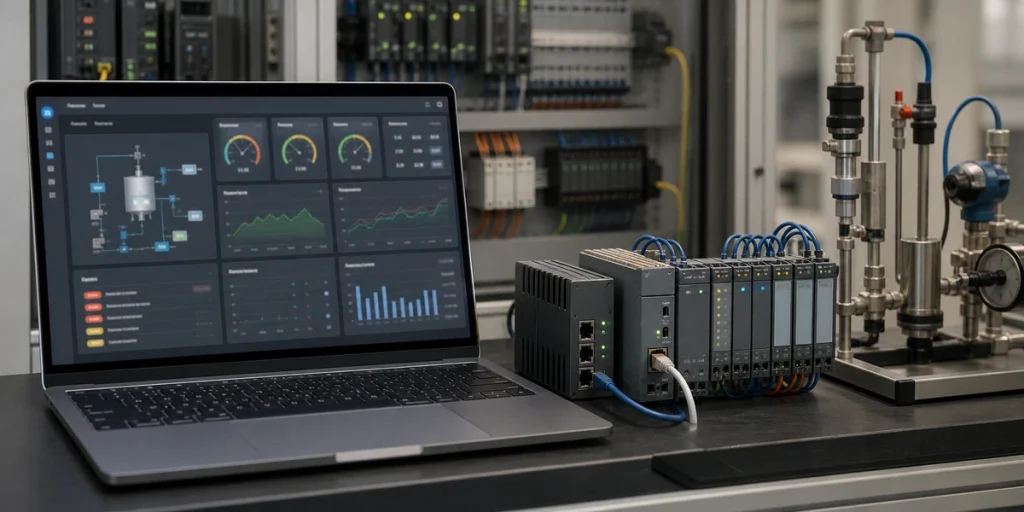
With the rapid development of industrial automation and IoT technologies, SCADA (Supervisory Control and Data Acquisition) and HMI (Human-Machine Interface) systems have become critical components of modern industrial infrastructures.
However, traditional SCADA and HMI tools are often limited by closed architectures and complex deployment processes, making them insufficient to meet the current demands of Industry 4.0 for openness, flexibility, and cross-platform support. Many of these capabilities now rely on flexible, cloud-connected IoT platforms for unified monitoring.
FUXA is a web-based, modern process visualization tool that provides an open-source, flexible, and multi-protocol SCADA/HMI solution. This article explores FUXA’s features, technical architecture, and practical advantages to help users better understand and apply this tool in their projects.
What is FUXA?
FUXA is an open-source, web-based SCADA/HMI tool used to create real-time monitoring dashboards for industrial and IoT systems. It provides a drag-and-drop interface, supports popular industrial protocols such as Modbus, MQTT, OPC-UA, and Siemens S7, and runs on any platform including Windows, Linux, macOS, and Docker.
Because FUXA is fully browser-based, engineers can design visualizations, connect devices, and manage automation workflows without installing any heavy client software. This makes it a lightweight, flexible alternative to traditional SCADA tools for both industrial automation and modern IoT applications. As a web-based tool, FUXA offers the following key features:
- Openness and Cross-Platform Support
Built with full-stack web technologies, FUXA runs seamlessly on Windows, Linux, and macOS. It also supports Docker deployment for quick installation and operation. - Support for Multiple Industrial Protocols
FUXA includes extensive protocol support, such as Modbus RTU/TCP, OPC-UA, MQTT, Siemens S7, and more, enabling seamless integration with industrial devices for data acquisition and interaction. - Fully Web-Based Visualization Interface
Users can access FUXA’s engineering design interface directly through a web browser, using drag-and-drop tools to create real-time monitoring dashboards. - Open Source and Community-Driven
Hosted on GitHub, FUXA allows users to customize the source code to meet specific project needs while benefiting from community contributions and support.
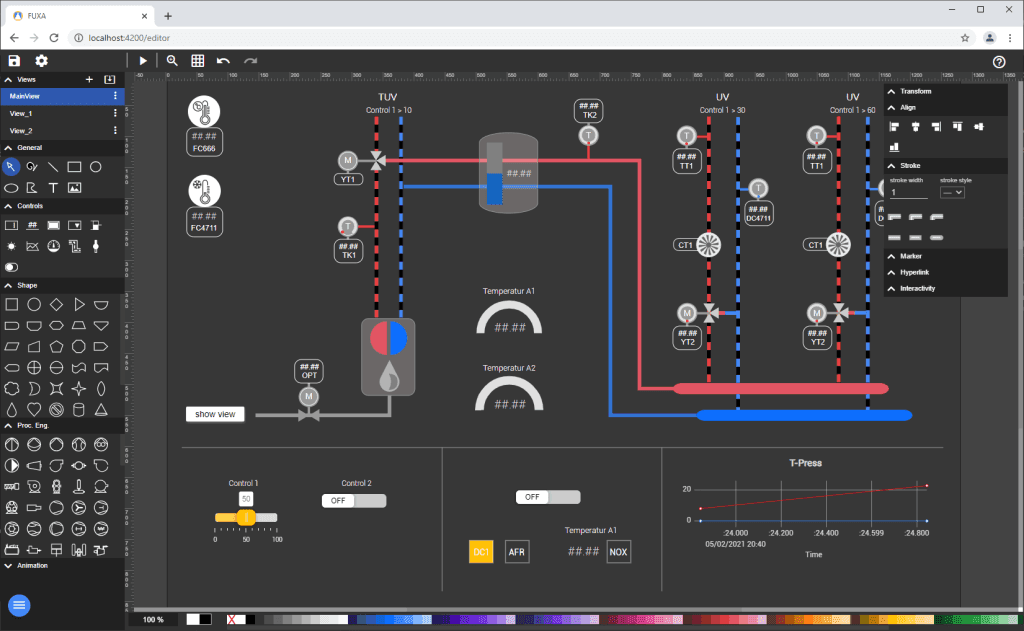
Features of FUXA
1. Comprehensive Protocol Support
FUXA supports various industrial communication protocols, making it easy to integrate into existing automation systems. Below is a summary of key protocols:
| Protocol | Purpose | Application Scenarios |
|---|---|---|
| Modbus RTU/TCP | Standard protocol for industrial communication | PLCs, sensors, actuators |
| OPC-UA | Data exchange and communication standard | Multi-vendor device integration |
| MQTT | Lightweight IoT communication protocol | Remote monitoring for IoT devices |
| Siemens S7 | Communication protocol for Siemens PLCs | Factory automation |
| BACnet IP | Building automation communication protocol | Building management systems |
By leveraging these protocols, FUXA can seamlessly integrate with diverse types of devices and systems, allowing flexible data collection and interaction.
These industrial protocols are also widely used in modern edge computing environments.
2. Web-Based SCADA/HMI Editor
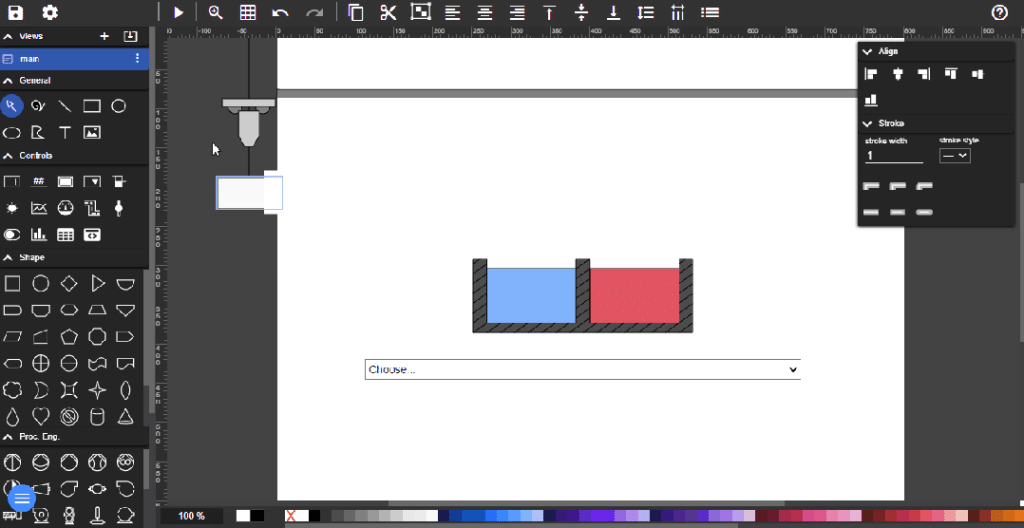
FUXA’s visualization interface is entirely web-based, eliminating the need for additional software installations. Key features of the editor include:
- Drag-and-Drop Components
Users can easily add buttons, charts, curves, and other components to the visualization interface with simple drag-and-drop actions. - Real-Time Data Binding
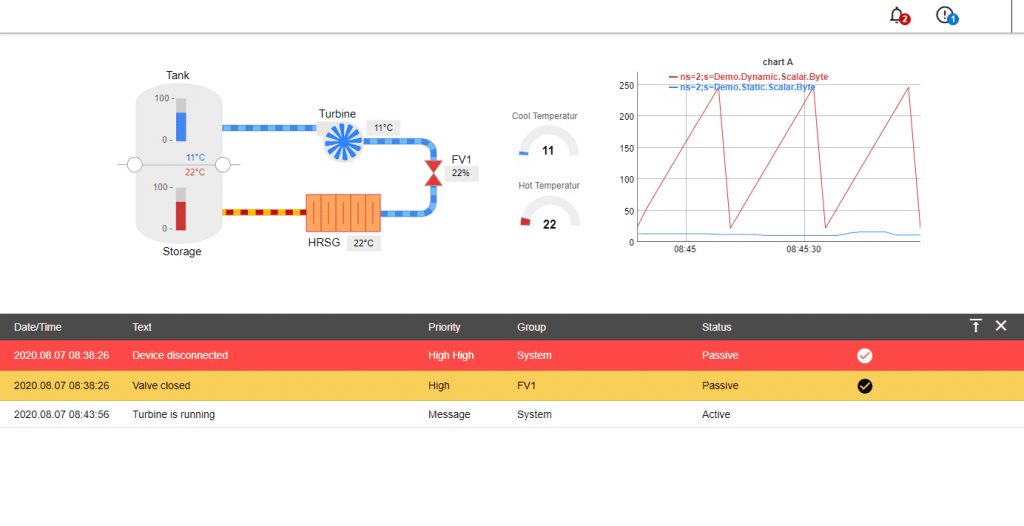
Each visual component can bind directly to real-time data, allowing users to monitor device status and parameter changes in real time. - Flexible Charts and Dashboards
FUXA provides various chart and dashboard styles, supporting real-time data display, historical data playback, and customizable alerts. These dashboards can also be integrated into larger IoT management platforms.
3. Cross-Platform Support and Quick Deployment
FUXA offers multiple installation and deployment options, enabling users to choose the method that best suits their requirements:
Option 1: Source Installation
- Install Node.js and dependencies.
- Clone the FUXA GitHub repository.
- Run
npm installandnpm startto launch the service.
Option 2: Docker Installation
- Pull the FUXA Docker image:
  docker pull frangoteam/fuxa:latest
docker run -d -p 1881:1881 frangoteam/fuxa:latest- Access the interface via a browser at
http://localhost:1881.
4. Real-Time Monitoring and Alerts
FUXA supports real-time monitoring of device status and includes a flexible alert system. When abnormal conditions are detected, FUXA can notify users through sound, visual cues, or email alerts, ensuring timely issue resolution.
FUXA vs Other Web-Based SCADA Tools
While many SCADA/HMI platforms exist in the industrial automation space, FUXA stands out for its lightweight, browser-based design and strong support for modern IoT protocols. The table below highlights how FUXA compares with several commonly used open-source visualization and SCADA tools.
| Tool | Interface Type | Protocol Support | Deployment | Ideal Use Case |
|---|---|---|---|---|
| FUXA | Fully web-based SCADA/HMI editor | Modbus, MQTT, OPC-UA, Siemens S7, BACnet | Node.js or Docker | Industrial monitoring, IoT dashboards, cross-platform visualization |
| Grafana | Web dashboards | Primarily database & time-series sources | Server/Linux/Docker | Analytics & time-series visualization, not real-time control |
| Node-RED Dashboard | Web UI for flows | MQTT, Modbus (via nodes), HTTP | Node.js | Lightweight IoT dashboards and rapid prototyping |
| OpenHAB | Web + native UI | MQTT, Modbus, KNX, Zigbee | Server/Docker | Smart home automation and IoT device control |
| ScadaBR | Java-based SCADA | Modbus, OPC, BACnet | Java/Tomcat | Traditional SCADA deployments with legacy systems |
Key Differences
- FUXA is purpose-built for SCADA/HMI, not just dashboards.
- It provides native industrial protocol support without additional plugins.
- The no-client-install, fully web-based editor makes it easier to deploy and maintain.
- Compared with heavier SCADA systems, FUXA is lighter, faster to configure, and ideal for IoT or cross-platform environments.
This makes FUXA a strong option for teams that need a modern, flexible visualization tool without adopting a large or closed SCADA ecosystem.
Technical Architecture of FUXA
FUXA is built on a modern web full-stack architecture, leveraging Angular for the front end and Node.js for the back end. It supports various industrial protocols to ensure stable and real-time data transmission.
Architecture Diagram
graph TD
    A[Industrial Devices] -->|Modbus/OPC-UA/MQTT| B[FUXA Data Acquisition Module]
    B --> C[FUXA Backend Service Node.js]
    C --> D[FUXA Data Processing Module]
    D --> E[Database]
    C --> F[FUXA Frontend Interface Angular]
    F -->|Browser Access| G[Users]
    G -->|Control Operations| F

    style A fill:#E3F2FD,stroke:#64B5F6,stroke-width:2px
    style B fill:#F3E5F5,stroke:#AB47BC,stroke-width:2px
    style C fill:#E8F5E9,stroke:#66BB6A,stroke-width:2px
    style D fill:#FFF9C4,stroke:#FFEE58,stroke-width:2px
    style E fill:#FFEBEE,stroke:#EF5350,stroke-width:2px
    style F fill:#E0F7FA,stroke:#26C6DA,stroke-width:2px
    style G fill:#F3E5F5,stroke:#7E57C2,stroke-width:2px
Architecture Explanation
- Industrial Device Layer
This layer communicates with industrial devices using supported protocols like Modbus RTU/TCP, MQTT, and more to collect real-time data. - Backend Service Layer
The backend, powered by Node.js, handles data acquisition and protocol conversion to ensure real-time processing and stability. - Frontend Display Layer
The frontend, built on Angular, provides a web-based interface for users to interact with and monitor data visually. - Data Storage Layer
External databases (e.g., MongoDB or MySQL) store historical data, alarm logs, and other essential records.

Workflow of FUXA
The operation of FUXA involves three core stages: data acquisition, processing, and real-time display. Below is a sequence diagram to illustrate the workflow:
Sequence Diagram
sequenceDiagram
    participant Devices as Industrial Devices
    participant DataAcquisition as FUXA Data Acquisition Module
    participant Backend as FUXA Backend Service
    participant Database as Database
    participant User as User Browser

    Devices->>DataAcquisition: Provide real-time data
    DataAcquisition->>Backend: Protocol parsing and transmission
    Backend->>Database: Store data
    Backend->>User: Display real-time data through the web interface
    User->>Backend: Send control commands
    Backend->>DataAcquisition: Convert commands into device-specific protocols
    DataAcquisition->>Devices: Issue control instructions
Use Cases
Case 1: Factory Equipment Monitoring
A manufacturing plant used FUXA to monitor the operational status of all its equipment. By connecting PLCs and sensors through the Modbus RTU protocol, the plant displayed critical equipment data in real time and implemented an alert system for early fault detection.
Case 2: Building Automation
A commercial building adopted FUXA with the BACnet IP protocol to manage its HVAC, lighting, and elevator systems. This centralized control system significantly improved energy efficiency and streamlined equipment management.
Case 3: Using FUXA With Home Assistant
Although FUXA is primarily designed for industrial SCADA and HMI applications, it can also be connected to Home Assistant through standard IoT protocols. The most common integration method is MQTT, which enables data exchange between the two platforms.
Through MQTT, FUXA can publish real-time data from industrial devices, while Home Assistant can subscribe to these topics for visualization or automation rules. Likewise, Home Assistant can send control messages back to FUXA-connected devices when MQTT command topics are configured.
This makes FUXA a useful option for users who need industrial-grade visualization inside a Home Assistant environment, especially for monitoring sensors, gateways, and edge devices.
Need help building SCADA/HMI dashboards or integrating device data?
We design custom visualization interfaces, protocol integrations, and industrial monitoring solutions for IoT and automation projects.
Summary
Advantages
- Flexibility and Scalability
FUXA’s support for multiple industrial protocols allows seamless integration into diverse systems. - Open Source and Transparency
Users can modify the code to meet unique requirements and benefit from community-driven enhancements. - Ease of Use
Its web-based design simplifies deployment and operation, making it accessible to a wide range of users.
Future Development
- Enhanced Protocol Support
Adding more industrial protocols to broaden its application scenarios. - Integration with AI and Big Data
Leveraging AI for advanced data analysis and predictions. - Improved Mobile Support
Enhancing the mobile user experience for remote monitoring.
FUXA is a powerful, flexible, and user-friendly modern SCADA/HMI tool. Its open-source nature, multi-protocol support, and web-based design make it an ideal choice for industrial automation and IoT applications. With further advancements in features and protocol integration, FUXA is poised to become a core technology in smart industry and building automation.
If you are interested in exploring FUXA, visit its GitHub repository or try the online demo to experience its robust capabilities.
Building HMI or embedded UI and need firmware integration?
Upload your device requirements, and our engineers will review them for free. → Start your integration review.