

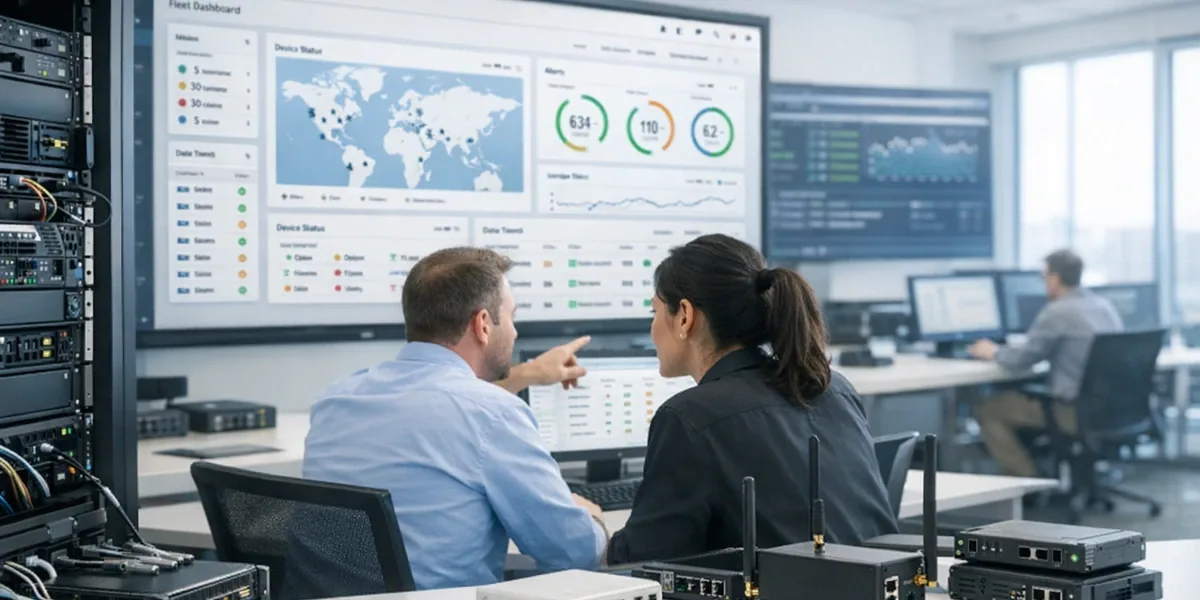
Many teams still treat an IoT device-management platform as three things: device registration, online status, and a device-detail page. That starting point is understandable, but it only supports “the device is connected and visible.” It does not yet support “the fleet can be operated reliably at scale.” As soon as the system has to handle multiple device models, unstable networks, batch commands, version control, cross-site troubleshooting, and support workflows, the real questions change:
- what exactly is this device, who owns it, and where is it installed
- is the current value on screen asset data, runtime state, or a derived platform judgment
- when a command is sent, was it delivered, acknowledged, retried, or timed out
- how can support find “East China + firmware X + abnormal disconnects in the last 72 hours”
- when an alert appears, should the operator inspect logs, resend a command, or escalate the incident
The core conclusion of this article is: a usable IoT device-management platform needs at least five separated responsibilities: Registry, State, Command Plane, Fleet Index, and Ops Console. Registration plus online state gives you a device catalog. Separating and connecting these five layers gets you much closer to a real management platform.
Definition Block
In this article, an
IoT device-management platformis not just a backend that receives device data and shows a few fields. It is an operational control system for the full device lifecycle: identity, ownership, state, commands, search, troubleshooting, and batch operations.
Decision Block
If your system must support multiple tenants, sites, device versions, or support workflows such as batch operations, remote commands, fault triage, and SLA reporting, do not treat “device table + online flag + detail page” as the final architecture. Split the five core subsystems first, then connect them through real operational workflows. Otherwise the system will scale in device count but not in operational reliability.
1. Why platforms often start working and then start failing
1.1 Demo-first structure usually answers only one question
Most projects can quickly produce a convincing first version:
- the device reports a serial number
- the platform creates a record
- the UI shows online state, last seen, and a few properties
At that stage, the main question is “can the device connect.” It is not yet “can the fleet be managed over time.” The problem begins when teams keep the same data model for the production platform.
The usual outcome is:
- the
registry modelstarts carrying runtime state - the
device detail pageis forced to act like an operations console command deliveryis just a button without delivery semanticssearchbecomes a list filter that collapses as the fleet grows
In other words, the platform does not necessarily lack features. It puts too many features into the wrong object and the wrong page.
1.2 The real platform problems appear in batch and exception handling
Seeing one device does not mean managing one thousand devices. The pressure points are usually cases like these:
- a new firmware should reach only one region, one model, or one battery revision
- a group of devices has been connected but not acknowledging commands since yesterday
- one site raises many alarms, but field feedback says it is only intermittent connectivity
- command latency is rising, but only on one adapter path
- support needs to decide whether the issue is the device, the network, or the platform's own state interpretation
These are not single-device problems. They require a device set, runtime context, and an action loop. That is where a management platform diverges from a simple backend.
2. What the five core subsystems are actually for
| Subsystem | Main question it answers | Typical objects | What breaks if it is missing |
|---|---|---|---|
Registry | What is this device, who owns it, and where does it belong | tenant, site, product, device, gateway, space | ownership becomes fuzzy and permissions become unstable |
State | What actionable condition is the device in right now | desired/reported, connectivity, heartbeat, last seen, alarm summary | UI state drifts and operations decisions become inconsistent |
Command Plane | What was sent, did it arrive, and what happened after that | command, job, ack, timeout, retry, idempotency key | commands behave like buttons instead of tracked delivery objects |
Fleet Index | Which device cohort matches the current operation | firmware, region, model, health, tag, risk score | batch search and fleet operations degrade into slow queries or manual filtering |
Ops Console | What should support or operations do next | queues, playbooks, drill-down, batch action, incident view | the UI can display data but cannot support action |

2.1 Registry handles identity, ownership, hierarchy, and lifecycle
The job of Registry is not just storing a device row. It needs to express:
- which tenant, project, site, room, or line the device belongs to
- whether it is a standalone device, a gateway, or a child device
- whether it is active, retired, under repair, or replaced
- how it relates to hardware revision, product model, and manufacturing batch
The most common mistake here is letting runtime state leak into the registry object. That saves one layer early on, but it also lets frequent state updates contaminate stable ownership data and makes permission boundaries harder to reason about.
2.2 State turns raw signals into operational judgment
State should not mean “the latest telemetry row.” It is closer to a state interpretation service that turns multiple raw signals into a usable platform judgment:
- is the device online, suspect, offline, or stale
- does desired state match reported state
- when was the last valid activity
- is there a summarized operational risk that should enter the console
The distinction from Registry matters: Registry answers who the device is. State answers what condition it is in right now. If those concerns are merged, the UI may look simpler, but diagnostics become harder and harder.
2.3 Command Plane turns commands into trackable objects
Many platforms still treat command delivery as a button that pushes an action straight to the device. That works when the fleet is small and the action is simple. It starts breaking when the platform has to answer:
- which exact cohort received the command
- whether an idempotency key is needed
- what timeout should apply
- whether ACK means platform receipt or device execution
- whether failure should trigger immediate retry, delayed retry, or manual escalation
That is why the safer default is to treat commands as objects with lifecycle, not as one HTTP call. At minimum the platform should separate:
real-time controlconfiguration deliverybatch jobsoperations actions
If all of those share one path where “sent” means “done,” the platform will eventually produce duplicate execution, false success, and unclear ownership of failure.
2.4 Fleet Index makes the platform cohort-first instead of detail-page-first
Real operations almost always begin with “which devices match this condition,” not with “open one detail page.”Fleet Index usually needs a search-optimized view of device data such as:
- model, firmware, and configuration version
- connectivity state, heartbeat risk, and last activity
- region, site, tenant, and tags
- latest alarms, pending commands, and failure rate
The key point is not simply “add one denormalized table.” It is accepting a practical truth: a transactional database optimized for correctness is not automatically the right shape for fleet search.
Without a dedicated index layer, platforms usually end up in one of two bad states:
- search is weak because it only supports a few safe filters
- search is powerful, but it drags the primary write path and the whole backend becomes heavier
2.5 Ops Console tells operations what to do next
Many backends show a lot of data, yet support staff still has to jump manually between views:
- open a list
- enter one device
- inspect the latest log
- switch to command history
- switch again to alerts
That is not a feature-count problem. It is the absence of a real Ops Console.
An operations console should support at least:
- work queues built around incidents or tasks
- cohort-level operations, not only single-device views
- risk summary, latest action, and executable playbooks
- a direct path from search results into batch actions or focused drill-down
If the page can only display information but cannot support the action loop, it is a dashboard, not an operations system.
3. How the five layers should form one action loop
A stable platform is not five isolated modules placed next to each other. It is five layers connected by one operational flow. Take the case “send a configuration change to one fleet segment and track the outcome.” The loop should look more like this:

Two middle steps are especially easy to skip:
- search before delivery: without a controlled target cohort, command intent is not really under control
- execution result before state judgment: without ACK, timeout, and failure classification, state becomes guesswork
So the real platform question is not merely “can the device receive a command.” It is “was the right cohort selected, was the command tracked correctly, and did the result change the operational judgment in a trustworthy way.”
4. The most common architectural mistakes
4.1 Using the primary business database as registry, state store, and search engine at once
This usually creates two outcomes:
- high-frequency state updates slow down stable asset queries
- increasingly complex search requirements start shaping transactional tables in unhealthy ways
The safer move is not necessarily adopting a huge data stack on day one. It is recognizing early that the write model and the search model may not be identical.
4.2 Treating the command path with synchronous RPC assumptions
Real device fleets often deal with:
- offline devices
- proxy or gateway forwarding
- asynchronous ACK
- execution success with delayed receipt
- platform retries that can create duplicates
If the platform still interprets “HTTP 200” as “the command is done,” it will eventually generate false success and repeated actions.
4.3 Mistaking a single-device detail page for an ops console
A detail page is good at telling the story of one device. It is bad at handling the story of one fleet action. Real operations usually need:
- first identify a device cohort
- then detect the shared risk
- then execute a batch or guided action
- then drill into a small number of exceptions
If the platform can only start from a single device detail page, batch operations will keep collapsing into manual work.
4.4 Mixing asset identity and live state in one object
The surface justification is often “one read is enough.”
But once scale rises, mixed objects damage:
- permission boundaries
- query performance
- caching strategy
- consistency of state interpretation
In practice, sacrificing model boundaries to save a few layers usually costs much more in operational complexity later.
5. A realistic rollout order, and when not to overbuild
5.1 If you are starting from scratch, this is usually the safer order
- Stabilize
Registryfirst so identity, ownership, hierarchy, and lifecycle are explicit. - Add
Stateaggregation so connectivity, heartbeat, last activity, and summarized risk are separated from asset data. - Add
Fleet Indexso search and batch selection become reliable. - Upgrade the
Command Planefrom button-style delivery to tracked command objects. - Build the
Ops Consolearound incidents, tasks, and batch actions.
This order works because each layer gives the next one a better foundation. It is usually safer than building a polished console first and discovering later that the underlying state and command semantics are still too weak.
5.2 These cases may not need the full five-layer platform
Not every system needs the full structure. A lighter design can be enough when:
- the fleet is small and single-tenant
- the platform is telemetry-only and does not send remote commands
- device behavior is simple and there is no batch operations burden
But once you start seeing these signals:
- more versions and models are appearing
- command failures need root-cause tracking
- support teams need batch selection and batch action
- UI state and field reality stop matching reliably
then the system is already moving from “device backend” into “management platform.” At that point the worst move is usually to keep forcing everything into one device row and one detail page.
6. One-sentence conclusion
A practical IoT device-management platform is not defined by “seeing devices on screen.” It is defined by this:
the platform can separate
registry, state, command, search, and operations console, then connect them into one trustworthy operational loop.
If your system already shows the symptom “we can find devices, but we cannot manage them reliably,” the next fix is usually not more charts. It is cleaner boundaries across these five layers.