

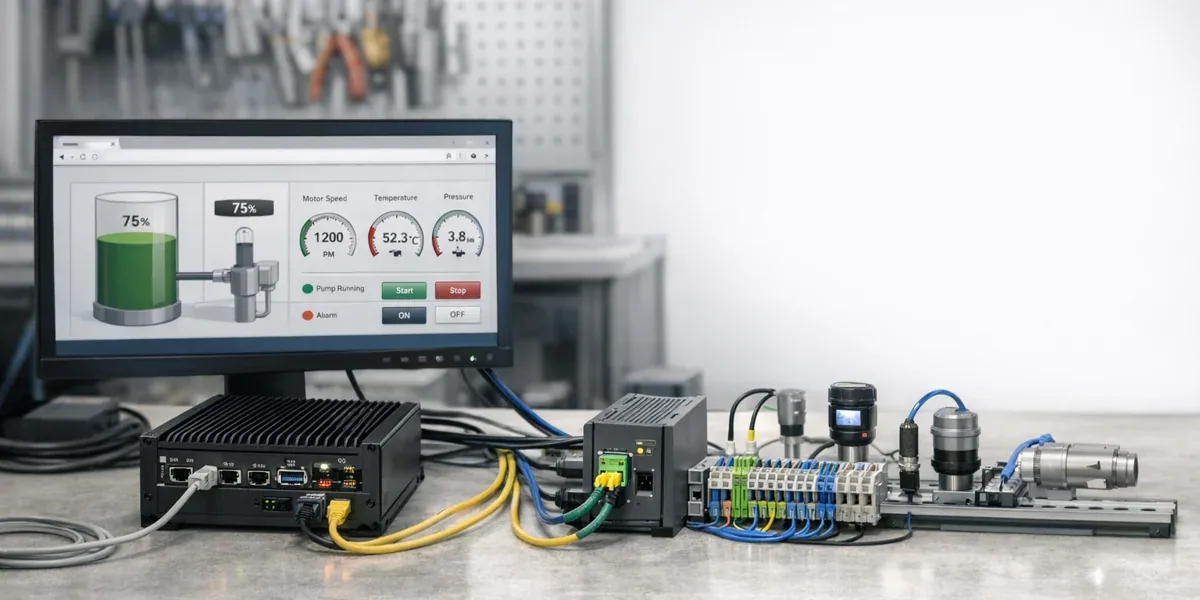
FUXA, Node-RED, and Modbus can form a useful open-source SCADA prototype stack. Its value is not that it replaces a full industrial SCADA platform. Its value is that it gives engineering teams a low-cost way to connect field data, HMI screens, lightweight logic, and validation workflows early in a project. It is a strong fit for prototypes, lab benches, equipment commissioning, customer demos, and lightweight site dashboards.
The core conclusion is: Modbus gets device data out of the field, Node-RED collects and transforms it, and FUXA provides the Web HMI / dashboard layer. When the system requires high availability, strict permission control, alarm lifecycle management, electronic signatures, audit trails, change control, or long-term regulated operations, this stack should be treated as a prototype layer or edge visualization layer, not as a direct replacement for mature SCADA software.
Decision Block
If the goal is to validate registers, build a demo HMI, prove an edge data path, or help stakeholders understand live machine state, FUXA + Node-RED + Modbus is a good fit. If the goal is to run a critical production line with alarm accountability, role-based operations, auditability, and 24/7 support, you need to add industrial-grade governance around the stack or choose a production SCADA / industrial platform.
1. Start with the responsibilities
The common mistake is to say, "these three open-source tools together equal SCADA." A better statement is that they cover the three most visible layers of a SCADA prototype, while leaving production governance as a separate responsibility.
| Component | Main responsibility | Good fit | Poor fit |
|---|---|---|---|
| Modbus | Field device communication | Reading registers, coils, status values, and limited control points | Device model governance, permissions, audit, alarm strategy |
| Node-RED | Data collection and lightweight orchestration | Polling, protocol bridging, data cleanup, API forwarding, rule prototypes | Critical real-time control, strong transactions, long-term state authority |
| FUXA | Web HMI / Dashboard | Screen design, real-time monitoring, trends, lightweight operator interface | High-grade permission systems, complete alarm lifecycle, compliance audit |
The FUXA GitHub repository positions FUXA as a web-based SCADA / HMI / dashboard platform for industrial automation, IoT, and real-time process visualization, with support for protocols such as Modbus RTU/TCP, OPC-UA, MQTT, and Siemens S7. Node-RED's official concepts describe flows, nodes, and messages as the core model for wiring inputs, processing, and outputs. Modbus remains common in industrial sites because it is simple, widely supported, and easy to connect. Its cost is weak semantics: register meaning, units, scaling, and abnormal states must be managed by the system around it.
That makes the proper boundary clear. This stack helps you turn field data into something visible, testable, and explainable. It helps teams discover wrong register maps, unsuitable polling intervals, overloaded HMI screens, unclear variable names, and missing abnormal-state handling early.
2. Recommended architecture: do not put every responsibility inside the HMI
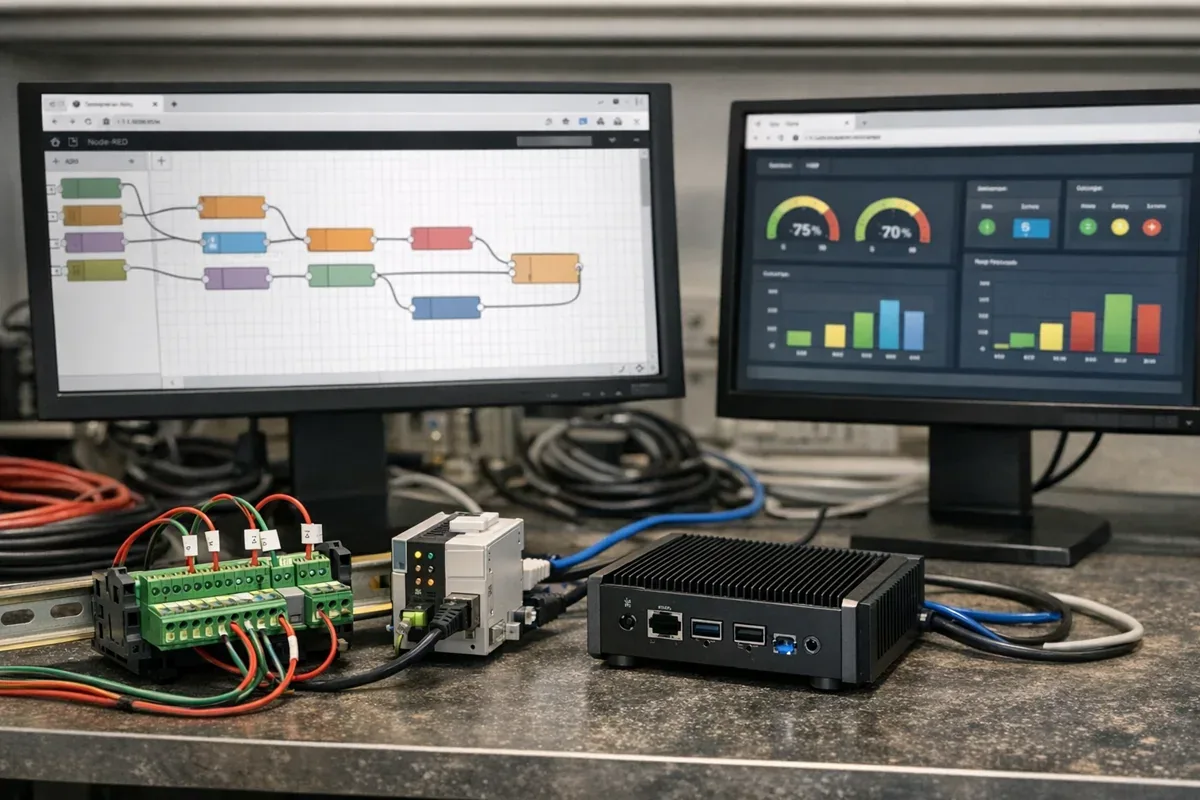
A practical prototype should separate collection, normalization, state caching, and visualization. The HMI should not directly carry every device connection and every interpretation rule.

This split has three practical benefits.
First, Modbus collection logic is centralized in Node-RED or in an edge collection layer. Register addresses, scaling factors, units, exception codes, and polling intervals live in one place. Changing the HMI or adding a database later does not require copying protocol logic into another screen.
Second, FUXA can focus on screens and interactions. It can show pumps, valves, temperature, pressure, running state, and trends. It should not become the only place where all field-data interpretation rules are hidden. The more screens you build, the more expensive that hidden logic becomes to maintain.
Third, business interfaces stay separate from HMI behavior. Prototype teams often add MQTT, HTTP APIs, database writes, spreadsheet exports, or customer-system callbacks. If all of that is embedded in screen events, it becomes hard to test and migrate. Keeping it in Node-RED or an integration layer makes the path easier to industrialize.
3. Where this stack works well
3.1 Commissioning and register validation
During equipment commissioning, the team usually does not need a complete SCADA platform first. It needs a short feedback loop that answers: what did we read, is the unit correct, does the value change as expected, and is the field state reflected on the screen? Modbus provides the device data path, Node-RED handles polling and mapping, and FUXA makes the key points visible.
In this stage, the acceptance criteria are operational:
- Is the register address correct?
- Are scaling and units consistent?
- Are device exception codes visible?
- Is the polling cycle creating bus pressure?
- Does the HMI state match what operators see in the field?
3.2 Small production cells, lab benches, and customer demos
If the site has a limited number of devices, the control risk is low, and the main goal is monitoring, trending, and a few human-confirmed operations, FUXA + Node-RED + Modbus can reduce prototype cost significantly.
Typical examples include lab test rigs, pilot equipment, small energy-monitoring systems, cold-chain monitoring demos, equipment vendor demos, customer PoCs, and internal training environments. These cases need real device connectivity, but their failure consequences are controlled and iteration speed matters.
3.3 Turning tool tutorials into a system prototype
Many teams start by learning one tool at a time: how to build a FUXA screen, how to read Modbus from Node-RED, or how to verify registers with a Modbus test tool. Once the project starts, the real question becomes how those tools fit into one explainable system.
This is where the stack is useful. FUXA is not just a screen builder, Node-RED is not just a flow editor, and Modbus is not just a register protocol. Together, they answer how field state is collected, interpreted, visualized, and handed to a person.
4. When it should not be treated as production SCADA
The main risk of an open-source prototype stack is that a working prototype gets pushed into production without adding the missing system responsibilities. The issue is usually not that the tools are useless. The issue is that the production boundary has not been completed.
Do not treat the stack as a full SCADA replacement if these conditions apply:
- Multiple shifts, roles, teams, or tenants use the same system.
- Alarms require acknowledgement, escalation, closure, comments, and after-the-fact review.
- Device actions can affect safety, downtime, customer commitments, or asset loss.
- The system needs high availability, redundant servers, offline compensation, or disaster recovery.
- Audit trails, change records, release versions, and configuration rollback are mandatory.
- The system must integrate reliably with MES, ERP, CMMS, or quality systems.
These capabilities are not solved by adding more screens. They belong to platform governance, operational processes, and industrial safety boundaries. In this situation, the open-source stack may still be valuable as an edge collection layer, prototype, or auxiliary dashboard, while production control, alarm governance, permission audit, and long-term data management move to a stronger industrial platform.
5. Engineering constraints to add before deployment
If you decide to use this stack for a prototype or a lightweight site system, add these constraints early.
| Constraint | Why it matters | Recommended practice |
|---|---|---|
| Point list | Modbus has weak semantics; registers do not explain business meaning | Track variable name, address, type, scaling, unit, limits, and notes |
| Polling cycle | Polling too fast can overload the bus and devices | Group points by change frequency instead of polling everything equally |
| Abnormal states | Timeout, CRC errors, and offline devices are not normal values | Distinguish stale, offline, error, and unknown states |
| Operation permission | HMI write actions can be riskier than monitoring | Limit write actions first, and allow only low-risk human-confirmed actions |
| Logs | Even prototypes need to know who changed what | Save operator actions, configuration changes, and key flow versions |
| Backups | Node-RED flows, FUXA projects, and point lists can be lost | Export configurations into Git or scheduled backups |
Boundary Block
This stack can prove that device data can be collected and visualized. It does not automatically prove that the system has production-grade SCADA reliability, permissions, alarms, and auditability. Keeping those two conclusions separate prevents prototype drift.
6. A practical minimum rollout path
Use this order when building the first version:
- Validate register addresses, data types, byte order, scaling, and exception codes with a Modbus debugging tool.
- Build the smallest Node-RED collection flow for critical points and output normalized variable names.
- Add a state cache or simple time-series store so the HMI is not the only owner of state logic.
- Build one minimal FUXA HMI screen for key device state, trends, and low-risk operations.
- Make error states visible: communication failure, device offline, stale data, and out-of-range values.
- If write actions are needed, add human confirmation, operation logs, and read-back confirmation.
- After the prototype is validated, decide whether to keep engineering the stack or migrate the production boundary to an industrial platform.
Each step has a clear acceptance point. The system proves that it can read correctly before it proves that it can display clearly, and only then should it move toward automation and control. For industrial sites, that is safer than trying to build a full SCADA system in one pass.
7. Conclusion
FUXA, Node-RED, and Modbus make sense as an open-source SCADA prototype stack because they cover the field communication, data transformation, and Web HMI layers that usually block early validation. The stack is fast, transparent, inexpensive, and easy to explain to both engineers and customers.
It should not be packaged as a one-click replacement for complete industrial SCADA. Once the system enters critical production, strong permissions, multi-role alarms, compliance audit, or long-term operations, governance and reliability need to be added explicitly. The right way to use the stack is as a prototype and lightweight edge-visualization layer: get field data working, make it visible, explain it correctly, and then decide whether the production system should be extended or moved to a stronger platform.