

Blogs

Bio-IoT: The Future of Healthcare and Technology Explained

The Internet of Things (IoT) has transformed industries by connecting devices and enabling real-time data sharing. In healthcare, this evolution has given rise to Bio-IoT—a blend of biology-inspired systems and IoT technology. Bio-IoT offers a smarter, more efficient approach to health monitoring, personalized treatment, and hospital automation. This article aims to explain what Bio-IoT is, how it’s applied in healthcare, and the technologies making it a game-changer for medical professionals and patients alike.


What Is Bio-IoT?

Bio-IoT, short for Biological Internet of Things, combines IoT technology with biology to create systems that monitor, analyze, and adapt to biological processes. It involves using devices inspired by nature or designed to work seamlessly with biological systems.

Key Features of Bio-IoT:

  1. Biology-inspired Design: Devices and algorithms modeled after natural processes, like skin-mimicking sensors.
  2. Adaptability: Systems that adjust automatically to environmental or physiological changes.
  3. Intelligence: Leveraging AI to analyze data and support real-time decision-making.

In healthcare, Bio-IoT powers solutions like wearable health monitors, remote medical systems, and tools for personalized medicine.


Key Applications of Bio-IoT in Healthcare

1. Smart Health Monitoring

Use Cases:

  • Wearable Devices: Devices like smartwatches or skin patches monitor vital signs such as heart rate, oxygen levels, and temperature.
  • Implantable Devices: Examples include glucose monitors and cardiac pacemakers that provide real-time data for doctors and patients.

Example:
The Dexcom G6 continuously monitors blood glucose levels, transmitting data to mobile apps for diabetes management.

Benefits:

  • Immediate access to critical health information.
  • Reduced need for frequent hospital visits.
  • Long-term tracking of health trends for better insights.

2. Precision Medicine

Precision medicine tailors treatments to individual patients based on their unique physiological data. Bio-IoT makes this possible by collecting and analyzing real-time health information.

Use Cases:

  • Monitoring the effectiveness of medications and adjusting dosages accordingly.
  • Tracking tumor environments in cancer patients to optimize treatments.

Example:
Proteus Digital Health developed ingestible sensors that monitor medication intake and transmit physiological data, enabling personalized adjustments to treatments.


3. Remote Healthcare and Rehabilitation

Use Cases:

  • Remote Monitoring: Doctors can track patients’ health remotely, enabling timely interventions.
  • Rehabilitation Tracking: Devices monitor movements and recovery progress for patients undergoing physical therapy.

Example:
Philips HealthSuite connects home health monitoring devices with hospital systems, supporting remote patient care and chronic disease management.

Benefits:

  • Expands access to healthcare services.
  • Lowers costs for managing chronic conditions.
  • Empowers patients to take an active role in their health.

4. Hospital and Laboratory Automation

Bio-IoT can also streamline operations in healthcare facilities.

Use Cases:

  • Monitoring the operational status of hospital equipment to reduce downtime.
  • Improving sample management with IoT-enabled tags that ensure proper storage conditions.

Example:
Smart labs use IoT sensors to track sample temperatures and humidity, ensuring data reliability and accuracy.


Technologies Behind Bio-IoT

Bio-IoT relies on a combination of advanced technologies that make it efficient and adaptable.

1. Biological Sensors

Sensors are at the core of Bio-IoT, collecting data from the human body and its environment.

  • Flexible Sensors: Skin-like devices for wearables.
  • Implantable Sensors: Devices embedded in the body for long-term monitoring.
  • Biochemical Sensors: Detect chemical changes in blood or other fluids.

2. Wireless Communication

Efficient data transmission is crucial for Bio-IoT systems, especially in healthcare where real-time insights are often critical.

  • Bluetooth Low Energy (BLE): Ideal for short-range communication, commonly used in wearables.
  • NB-IoT: Provides wide coverage for remote medical devices.
  • LoRa: Useful for low-power, long-distance communication in hospital or rehabilitation settings.

3. Edge Computing and Cloud Platforms

These technologies ensure data is processed quickly and stored securely.

  • Edge Computing: Enables devices to process data locally, reducing latency.
  • Cloud Platforms: Systems like AWS IoT and Microsoft Azure provide large-scale storage and analysis capabilities.

4. Artificial Intelligence (AI) and Machine Learning (ML)

AI and ML make Bio-IoT smarter, helping it interpret data and make predictions.

  • Neural Networks: Mimic brain activity to predict health risks.
  • Deep Learning: Used for analyzing complex medical data like MRIs or ECGs.

5. Energy Management

Bio-IoT devices need efficient power solutions to function reliably over time.

  • Solar Energy: Powers outdoor monitoring devices.
  • Kinetic Energy: Harvests movement to power wearables.
  • Microbial Fuel Cells: Generate electricity using natural biological processes.

Why Bio-IoT Matters in Healthcare

1. Enhanced Patient Care

  • Provides real-time health feedback, reducing hospital visits.
  • Personalized recommendations give patients better control over their health.

2. Streamlined Healthcare Processes

  • Integrates medical devices and data for more efficient management.
  • Enables remote monitoring and automation in hospitals and labs.

3. Data-Driven Precision Medicine

  • Offers large-scale patient data for research.
  • Supports dynamic treatment adjustments based on real-time insights.

Future of Bio-IoT in Healthcare

  1. Advanced Biological Sensors: Sensors capable of tracking more biological markers and delivering more precise data.
  2. AI-Driven Intelligence: Using advanced AI models to enhance predictive accuracy for diseases.
  3. Integrated Healthcare Ecosystems: Connecting patients, doctors, devices, and platforms into seamless networks.
  4. Improved Security and Privacy: Ensuring sensitive health data is protected.

Conclusion

Bio-IoT is revolutionizing healthcare by combining biology and IoT technology. From smart health monitoring to personalized medicine, its potential is vast. As sensors, AI, and communication technologies evolve, Bio-IoT will play an even bigger role in creating smarter, more efficient, and more personalized healthcare systems.

For professionals in the biomedical field, understanding and adopting Bio-IoT technologies can open up new opportunities to improve patient care and streamline medical operations. The future of healthcare is smarter, and Bio-IoT is leading the way.

IoT Device Development Guide: How to Develop IoT Devices and Choose The Right MCU, SoC, or MPU?

Developing IoT devices requires a strategic understanding of hardware selection, system integration, and application-specific requirements. In this IoT device development guide, we explore the critical factors to consider when choosing between an MCU, SoC, or MPU for your next IoT hardware development project.

Choosing the right processing unit is vital to ensure that the device delivers the required performance, power efficiency, and scalability. Let’s dive into the essentials of IoT devices development and how to make the right decision.


1. Understanding the Options: MCU, SoC, and MPU

1.1 Microcontroller (MCU)

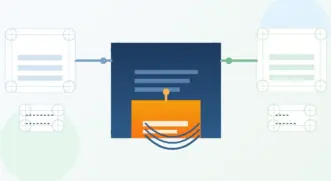
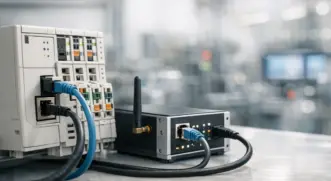
MCU is an all-in-one chip integrating processor, memory, and peripherals, making it suitable for low-power, cost-sensitive, and simple control applications. Common use cases include:

  • Sensor control
  • Data collection
  • Basic communication (e.g., UART, SPI, I2C)
image 1

Features:

  • Low power consumption: Ideal for battery-powered devices.
  • Real-time response: Quickly reacts to external events.
  • Low development cost: Suitable for resource-constrained projects.

Popular MCU Models:

  • STM32 series (STMicroelectronics): A balanced choice for performance and power efficiency.
  • TI MSP430 series: Ultra-low power, suitable for industrial and medical devices.
  • Nordic nRF52 series: Integrated Bluetooth, ideal for wearable devices.
  • Domestic models: GD32 series (GigaDevice): Low-cost and STM32-compatible.

1.2 System-on-Chip (SoC)

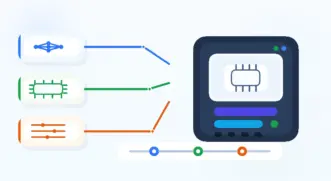
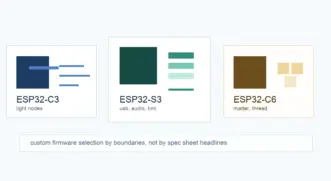
SoC integrates processor, memory, communication modules (e.g., Wi-Fi, Bluetooth), GPU, and other functional units, offering high performance and multifunctionality. Typical applications include:

  • Smart home devices (smart speakers, cameras)
  • Edge computing nodes
  • Advanced sensor networks
image 2

Features:

  • High integration: Reduces peripheral complexity.
  • Multifunctionality: Supports various communication protocols.
  • Suitable for multitasking: Meets data processing needs.

Popular SoC Models:

  • ESP32 (Espressif): Built-in Wi-Fi and Bluetooth, widely used in smart home devices.
  • Ambiq Apollo series: Ultra-low power, suitable for wearable devices.
  • Domestic models: RK3568 (Rockchip): Supports high-performance computing and multimedia processing.

1.3 Microprocessor (MPU)

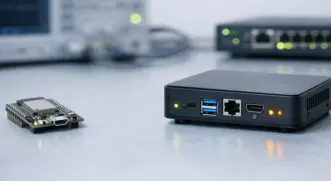
MPU typically runs full-fledged operating systems like Linux, making it ideal for high-computing and multitasking applications. Primary use cases include:

  • Industrial automation
  • Smart gateways
  • Advanced human-machine interface devices
image 3

Features:

  • High performance: Suitable for complex calculations and large-scale data processing.
  • Supports operating systems: Highly flexible.
  • Requires external peripherals: Needs external RAM, storage, and other components.

Popular MPU Models:

  • NXP i.MX series: Supports multimedia processing and industrial control.
  • TI Sitara series: Suitable for industrial automation and smart gateways.
  • Domestic models: RK3399 (Rockchip): Supports 4K video and AI computation.

2. Key Considerations in Developing IoT Devices

When developing IoT devices, several technical and business factors should guide your choice of processing unit:

2.1 Power Consumption

In IoT hardware development, especially for battery-operated devices, low power consumption is crucial. MCUs generally consume less power than SoCs and MPUs, making them ideal for energy-sensitive applications.

2.2 Performance Requirements

IoT devices development must align hardware capabilities with application demands. Applications involving real-time data processing, machine learning, or multimedia often require SoCs or MPUs for adequate performance.

2.3 Connectivity Needs

Many modern IoT device development projects require integrated wireless communication (e.g., Wi-Fi, Bluetooth, Zigbee). SoCs often offer built-in wireless modules, simplifying the hardware design.

2.4 Security Features

Security is paramount in IoT hardware development. Choosing a processing unit with built-in security modules such as secure boot, encryption engines, and trusted execution environments is vital.

2.5 Operating System Support

MPUs can run full operating systems like Linux or Android, offering greater flexibility for complex applications. For simpler, bare-metal systems or real-time operating systems (RTOS), MCUs are often sufficient.

2.6 Development Ecosystem and Support

A strong development ecosystem—comprising software tools, community support, and documentation—can significantly accelerate the development of IoT devices.

3. How to Choose the Right Processor for Your IoT Device Development

When choosing between MCU, SoC, or MPU, consider the following factors:

Power Consumption Requirements

  • Low-power scenarios: For battery-powered devices and environmental monitoring nodes, MCU or low-power SoC is preferable.
  • High-computing requirements: For video processing or edge AI, SoC or MPU is recommended.

Performance and Task Complexity

  • Simple control tasks: An MCU suffices.
  • Multitasking or complex data processing: SoC or MPU is necessary.

Development Cost and Time

  • Quick development: MCUs have shorter development cycles and fewer peripheral demands.
  • Integrated functionality: SoC reduces hardware complexity but requires more software development.

4.1 Smart Home Devices

Processor TypeChip ModelFeatures
MCUSTM32F1 seriesHigh performance, low power, suitable for smart lighting control.
SoCESP32Built-in Wi-Fi and Bluetooth, ideal for smart plugs and cameras.
MPURK3568Supports high-resolution video and multimedia processing, suitable for home gateways and smart speakers.

4.2 Industrial IoT (IIoT)

Processor TypeChip ModelFeatures
MCUGD32 seriesDomestic low-cost, STM32-compatible, suitable for industrial sensor control.
SoCQualcomm QCA4020Multi-protocol support (Wi-Fi, Zigbee), ideal for industrial wireless networks.
MPUTI AM335x seriesSupports real-time operating systems, suitable for industrial automation and data collection.

4.3 Wearable Devices

Processor TypeChip ModelFeatures
MCUNordic nRF52840Integrated Bluetooth, ultra-low power, suitable for fitness trackers and smart bands.
SoCAmbiq Apollo4Efficient AI processing, suitable for smartwatches.
MPUN/ARarely used in wearables due to high power requirements.

5. Performance and Power Consumption Comparison

Performance and power consumption are crucial factors in IoT device development. Different scenarios prioritize these metrics differently. For instance, battery-powered sensor nodes emphasize low power, while edge computing devices prioritize processing performance.

MCUs typically balance low power consumption and moderate performance. They are ideal for simple tasks like sensor control and real-time data collection. Chips like STM32 and GD32 operate under 1mA of current, making them suitable for low-power IoT scenarios.

SoCs offer higher integration and performance, supporting multitasking and communication modules. For example, the ESP32 integrates Wi-Fi and Bluetooth, making it a top choice for smart home devices. However, its power consumption is slightly higher than MCUs, requiring optimization in design.

MPUs focus on high-performance scenarios such as edge AI and multimedia processing. Chips like RK3399 and NXP i.MX series run complex algorithms and multitasking operations but have higher power consumption. Thus, MPUs are often used in powered devices like industrial gateways or multimedia hubs.

MetricMCUSoCMPU
Compute PowerLow to MediumMedium to HighHigh
Power ConsumptionLowMediumHigh
IntegrationHighVery HighModerate
CostLowMediumHigh
Development ComplexityLowMediumHigh

In summary, developers must balance performance and power consumption based on their specific application. MCUs are suitable for low-power devices, SoCs for multifunctional wireless devices, and MPUs for high-performance, complex systems.


6. Final Thoughts

When choosing between MCU, SoC, or MPU, developers should balance performance, power consumption, and development complexity based on specific device requirements and budget:

  • Low power and simple tasks: Choose an MCU, such as the STM32 or GD32 series.
  • Multifunctionality and wireless communication: Opt for an SoC, such as the ESP32 or RK3568.
  • High computing demand and multitasking: Select an MPU, such as the RK3399 or NXP i.MX series.

By selecting the right processor, developers can significantly enhance IoT device performance and reliability while optimizing development costs and timelines.

Need help with your IoT devices development?

ZedIoT offers expert consulting and development services to bring your IoT vision to life. Contact us today to discuss your project!

IoT Trends and Prospects in 2025: Comprehensive AI Integration and Industry Applications

In 2025, the Internet of Things (IoT) industry will step into a new phase of deep integration and value creation. Over the years, IoT technologies have evolved from basic connectivity to a robust ecosystem enriched by low-power communication protocols, advanced SoC and AI chips, and the transformative potential of AI large models. This article analyzes IoT trends and applications across four dimensions: communication protocols, system platforms, embedded hardware, and AI-driven innovations.


Communication Protocols: Advancing Efficiency and Diverse Applications

IoT communication standards and protocols are evolving to meet the demands of both consumer and industrial applications with higher efficiency, lower power consumption, and seamless integration.

  • Matter + Thread Adoption Grows:
    As a leading smart home standard, Matter is expanding rapidly, supported by Thread’s low-power, robust mesh networking capabilities. By 2025, Matter+Thread-compatible devices are expected to see a 50% year-over-year increase in shipments compared to 2024.
  • UWB (Ultra-Wideband) Applications Expand:
    With precise positioning and secure communication, UWB is finding use beyond smart locks and asset tracking. In 2025, UWB will be widely applied in smart car keys, warehouse navigation, indoor positioning, and AR interactions, with an estimated 150 million compatible devices shipped globally.
  • LoRaWAN Strengthens Its Position:
    Known for its ultra-low power and long-range capabilities, LoRaWAN continues to thrive in agriculture, environmental monitoring, and logistics. By 2025, the number of LoRaWAN-connected nodes is projected to exceed 2 billion globally.
  • Bluetooth 5.4 Gains Momentum:
    The latest iteration of Bluetooth enhances bandwidth and stability, enabling high-data-rate applications in wearables, healthcare monitoring, and smart sensors.

Example Chart: Projected Device Shipments by Protocol (2023-2025)

Protocol202320242025 (Forecast)
Matter + Thread0.8B1.2B1.8B
UWB0.6B1.0B1.5B
LoRaWAN10B15B20B
Bluetooth 5.415B20B26B

(Note: Data is illustrative and based on trend projections.)


System Platforms: Tailored Solutions for Industry Needs

By 2025, IoT platforms are shifting away from generic public cloud IoT PaaS offerings toward more specialized, tailored, and sustainable solutions.

  • Open Source and Modular Development:
    Developers are increasingly turning to open-source frameworks and modular tools for flexible and cost-effective system integration. This approach simplifies the deployment of protocol stacks, data management modules, and AI inference engines.
  • Decline of Public Cloud IoT PaaS:
    While public PaaS platforms excel in scalability, they often lack the adaptability required for niche industry needs. Users are moving towards private or hybrid cloud solutions, or platforms designed specifically for vertical markets.
  • Industry-Specific Customization and Value Creation:
    Platforms are now expected to deliver direct business value. For instance, an agricultural IoT platform must demonstrably increase yield and land utilization, while logistics platforms should directly optimize inventory and transportation costs.

Comparison Table: Evolution of IoT Platforms

MetricEarly Stage (2020-2023)2025 Trends
Deployment ModelPrimarily public PaaSHybrid/private cloud
Technical ApproachClosed monolithic systemsOpen-source + modularity
Revenue ModelPer connection/trafficBased on data value
Industry AdaptabilityGeneralized solutionsDeep vertical integration
Value RealizationIndirect (via data analysis)Direct (real-time decisions)

(Data and trends are indicative.)


Embedded Hardware and the Evolution of SoC + AI Chips

In 2025, IoT hardware trends emphasize integration, cost-efficiency, and advanced AI capabilities.

  • SoC Becomes Standardized:
    Highly integrated System-on-Chip (SoC) solutions combine control, storage, sensor interfaces, and basic AI acceleration, reducing costs and simplifying designs.
  • Segmented Communication Modules and Low Power:
    Modules tailored for specific use cases (e.g., home, wearable, industrial, healthcare) proliferate, with low power consumption a key design focus.
  • AI-Embedded Chips Improve and Cost Drop:
    Edge AI chips are evolving from basic inference to running subsets of large models locally. By 2025, mid-range IoT devices are expected to deliver 30%-50% higher AI inference performance (TOPS metric) compared to 2023, with a 20% reduction in per-chip cost.
Metric202320242025 (Forecast)
Performance (TOPS)100130150
Power Consumption1009080
Cost1008580

(Improvements in performance and efficiency lower the cost of AI capabilities.)


Comprehensive AI Integration: From Consumer Devices to Industrial and Healthcare Applications

AI large models combined with IoT are driving significant transformations across consumer, industrial, and healthcare sectors.

Edge AI + Cloud AI Fusion

  • From Edge Computing to “Edge Brains”:
    Edge AI evolves from supplementing cloud-based intelligence to becoming an independent decision-making unit. For example, smart home security cameras can detect and respond to anomalies locally without cloud reliance.

Consumer AI Explodes

  • Smarter Consumer Devices:
    Smart home products like speakers, TVs, and robots will actively predict user needs, offering personalized experiences. For example, a smart speaker might proactively recommend music or adjust lighting and temperature when family members arrive home.
  • Data-Driven Value-Added Services:
    Manufacturers will use over-the-air (OTA) updates to continually enhance device AI models, improving user experiences and creating long-term value.

Industrial AI Applications

  • Business Process Optimization:
    Data from IoT sensors is now being used to refine production processes, optimize inventory, and enhance equipment maintenance. AI models trained on high-quality datasets enable precise predictions and actionable insights.
  • Data Governance and Model Optimization:
    The focus shifts from hardware expansion to leveraging high-quality data to train precise models that deliver tangible business outcomes.

AI in Healthcare Devices

  • AI-Powered Medical Equipment:
    Devices such as smart blood pressure monitors or ECG wearables will integrate AI modules and large model assistance, providing early warnings and personalized health insights.

Data Value for Industrial AI Applications

  • From Visualization to Deep Intelligence:
    IoT has accumulated massive amounts of data over the years. While early use cases emphasized visualization, AI large models will unlock deeper correlations and predictive insights, enabling businesses and users to make optimal decisions in complex environments.

The IoT industry in 2025 is poised for transformation across the following dimensions:

  1. Infrastructure: Communication protocols like Matter + Thread, UWB, LoRaWAN, and Bluetooth 5.4 are becoming more diverse and advanced. SoC and AI chip adoption is enabling smarter decision-making at the edge.
  2. Platforms: Open-source modular platforms and industry-specific solutions are replacing generic PaaS systems, emphasizing direct business value creation.
  3. AI Integration: Consumer devices are becoming smarter, while industrial and healthcare applications focus on data value extraction, process optimization, and personalized services.
  4. Data and Intelligence: IoT is evolving from merely “connecting things” to “understanding things,” transitioning from reactive operations to proactive decision-making.

As data, models, and hardware co-evolve, IoT in 2025 will redefine connectivity, moving towards predictive, context-aware, and intelligent ecosystems. This will drive industry upgrades, enhance everyday life, and create new growth opportunities.

Transform Your Business with Our AI + IoT Development Services

With 10 years of experience, ZedIoT leads the way in AI and IoT development. We offer tailored solutions that integrate AI with IoT, driving innovation and efficiency across industries. Partner with us to leverage our expertise and achieve your business goals. Contact us today to explore our comprehensive services.

ai iot development development services zediot

Next-Generation Conversational AI Hardware: From Cloud to Edge

As generative AI and large language models (LLMs) advance at an unprecedented pace, conversational AI hardware is transforming—from purely cloud-dependent solutions to a more dynamic, cloud-edge collaborative paradigm. Early generations of voice assistants, in smart speakers or in-car infotainment systems, heavily relied on the cloud for speech recognition, natural language understanding, and dialogue management, harnessing powerful GPU or NPU clusters remotely.

However, users increasingly demand stronger privacy, enhanced security, reduced latency, and even offline capabilities. Meanwhile, breakthroughs in chip technology, on-device AI accelerators, and local model optimization techniques are paving the way for a more balanced approach. Instead of an asymmetrical “cloud brain + dumb terminal” model, the future promises intelligent devices capable of running lightweight models locally, dynamically requesting deeper, more complex inference tasks from the cloud only when needed.

This article provides a comprehensive look into this new era: from cloud-driven AI training and large model management to edge-side inference optimization, hybrid architectures, privacy and security considerations, and practical application scenarios. We will explore the technical principles, design strategies, and future trends shaping next-generation conversational AI hardware.


I. What Is Conversational AI Hardware and Why It’s Evolving

The explosive growth of IoT devices worldwide has popularized voice interaction and natural language experiences. Traditionally, voice assistant devices—such as smart speakers or car infotainment systems—uploaded audio data to the cloud for processing. While efficient at the outset, this model faces several challenges:

  1. Latency and Real-Time Requirements:
    Responsiveness is critical for user experience. Purely cloud-based solutions depend on network stability, potentially causing delays that impede natural interaction.
  2. Privacy and Data Security:
    Users worry that constant audio streaming to the cloud compromises privacy. In scenarios like healthcare, corporate meetings, or financial transactions, voice data may be highly sensitive.
  3. Cost and Resource Allocation:
    While cloud-based GPU/TPU clusters offer scalability, long-term cost optimization remains essential. Reducing bandwidth, compute, and storage overhead is paramount.
  4. Offline and Limited Connectivity:
    In environments with poor connectivity—remote areas, vehicles traveling through low-coverage zones—devices still need basic functionality without relying on continuous cloud access.

To address these issues, the industry is exploring a hybrid approach: leveraging powerful cloud-based training and model management while enabling some on-device intelligence and local data handling.

II. Cloud-Based AI Training: Models, Data, and Fine-Tuning

1. Large-Scale Cloud Training and Model Iteration

The cloud remains the primary arena for building large-scale models. Using distributed training frameworks and abundant computational power, developers can train LLMs and multimodal models on massive datasets. This allows:

  • Multilingual LLM Training:
    Models like GPT, PaLM, and others are typically trained in the cloud to acquire broad language understanding from a wide range of global textual data.
  • Massive Audio Data Training:
    Speech recognition (ASR), text-to-speech (TTS), and audio event detection models are refined by processing petabytes of audio data in parallel clusters, improving accuracy and robustness.

2. Dynamic Updates and Online Fine-Tuning

One key advantage of the cloud is the ability to update and fine-tune models rapidly. Developers can perform A/B testing, monitor user feedback, and adjust model parameters to ensure that the versions deployed to devices remain current and optimized.

3. Model Downlink and Edge Adaptation

Once trained, large foundational models can be compressed, quantized, pruned, or distilled into lightweight variants. These compact models are then delivered (OTA) to devices, enabling basic on-device inference without replicating the full complexity and resource demands of the original cloud model.

III. Edge AI Hardware: Chips, NPUs, and On-Device Processing

1. NPU Acceleration and Lightweight Models

Recent advancements embed NPUs, DSPs, or specialized AI accelerators directly into the device chipset. These components handle matrix multiplications and tensor operations at low power consumption. Combined with a lightweight, locally stored model, the device can perform wake-word detection, basic ASR, and preliminary NLU tasks locally, reducing latency and improving responsiveness.

2. Hierarchical Processing and Hybrid Inference

A typical hybrid inference workflow might be:

  • Local Preprocessing:
    On-device noise reduction, voice activity detection (VAD), and beamforming clean up the input audio.
  • Smart Routing:
    For simple commands (“play music,” “turn on the light”), the local model can handle interpretation, eliminating the need to query the cloud and lowering response time.
  • Cloud Reinforcement:
    When faced with complex, multi-turn questions or requests requiring deep contextual reasoning, the device sends encrypted requests to the cloud. The cloud’s large model performs advanced comprehension and generation, then returns the refined result.

This division of labor allows for lower latency overall while leveraging the cloud’s strength on demand.

3. Privacy and Local Encryption

On-device modules can anonymize, encrypt, and strip identifying features from audio data before sending it to the cloud. Trusted Execution Environments (TEE) or TPMs can secure local model weights and user credentials. This ensures sensitive information remains protected, addressing user privacy concerns.

IV. Use Cases of Conversational AI Hardware in Real Life

1. Smart Home and Consumer Electronics

Smart speakers, TVs, or refrigerators can quickly handle basic commands locally, improving user experience. For complex queries—like comparing product features or analyzing large recipe databases—the device securely queries the cloud. Fluctuating network conditions become less of a bottleneck, as the device still retains core functionalities offline.

2. Automotive Infotainment Systems

Cars require stable, low-latency interactions. The on-board computing platform can handle common in-car commands locally (e.g., adjusting AC, playing music) while relying on the cloud for complex route planning and real-time traffic analysis. If connectivity drops, basic functionalities remain available locally, enhancing safety and user satisfaction.

3. Enterprise Meetings and Collaboration

In a conference room, a smart terminal can locally transcribe speech and extract keywords in real-time. For deeper semantic understanding and summary generation, it sends encrypted meeting transcripts to the cloud’s LLM. Sensitive corporate data remains primarily on-site, reducing bandwidth use and ensuring compliance with corporate policies.

4. Healthcare, Education, and Retail

In a clinic, a voice assistant might locally handle routine patient queries and strip personally identifiable information before sending more complex queries to the cloud’s medical knowledge base. In education, simple Q&A can happen locally, with the cloud tapped for more advanced reasoning and translation. Retail kiosks can work offline for basic FAQs while leveraging the cloud for detailed product comparisons.

V. Optimization Strategies: Compression, Security, and Scheduling

1. Model Compression and Adaptation

Achieving viable on-device inference requires techniques like quantization, pruning, and knowledge distillation. By reducing model size and complexity, what once required gigabytes of memory and high compute power can now run in mere megabytes, enabling energy-efficient local inference.

2. Heterogeneous Acceleration and Scheduling

Effective scheduling ensures each task is assigned to the optimal computing unit (CPU, GPU, NPU, DSP). Intelligent strategies dynamically select where to run inference (cloud or local) based on network conditions, complexity, and user preferences.

3. Privacy and Compliance by Design

Developers must design with privacy regulations (e.g., GDPR in Europe, PIPL in China) in mind. Data minimization, encryption, and strict access controls are integrated into firmware and cloud services. “Compliance by Design” embeds legal constraints and security measures into hardware and software from the start.

VI. Future Trends: Multimodal Fusion and Localized AI Experiences

1. Faster Networks and 5G Ubiquity

With the rollout of 5G, Wi-Fi 7, and future ultra-low-latency networks, the cost of edge-cloud interaction will drop significantly. Devices can fetch in-depth reasoning from the cloud within milliseconds, delivering a fluid, high-quality user experience.

2. Dynamic Adaptive Decision-Making

Future systems will dynamically adapt based on user habits, current network status, and task complexity. For complex queries when bandwidth is ample, rely on the cloud; when connectivity weakens or tasks are simple, lean on local models.

3. Global Knowledge with Local Customization

While the cloud model provides global, multilingual expertise, local devices can be fine-tuned for region-specific nuances, dialects, and cultural contexts. This leverages the cloud’s broad knowledge base while meeting localized needs.

4. Multimodal Integration

Looking ahead, conversational hardware won’t just process voice—it will fuse vision, gesture, tactile feedback, and environmental sensors. By combining cloud-based large models with local sensor data, devices can interpret facial expressions, gestures, and context cues, delivering richer, more natural interactions.

VII. Example Table: Characteristics of Cloud-Edge Hybrid Conversational AI

ScenarioLocal ProcessingCloud ProcessingBenefits
Smart HomeWake-word, simple commandsComplex Q&A, multi-turn dialogueReduced latency, enhanced privacy
AutomotiveBasic in-car controlsDeep route planning, traffic analysisStability, offline usability
Enterprise MeetingsReal-time transcription, keywordsSemantic analysis, automated summariesSensitive data control, low bandwidth
HealthcareBasic patient requestsProfessional medical Q&A, record analysisPrivacy compliance, security
EducationSimple Q&AAdvanced reasoning, multilingual translationPersonalized learning, versatile adaptation

Market Projection of Conversational Hardware Adoption

Below is a hypothetical chart (in textual form) illustrating projected growth in AI conversational hardware adoption over time, segmented by market verticals:

Projected Market Adoption (2024-2030)

YearConsumer Smart Home DevicesAutomotive InfotainmentEnterprise CollaborationHealthcare/Assisted LivingRetail/Hospitality
20245M Units500k Units200k Units100k Units50k Units
202510M Units1.5M Units500k Units300k Units200k Units
202620M Units3M Units1M Units700k Units500k Units
202735M Units5M Units2M Units1.5M Units1M Units
2030100M+ Units20M+ Units10M+ Units5M+ Units3M+ Units

As the table projects, consumer smart home devices represent the largest and fastest-growing segment, but enterprise and automotive sectors also show significant growth as hardware and AI capabilities mature.


VIII. Conclusion

Conversational AI hardware is shifting toward a hybrid architecture that balances the strengths of the cloud and the edge. The cloud remains the powerhouse for model training, global knowledge, and large-scale optimization. Meanwhile, on-device AI handles lighter inference tasks, reduces latency, supports partial offline operation, and enhances privacy.

This balanced architecture creates more flexible, robust systems, optimizing for performance, privacy, and cost. As 5G, specialized AI chips, and model compression evolve, we can expect seamlessly integrated cloud-edge solutions, offering naturally flowing, context-aware, and trustworthy human-machine dialogue.

Industry analyses and recent reports suggest that next-generation conversational AI hardware will transcend simple information retrieval. Instead, it will understand context, adapt to complexity, and offer reliable, human-like interaction. In this new paradigm, voice becomes a natural conduit for information and control, fueling innovation and delivering immense potential across industries, daily life, and society at large.

FAQ

Why is conversational AI hardware shifting to edge computing?

Edge computing enables faster response, better privacy, and offline capability, making voice interaction more reliable in real-world conditions.

What are the main components of conversational AI hardware?

These include voice AI chips, NPUs, local ASR/NLU models, and cloud integration APIs to handle complex queries and model updates.

Need help building your own voice-interactive AI hardware?

We offer end-to-end support for conversational AI solutions — from chip-level design to cloud-edge deployment. [Contact us]

ai-iot-development-development-services-zediot

Using FRP to implement Intranet penetration remote access monitoring of IoT devices

As the Internet of Things (IoT) evolves, the sheer number of devices deployed across industrial facilities, smart cities, energy grids, and agricultural landscapes grows at a staggering pace. According to recent industry reports, the total number of IoT connections may exceed 30 billion devices by 2030. With such an immense scale and a distributed footprint, managing secure and efficient remote connectivity to these edge nodes remains a significant challenge. NAT (Network Address Translation) limitations, firewall restrictions, and fragmented network environments often hinder direct access to IoT devices, complicating monitoring, troubleshooting, and maintenance tasks.

Enter FRP (Fast Reverse Proxy)—an open-source solution designed to simplify remote access to devices hidden behind NAT or firewall restrictions. FRP allows you to securely and seamlessly expose network services running on remote machines. By establishing stable tunnels and handling NAT traversal elegantly, FRP ensures that developers, operators, and integrators can easily access IoT devices anywhere, anytime.

In this guide, we will explore FRP’s capabilities, its role in IoT edge networking, and practical steps to integrate it into your infrastructure. We will also reference some of the latest best practices, community insights, and technical advancements from sources such as the FRP GitHub repository, the official FRP documentation, and additional resources discussing real-world case studies and optimization techniques.


Understanding the Challenges of IoT Connectivity

IoT devices are often deployed in remote, constrained, or hard-to-reach environments. Industrial IoT gateways, environmental sensors, energy management controllers, and smart building appliances frequently operate behind layers of network complexity:

  • NAT and Firewall Barriers: NAT is commonly used by ISPs and enterprise networks to conserve IP addresses and segment internal networks. While beneficial for security and manageability, NAT restricts inbound connections from the public internet. This makes it extremely challenging to directly access devices at the edge.
  • Dynamic IP Addresses: Many IoT deployments rely on dynamic IPs that frequently change, making stable DNS-based access difficult.
  • Limited Compute Resources: Edge devices often lack the computational capability to host complex VPN clients or large-scale security software. They need lightweight, efficient tunneling solutions.
  • Security and Encryption Requirements: Data integrity and confidentiality are crucial, especially as IoT devices feed telemetry to enterprise management platforms. Methods used to traverse NAT must maintain or improve security posture.

These factors call for an efficient, flexible, and secure approach. FRP addresses these challenges directly, providing a mechanism for “reverse proxying” connections to services deployed in protected network segments, effectively making them accessible as if they were on a public-facing interface.


Introducing FRP (Fast Reverse Proxy)

FRP, short for Fast Reverse Proxy, is an open-source project designed to help users expose local servers behind NAT or firewalls to the public internet. With FRP, you set up a “client” on the internal network and a “server” accessible from the public side. The server receives incoming requests and forwards them through a secure tunnel to the client, which in turn communicates with the internal service.

Key attributes that make FRP appealing for IoT scenarios include:

  1. High Performance and Stability: FRP is known for its efficient data handling. The latest versions are tested for both stability and speed, ensuring that even large-scale deployments with many simultaneous tunnels can operate reliably.
  2. NAT Traversal Capabilities: FRP simplifies the complexity of dealing with NAT, allowing you to bypass these constraints securely. You no longer need static public IPs or convoluted VPN setups.
  3. Modular Architecture: FRP supports multiple tunnel types (TCP, UDP, HTTP, HTTPS, STCP, etc.). This flexibility allows you to support a wide range of IoT communication protocols, from plain TCP sensors to more intricate MQTT brokers.
  4. Secure Tunnels and Authentication: FRP supports TLS encryption and can implement authentication layers, ensuring that only authorized users can access your exposed services.
  5. Extensive Community and Documentation: From the official FRP documentation to various tutorials and blog posts, the FRP ecosystem is well-documented. Community forums, GitHub issues, and WeChat groups provide insights into problem-solving and performance optimization.

How FRP Works: Architecture and Components

The fundamental FRP architecture involves two core components:

  • frps (FRP Server): Deployed on a publicly accessible machine (usually one with a static IP or a cloud VM), frps listens on various ports and awaits incoming requests. It’s responsible for authenticating incoming clients, managing configuration, and routing external traffic to the correct tunnels.
  • frpc (FRP Client): Deployed on the IoT gateway or edge device behind NAT. Once started, frpc initiates a connection to the frps and establishes a secure tunnel. Whenever the server receives a request, it forwards it through this tunnel to the internal service that frpc has been configured to expose.

Workflow:

  1. Initialization: frpc connects to frps over a specified control channel and authenticates using pre-shared tokens or credentials.
  2. Tunnel Establishment: Once connected, frpc informs frps about services it wants to expose (e.g., a local MQTT broker on port 1883).
  3. Incoming Traffic: External requests to the public frps endpoint are routed through the established tunnel directly to the local service behind NAT.

Example Configuration Snippet (frpc.ini):

[common]
server_addr = your-frp-server.com
server_port = 7000
token = your_secret_token
[mqtt_service]
type = tcp
local_ip = 127.0.0.1
local_port = 1883
remote_port = 18830

In the above example, connecting to your-frp-server.com:18830 from anywhere in the world provides access to the IoT device’s MQTT broker running locally on port 1883.


Applying FRP in IoT Edge Scenarios

Consider a scenario: You operate a network of environmental sensors (temperature, humidity, pressure) deployed on a remote farmland. These sensors feed data into a local IoT gateway. The gateway runs an MQTT broker that all sensors connect to. However, you need real-time visibility into the sensor data from your main office 500 kilometers away. Setting up a VPN or requesting static IPs might be complex and costly. With FRP, you can:

  1. Deploy an FRP server (frps) on a cloud instance (e.g., AWS EC2, DigitalOcean Droplet, or Alibaba Cloud).
  2. Install and configure frpc on the IoT gateway.
  3. Expose the MQTT port via FRP so that operators can subscribe remotely to the broker with minimal latency and maximum security.

Benefits for IoT Operators:

  • Real-time Monitoring: FRP makes it possible to instantly view sensor readings without waiting for batch data uploads.
  • Remote Debugging: Quickly diagnose and fix issues in the field. If a sensor goes offline, operators can SSH into the IoT gateway using an FRP tunnel.
  • Cost and Complexity Reduction: FRP eliminates the need for expensive static IPs or complex VPN configurations.

Advanced Features and New Developments

As of the latest stable releases (e.g., v0.51.3 from the official GitHub repo), FRP continues to enhance its functionalities:

  • Load Balancing and Traffic Control: For scenarios with multiple IoT gateways or services, FRP supports load balancing and routing rules to distribute traffic efficiently.
  • Advanced Authentication Mechanisms: Beyond simple tokens, FRP can integrate with custom authentication services, ensuring that only trusted clients establish tunnels.
  • Enhanced Observability: Built-in metrics and logging help administrators understand tunnel performance, bandwidth usage, and latency—crucial for large-scale IoT projects involving thousands of devices.
  • Web Console and Management Tools: Some community wrappers and dashboards make it easier to visualize and manage multiple tunnels, an important factor for industrial IoT deployments involving numerous sensors and controllers.

Real-World Performance Data:
In recent community benchmarks, FRP demonstrated stable performance when maintaining tens of thousands of tunnels concurrently. Latency overhead typically remained within a few milliseconds, making it suitable for near-real-time IoT applications, such as industrial machine health monitoring or real-time analytics of sensor data streams.


A Comparison of FRP and Alternative Approaches

There are alternatives to FRP, including various VPN solutions, other reverse proxy tools, or commercial NAT traversal services. Here’s a brief comparison:

FeatureFRPTraditional VPN (e.g., OpenVPN)Commercial NAT ServicesOther Reverse Proxies
Deployment ComplexityModerateHigh (configuring clients/servers, PKI)Low (Managed by provider)Moderate
PerformanceHigh EfficiencyOften Good but Higher OverheadGenerally GoodVaries
FlexibilityMultiple Protocol SupportPrimarily IP TunnelingLimited, vendor-specificDepends on Tool
CostOpen-Source (Free)Open-Source, but complex setupSubscription feesMixed
Suited for IoT?Yes, very well suitedPossible but overhead is highPossible but can be costlyPossibly, depends on NAT support

FRP stands out due to its simplicity, performance, and suitability for resource-constrained IoT devices. VPNs, while robust, often require more computing overhead and more complex PKI management. Commercial NAT traversal services may lock you into proprietary solutions and recurring fees. Other reverse proxies might not be as lightweight or flexible for the IoT edge environment.


Security Considerations

Security is paramount in IoT. FRP can be configured to use TLS encryption to protect data-in-transit. Additionally, tokens or credentials ensure that only authorized clients connect to your FRP server. Consider these best practices:

  • Use Strong Authentication Tokens: Avoid using weak or default tokens. Generate complex tokens and store them securely.
  • Enable TLS Encryption: Configure TLS on both the FRP server and client. This prevents eavesdroppers from intercepting data.
  • Network Segmentation: Keep your FRP server in a DMZ or isolated environment. This reduces the attack surface.
  • Regular Updates: Frequently update FRP to the latest stable version. New releases often include security patches and improvements.

A recent analysis of FRP implementations in production IoT environments showed that enabling TLS and rotating tokens at least once a quarter significantly reduces the risk of unauthorized access. Adding firewall rules to limit frps traffic to known IP ranges further enhances security posture.


Example Use Case: Industrial IoT Monitoring

Consider a manufacturing plant with multiple assembly lines, each controlled by a local PLC (Programmable Logic Controller) unit connected to a local IoT edge gateway. The enterprise operations center, located in a different city, needs to:

  • Access PLC dashboards (web-based) for real-time throughput metrics.
  • Pull telemetry data for predictive maintenance analytics.
  • Remotely update firmware on edge devices without traveling on-site.

FRP Setup Steps:

  1. Set up FRP Server (frps) in the Cloud:
   [common]
   bind_addr = 0.0.0.0
   bind_port = 7000
   token = super_secure_token
   dashboard_addr = 0.0.0.0
   dashboard_port = 7500
   dashboard_user = admin
   dashboard_pwd = strongpassword
  1. Install and Configure FRP Client (frpc) on Each IoT Gateway:
   [common]
   server_addr = cloud-frp.example.com
   server_port = 7000
   token = super_secure_token
   [assembly_line_1_plc]
   type = http
   local_port = 8080
   custom_domains = plc-line1.example.com

With this configuration, you can access the PLC dashboard from http://plc-line1.example.com in your operations center browser.

  1. Secure the Connection with TLS:
    Update both frps and frpc configurations to include TLS parameters (certificate paths, etc.). This ensures encrypted communication.
  2. Monitor FRP Dashboard:
    The dashboard at http://cloud-frp.example.com:7500 allows administrators to view active tunnels, bandwidth usage, and connection status, making it easy to manage dozens or even hundreds of IoT gateways.

In practice, this approach has led to a reported 20% decrease in on-site visits for maintenance, as remote troubleshooting became simpler. Some operators also achieved a 15% improvement in production uptime by identifying and resolving issues faster, thanks to real-time monitoring enabled by FRP tunnels.


Integration with Other IoT Systems

While FRP handles connectivity, it’s not a standalone IoT platform. It works best when integrated into a broader IoT ecosystem. For example:

  • Edge Databases: Pair FRP with an edge database (e.g., InfluxDB) to remotely query historical sensor data.
  • IoT Platforms: Combine FRP with popular IoT platforms like AWS IoT, Azure IoT Hub, or open-source solutions such as Eclipse Mosquitto or ThingsBoard. FRP simply ensures that the local edge services powering these platforms remain accessible.
  • DevOps and CI/CD Tools: Update firmware or configurations on IoT devices using automation pipelines triggered remotely, passing data securely through FRP tunnels.

By ensuring stable, secure connectivity, FRP forms a robust foundation upon which the rest of the IoT stack can operate more efficiently.


Further usage and Outlook with FRP

As IoT continues to expand into more critical industries—autonomous vehicles, smart healthcare, advanced manufacturing—reliable remote access methods like FRP will become even more valuable. Upcoming enhancements might include:

  • Automated Certificate Management: Streamlining the process of TLS certificate rotation and renewal.
  • Integration with Zero-Trust Architectures: Aligning FRP with zero-trust principles to ensure robust identity verification and least-privilege access for IoT endpoints.
  • Performance Optimizations for 5G and Edge Compute: As 5G networks proliferate, FRP can leverage lower latency and higher bandwidth to further reduce overhead and improve real-time data flows.
  • Cloud-Native Tooling: Closer integration with Kubernetes and container orchestration environments, making FRP-based tunnels easier to spin up and manage at scale.

Given the project’s active development on GitHub and strong community engagement, these features and improvements are likely on the horizon, ensuring FRP remains a go-to solution for remote IoT device access.

Tauri 2.0 Releases: Goodbye Electron, Achieving True Cross-Platform Unified Development

In today’s fast-paced software development landscape, cross-platform frameworks have become essential for delivering seamless user experiences across a variety of devices. Developers are constantly challenged to build applications that work consistently on desktops, tablets, smartphones, and emerging device categories like foldable screens—all while maintaining high performance, security, and efficiency. Electron, a veteran cross-platform framework, has long dominated the scene, powering popular applications such as VSCode, Slack, and Trello. However, with the introduction of Tauri 2.0, the game is changing.

Tauri 2.0 is not just an incremental update but a reimagining of cross-platform application development. Offering an innovative blend of lightweight architecture, unified desktop and mobile support, and enhanced security, Tauri 2.0 presents itself as a modern alternative to traditional frameworks. This article explores its features, advantages, technical innovations, and future potential.

1. What is Tauri 2.0?

Tauri is a cross-platform application framework that allows developers to build desktop and mobile applications using HTML, CSS, and JavaScript for the frontend, while leveraging Rust for a high-performance backend. Unlike Electron, which bundles the Chromium browser engine, Tauri relies on the native WebView provided by the operating system, drastically reducing application size and resource consumption.

With Tauri 2.0, the framework takes a significant leap by adding support for iOS and Android, making it a unified development platform for desktop and mobile. This capability addresses a long-standing pain point for developers who previously needed to use separate tools for different platforms.

2. Key Advantages of Tauri 2.0

1. Unified Cross-Platform Development

Tauri 2.0 is designed to eliminate the inefficiencies of maintaining separate codebases for desktop and mobile platforms. With its support for Windows, macOS, Linux, iOS, and Android, developers can now use a single codebase to target all major platforms.

Real-World Applications:

  • Productivity tools like task managers or calendars that require seamless functionality across desktops, tablets, and mobile phones.
  • Media or content platforms that demand consistent user experiences across varying screen sizes and device types.
  • Enterprise applications that aim to minimize development costs and maximize platform coverage.

This feature simplifies workflows, reduces maintenance burdens, and accelerates time-to-market—benefits that resonate strongly with small teams and independent developers.

2. Lightweight and Efficient Design

Electron, despite its widespread adoption, is often criticized for its bloated architecture. Each Electron application includes a bundled Chromium engine, resulting in:

  1. Large Installation Packages: Even minimal Electron apps typically exceed 100MB in size.
  2. High Memory Consumption: Electron apps require significant resources, as each instance loads a separate browser engine.

Tauri takes a fundamentally different approach:

  • Native WebView Rendering: By utilizing the system’s WebView, Tauri eliminates the need for a bundled browser engine.
  • Rust Backend: Rust’s high-performance nature enables Tauri to produce compact binary files with minimal overhead.

Real-World Example:

A NoSQL database client migrated from Electron to Tauri, reducing its application size from over 200MB to just 10MB. This transition not only saved storage but also led to faster load times and smoother performance.

The lightweight architecture makes Tauri particularly appealing for resource-constrained environments, such as embedded systems or devices with limited storage and memory.

3. Enhanced Security

Security has become a critical factor in application development, especially for software handling sensitive data. Tauri’s use of Rust gives it a unique advantage, as the language is known for its memory safety and resistance to common vulnerabilities like buffer overflows.

Tauri 2.0 Security Features:

  1. Fine-Grained Permission Controls: Developers can specify exactly what permissions their applications require, ensuring minimal access to sensitive resources.
  2. Secure Communication: Tauri 2.0 features a redesigned communication protocol between the frontend and backend, reducing attack surfaces and ensuring data integrity.
  3. Built-In Security Audits: The framework includes tools to identify and address potential vulnerabilities, ensuring high-security standards.

By comparison, Electron relies on Node.js, which, while versatile, has faced criticism for its dependency management and potential security risks. Tauri’s architecture makes it a safer choice for developers prioritizing application security.

4. Modular Plugin Ecosystem

Tauri 2.0 introduces a modular plugin system that allows developers to include only the features they need. This design promotes lightweight applications while offering flexibility for customization and expansion.

Key Advantages of Plugins:

  • Tailored Functionality: Developers can add only the required features, reducing unnecessary dependencies and simplifying maintenance.
  • Community Growth: The plugin ecosystem fosters collaboration and innovation, enabling developers to share and leverage reusable components.

Plugins enhance the extensibility of Tauri, making it adaptable for a wide range of use cases, from small utilities to complex enterprise solutions.

3. How Tauri 2.0 Streamlines Development

1. Simplified Toolchain

Tauri integrates seamlessly with existing frontend ecosystems, supporting popular frameworks like Vue.js, React, and Svelte. Developers can continue using their preferred tools and workflows, reducing the learning curve for those transitioning from web development to cross-platform application development.

2. Hot Reloading

Tauri 2.0 introduces hot reloading, a feature that accelerates the development process by allowing developers to see changes in real-time without restarting the application. This improves productivity and facilitates rapid iteration.

3. Reduced Maintenance

With its unified codebase and modular design, Tauri significantly reduces the maintenance overhead typically associated with managing separate desktop and mobile projects. Developers can focus on enhancing functionality rather than duplicating efforts across platforms.

4. Comparison with Other Frameworks

To evaluate Tauri 2.0’s place in the broader development landscape, let’s compare it to Electron, WPF, and QT:

FeatureTauri 2.0ElectronWPFQT
Supported PlatformsDesktop + MobileDesktop onlyPrimarily WindowsDesktop + Embedded
Package SizeExtremely small (~10MB)Large (>100MB)ModerateModerate
PerformanceHigh (Rust backend)Moderate (Chromium overhead)ModerateExcellent
SecurityStrong (Rust + permission control)Moderate (Node.js dependencies)ModerateStrong
Learning CurveLow (Frontend-friendly)LowMedium (Requires XAML)High (Requires C++ knowledge)

5. Applications Built with Tauri and Electron

Popular Applications Built with Electron

  1. VSCode: The world’s most popular code editor.
  2. Slack: A widely-used communication tool for teams.
  3. Figma: A powerful design and prototyping platform.
  4. Discord: A go-to app for gamers and communities.
  5. Trello: An intuitive project management application.

Applications Built with Tauri

  1. DocKit: A lightweight NoSQL database client designed for cross-platform use.
  2. Volt: An efficient, open-source chat client.
  3. Impersonate: A secure tool for managing multiple user profiles.

6. Challenges and Considerations

While Tauri 2.0 offers significant advantages, it’s essential to acknowledge its limitations:

  1. WebView Dependence: Tauri relies on the system’s native WebView, which may have inconsistencies or limitations on older operating systems.
  2. Plugin Ecosystem Maturity: While promising, the Tauri plugin ecosystem is still growing and may lack the depth of more established frameworks like Electron.
  3. Learning Curve for Rust: Developers unfamiliar with Rust may require additional time to master the backend aspects of Tauri applications.

7. The Future of Tauri and Cross-Platform Development

The release of Tauri 2.0 signals a shift towards more efficient and secure cross-platform frameworks. Its focus on lightweight architecture, modularity, and unified development positions it as a potential successor to Electron, especially as developers seek to optimize their applications for a growing diversity of devices.

Looking ahead, Tauri’s adoption is likely to grow as its ecosystem matures and more developers recognize its benefits. By embracing modern technologies like Rust and WebView, Tauri aligns with the industry’s push for sustainable, high-performance software solutions.


Tauri 2.0 redefines the standards for cross-platform application development. Compared to Electron, it offers a lighter, faster, and more secure alternative, while its support for both desktop and mobile platforms ensures seamless adaptability. Whether you’re a small team, an independent developer, or a large enterprise, Tauri 2.0 provides the tools needed to build modern, efficient, and scalable applications.

With Tauri 2.0, the future of cross-platform development is brighter than ever. Its innovative features and practical benefits make it an essential framework for anyone looking to simplify their workflows and deliver exceptional user experiences. Goodbye Electron—hello Tauri 2.0!

How to Choose the Best Technology for Host Machine Development: A Comparison of QT, PyQT, C# WinForms, WPF, and Electron.js

Host machine development plays a critical role in hardware interaction, data processing, graphical user interface (GUI) design, and user management. Choosing the right development framework is essential to improve efficiency, optimize performance, and enhance user experience. This article compares QT, PyQT, C# WinForms, WPF, and Electron.js, analyzing their advantages, disadvantages, and application scenarios to help developers select the most suitable solution for their projects.


I. QT: High-Performance, Cross-Platform Industrial Standard

Advantages

  1. Excellent Performance:
  • Built on C++, QT provides efficient memory management and powerful graphics rendering capabilities, making it ideal for real-time applications.
  1. Cross-Platform Support:
  • Develop once, run on Windows, Linux, macOS, and even embedded systems.
  1. Rich Feature Library:
  • Comprehensive GUI control libraries, along with modules for multithreading, network communication, and database integration.
  1. Industrial-Grade Applications:
  • High stability, suitable for long-term maintenance and complex functionality.

Disadvantages

  1. Steep Learning Curve:
  • Requires expertise in C++ and QT’s signal-slot mechanism, posing a challenge for beginners.
  1. Commercial License Restrictions:
  • Open-source versions use the GPL license; commercial use requires expensive licensing.

Best Use Cases

  • High-performance host machines, such as industrial automation and hardware control.
  • Desktop applications requiring cross-platform compatibility.
  • Applications with complex graphical rendering requirements.

II. PyQT: High-Efficiency Development Framework with Python

Advantages

  1. High Development Efficiency:
  • Python’s simple syntax and vast ecosystem speed up development.
  1. Strong Cross-Platform Capabilities:
  • Like QT, PyQT supports Windows, Linux, and macOS.
  1. Rich Ecosystem:
  • Easily integrates with libraries like Pandas and Numpy for data processing and visualization.
  1. Powerful GUI Support:
  • Inherits all QT features, suitable for developing complex graphical interfaces.

Disadvantages

  1. Lower Performance:
  • Python’s runtime efficiency is not suited for high real-time requirements.
  1. Dependency on Runtime Environment:
  • Requires Python and library installations for execution.

Best Use Cases

  • Data visualization and scientific computing host machines.
  • Rapid prototyping.
  • Cross-platform applications without extreme performance demands.

III. C# WinForms: Classic Tool for Windows Desktop Development

Advantages

  1. Low Learning Curve:
  • WinForms offers drag-and-drop UI design, facilitating rapid development.
  1. Mature Toolchain:
  • Visual Studio provides excellent debugging and development tools.
  1. Deep Windows Integration:
  • Ideal for applications closely tied to the Windows OS.

Disadvantages

  1. Outdated Technology:
  • Microsoft has marked WinForms as “legacy technology,” with limited updates.
  1. Poor Cross-Platform Support:
  • Limited to Windows environments.

Best Use Cases

  • Lightweight Windows-based host machine applications.
  • Maintenance or upgrades of legacy projects.
  • Quick development tasks with minimal UI complexity.

IV. C# WPF: Modern GUI Development Tool

Advantages

  1. Flexible UI Design:
  • XAML-based, supporting dynamic and complex user interfaces.
  1. Powerful Data Binding:
  • Implements the MVVM architecture, separating logic and interface for easier maintenance.
  1. Strong Graphics Rendering:
  • DirectX-powered, enabling efficient 2D/3D rendering.

Disadvantages

  1. High Learning Curve:
  • XAML and MVVM can be challenging for new developers.
  1. Limited Cross-Platform Support:
  • Native support is Windows-only; third-party tools are required for other platforms.

Best Use Cases

  • Enterprise-level Windows desktop applications.
  • Host machines requiring intensive data processing and complex interaction.
  • Desktop tools with high visual design requirements.

V. Electron.js: Web-Based Cross-Platform Framework

Advantages

  1. Cross-Platform Support:
  • Based on HTML, CSS, and JavaScript, enabling multi-platform compatibility.
  1. Modern UI Design:
  • Matches the style and user experience of web applications.
  1. High Development Efficiency:
  • Easy for frontend developers to learn, with access to frameworks like React and Vue.js.
  1. Strong Networking Capabilities:
  • Built-in support for WebSocket and HTTP protocols, ideal for network-heavy applications.

Disadvantages

  1. Lower Performance:
  • Relies on Chromium and Node.js, leading to higher memory usage.
  1. Large Bundle Size:
  • Even simple applications require bundling a full runtime environment.

Best Use Cases

  • Cross-platform desktop applications with modern UI requirements.
  • Lightweight device monitoring and log management.
  • Remote control applications with significant networking demands.

VI. Comparison Summary

DimensionQTPyQTC# WinFormsC# WPFElectron.js
Development EfficiencyMediumHighHighMediumHigh
PerformanceHighMediumMediumHighLow
Cross-PlatformHighHighLowLow (with tools)High
UI Complexity SupportHighHighLowHighHigh
Hardware InteractionStrongStrongStrongStrongWeak
Learning CurveHighMediumLowHighLow
Best Use CasesIndustrial control, graphical renderingData visualization, rapid developmentSimple Windows applicationsEnterprise desktop applicationsModern UI, network-based apps

VII. Selection Recommendations

  1. Choose QT or PyQT:
  • QT is ideal for projects requiring high performance, complex interfaces, and cross-platform support.
  • PyQT is better suited for rapid development or applications involving data analysis.
  1. Choose C# WinForms or WPF:
  • WinForms is perfect for Windows-specific projects with short development cycles.
  • WPF is the go-to option for modern, complex interfaces and maintainable codebases.
  1. Choose Electron.js:
  • Electron.js is an excellent choice for projects emphasizing modern UI design and cross-platform compatibility, especially for lightweight or network-intensive applications.

Each development framework has its unique strengths and best use cases. QT and PyQT excel in cross-platform capabilities and performance, C# WinForms and WPF dominate Windows development, while Electron.js offers modern UI design and flexibility. Selecting the right framework depends on your project’s specific requirements, your team’s expertise, and long-term maintenance needs. With careful evaluation, you can choose the optimal solution to ensure your project’s success.

AI Hardware Product Development Case Study: Technical Details and Implementation of a Multifunctional Milk Tea Machine

In the field of AI hardware, combining precision, multifunctionality, and intelligence into a hardware product has become an industry trend. This case study shares how we successfully developed an innovative AI-powered multifunctional milk tea machine through meticulous hardware design, embedded AI control systems, user interface development, and a cloud data platform.


1. Background

In recent years, consumers’ demand for personalized beverages and efficient production has been rising rapidly. Traditional milk tea machines can no longer meet the needs of modernized operations. The goal of this project was to develop a multifunctional AI milk tea machine with the following features:

  • Precision Mixing: Optimize ingredient ratios through AI algorithms to ensure consistent taste and accuracy.
  • Efficient Operation: Support simultaneous multi-channel operations to significantly increase output.
  • Intelligent Management: Synchronize with a cloud platform to monitor machine status and analyze data in real-time.
  • Automatic Cleaning: Simplify device maintenance and improve hygiene standards through one-click cleaning.

This milk tea machine is not only targeted at the beverage industry but can also be extended to other scenarios requiring precise liquid ratio control.


2. Technical Architecture

1. Hardware Design

The hardware forms the foundation of the device, requiring precise control, multifunctional concurrency, and efficient automation. The main components include:

Core Hardware

  • High-Precision Pumps: Driven by stepper motors and equipped with closed-loop control to ensure precise liquid flow and ratios.
  • Electromagnetic Valve Matrix: Facilitates the selection and distribution of various liquids (e.g., tea base, juice, syrup), supporting both independent and simultaneous operations.
  • Weight Sensors: Based on strain gauge technology, combined with high-precision ADC (Analog-to-Digital Conversion) for real-time weight data collection.
  • Flow Sensors: Monitor liquid flow rates and use algorithms to correct ratio errors.
  • Automatic Cleaning System: Multi-channel valves and timers manage the automatic switching of cleaning liquids and air, supporting customizable cleaning processes.

Circuit Design

  • Communication Interfaces: Use I2C, SPI, and UART to connect sensors and actuators.
  • Main Control Chip: STM32F4 series MCU supports floating-point calculations and rich peripherals for real-time control.
  • Power Management: Multi-channel stabilized power supplies ensure stable operation for high-power components.

2. Embedded AI Control System

The embedded control system serves as the brain of the device, handling data collection, real-time control, and AI inference.

Core Features

  • Ratio Optimization Algorithm:
  • Optimize liquid proportions using multivariate linear regression and gradient descent.
  • Deploy lightweight AI models with TensorFlow Lite to enable efficient, low-power inference locally.
  • Closed-Loop Control:
  • Use PID controllers to dynamically adjust pump speeds and operating durations for precision dispensing.
  • Perform multi-dimensional calibration based on weight and flow sensor data.
  • Cleaning Logic:
  • Employ a state machine design to support various cleaning modes (e.g., daily cleaning, deep cleaning).
  • Parameterize cleaning workflows to enable remote configuration and updates via the cloud.

Implementation Techniques

  • Real-Time Operating System (RTOS):
  • Task scheduling implemented with FreeRTOS ensures fast and stable device responses.
  • Sensor Data Processing:
  • Use Kalman filters to reduce noise and improve data reliability.
  • Hardware Acceleration:
  • Optimize data processing speed using DSP instruction sets in the STM32 hardware acceleration module.

3. User Interaction System

The user interface, based on Android, provides a friendly and efficient operational experience.

Key Modules

  • Ordering and Customization:
  • Support QR code ordering with the Zxing library optimized for low-light environments.
  • Enable beverage customization, allowing users to adjust formula ratios, sweetness, and temperature.
  • Error Notifications:
  • Real-time detection of machine issues, such as insufficient ingredients or pipe blockages, with alerts displayed on the interface.
  • Order Management:
  • Support order suspension, allowing incomplete orders to be resumed later.
  • Integrate with POS systems for synchronized order management and queries.

Technical Framework

  • MVVM Framework: Leverage Android Jetpack components (e.g., LiveData, ViewModel) for dynamic UI updates.
  • Animation and Interaction Optimization: Use RecyclerView and ConstraintLayout to design smooth user experiences.

4. Cloud Platform

The cloud platform adopts a distributed architecture to provide real-time monitoring, data analysis, and AI optimization for the device.

Core Technologies

  • Device Communication:
  • Implement MQTT protocol communication with EMQX, supporting high-concurrency connections for millions of devices.
  • Ensure reliable data transmission with QoS (Quality of Service) mechanisms.
  • Data Collection and Processing:
  • Use Kafka for real-time data stream processing, collecting device status and sensor data.
  • Process large-scale data in real time with Spark, enabling anomaly detection and trend prediction.
  • Store time-series data in InfluxDB for tracking device history and performance metrics.
  • AI Model Training and Deployment:
  • Train models (e.g., TensorFlow, PyTorch) on the cloud to optimize recommendation systems and formula suggestions.
  • Manage model deployment and automation using Kubeflow.

Core Features

  • Status Monitoring:
  • Real-time visualization of device operating parameters such as temperature, flow rate, and dispensing volume.
  • Data Analysis:
  • Generate reports on sales trends and device utilization with Spark SQL, supporting operational decisions.
  • Intelligent Recommendations:
  • Leverage collaborative filtering algorithms to recommend popular beverage formulas based on historical data.

3. Development Process and Challenges

1. Synchronizing Multi-Channel Dispensing

  • Challenge: Different liquids have varying viscosities and flow rates, complicating synchronization.
  • Solution: Equip each channel with independent flow sensors and implement a distributed control algorithm for precise synchronization.

2. Optimizing and Deploying Embedded AI Models

  • Challenge: Limited resources in embedded devices for running AI models.
  • Solution:
  • Quantize TensorFlow Lite models to reduce model size by 80%.
  • Use pruning techniques to eliminate redundant computations and improve inference speed.

3. Ensuring Reliable Cloud-Device Communication

  • Challenge: Network instability may lead to data loss.
  • Solution: Use EMQX’s offline messages and resume transmission mechanisms to ensure data integrity.

4. Enhancing User Experience and Operational Efficiency

  • Challenge: Complex functionality may increase the learning curve for users.
  • Solution: Simplify the beverage selection process with AI-powered recommendations and enhance user experience with dynamic interface designs.

4. Results and Value

Through systematic development and optimization, this AI milk tea machine achieved the following:

  • High Precision and Consistency: Achieved milligram-level dispensing precision, ensuring consistent product quality.
  • Efficient Production: Multi-channel design significantly improved production efficiency.
  • Intelligent Management: Cloud-based analysis optimized device operations and supported data-driven decisions.
  • Automated Maintenance: One-click cleaning reduced manual maintenance effort and cost.

5. Lessons Learned

The success of this project relied on the deep integration of hardware, embedded systems, AI technology, and cloud platforms. Key takeaways include:

  1. AI Empowering Traditional Hardware: Incorporating AI technology optimized control logic and user experience, providing a competitive edge.
  2. Cloud-Edge Collaboration: Combining local processing on devices with cloud computing achieved efficient and stable operations.
  3. Data-Driven User Insights: Using data analysis and recommendation algorithms enhanced operational efficiency and user satisfaction.

Developing AI hardware products is a complex system engineering task. This case study aims to provide insights and inspiration for teams working in the field of AI hardware development.

Building AI Knowledge Graphs: Platforms, Data Input, and Application Development

Explore building AI knowledge graphs using Dify, Coze, and RagFlow platforms. This guide covers platform selection, data input methods, and custom application development to help businesses manage knowledge effectively.


1. Key AI Platforms for Knowledge Graphs

Choosing the right platform is the first step to success. Here’s an overview of popular options:

Dify

  • Features: Open-source, supports local deployment, integrates large language models (LLMs), and offers flexible workflow tools.
  • Uses: Real-time Q&A, extracting knowledge from documents.
  • Advantages: Customisable, compatible with multiple LLMs.

Coze

  • Features: Modular design, handles complex data with precision.
  • Uses: Building corporate knowledge bases and analyzing data relationships.
  • Advantages: Easy integration with business systems and strong semantic analysis.

RagFlow

  • Features: Focuses on retrieval-augmented generation (RAG) for deep document understanding.
  • Uses: Building knowledge graphs and efficient Q&A systems.
  • Advantages: Powerful data extraction and generation capabilities.

Graph Databases

  • Neo4j: Offers graph storage and powerful query capabilities using Cypher.
  • GraphDB: Based on RDF standards, supports SPARQL queries and semantic reasoning.

2. Data Input for Knowledge Graphs

Dify helps manage data from various sources, including structured, semi-structured, and unstructured formats.

Data Sources

  • Structured Data: Databases, APIs.
  • Semi-Structured Data: JSON, XML files.
  • Unstructured Data: PDFs, Word documents, web content.

Workflow

  1. Data Import: Use connectors to automate data extraction and transformation (ETL).
  2. Knowledge Extraction: Extract entities and relationships using LLMs.
  3. Knowledge Storage: Store cleaned data in knowledge repositories with query support via SPARQL.

3. Building Knowledge Graph Applications

Workflow Definition

  1. Preprocessing: Clean and transform data.
  2. Knowledge Construction: Identify entities and relationships.
  3. Application: Enable Q&A and recommendation systems.

Custom Applications

  • Q&A Systems: Use knowledge graphs for dynamic answers.
  • Recommendation Engines: Suggest content based on relationships in the graph.
  • Smart Search: Offer semantic search powered by SPARQL.

Building AI knowledge graphs seamlessly connects data, models, and user interactions. With platforms like Dify, businesses can streamline processes and create tailored knowledge management solutions.

AI Models for Private Deployment & Knowledge Graph Construction

Discover how businesses can deploy private AI models like LLaMA 3.2, Qwen, Falcon, and MosaicML MPT to build knowledge graphs. This guide covers model selection, deployment strategies, and computing needs, helping organizations optimize their knowledge management systems.


1. Choosing the Right AI Model

Private AI models balance performance, scalability, and cost. Recommended models include:

  • LLaMA 3.2: Multi-size (7B, 13B, 70B), low-latency, compatible with Hugging Face.
    Applications: Extracting and generating knowledge from text.
  • Qwen: Multilingual, optimized for Chinese, and tool-integrated.
    Applications: Chinese knowledge graphs, internal knowledge sharing.
  • Falcon: Open-source, high-speed, supports local deployments.
    Applications: Knowledge retrieval, semantic queries.
  • MosaicML MPT: Flexible, enterprise-optimised, dynamic updates.
    Applications: Real-time Q&A, dynamic knowledge management.

2. Deployment Strategies

Model size and business needs dictate deployment. Key strategies:

  • Small Models: Ideal for simple tasks and limited budgets.
    Hardware: CPU-focused setups or M1/M2 Mac minis.
  • Medium Models: Suitable for enterprise knowledge systems.
    Hardware: NVIDIA RTX A6000 or A100 GPUs.
  • Large Models: For high-demand, real-time applications.
    Hardware: Multi-GPU clusters (A100/H100) with high-speed connections.

3. Optimising Compute Resources

  • Model Quantisation: Reduces memory needs with FP16 or INT8 formats.
  • Distillation: Trains smaller models from larger ones, cutting hardware requirements.
  • Distributed Inference: Balances workload across GPUs for efficiency.

4. Model Comparison

ModelSizeLanguage SupportKey AdvantagesUse Cases
LLaMA 3.27B/13B/70BMultilingualHigh performance, versatileExtraction, Q&A
Qwen7B/13BChinese, EnglishOptimised for Chinese contextsKnowledge graphs, search
Falcon7B/40BEnglishFast, resource-efficientRetrieval, semantic queries
MosaicML7B/13BMultilingualDynamic updates, easy deploymentReal-time management

Conclusion

The choice of AI model depends on business size and knowledge needs. Small-scale solutions focus on low-cost hardware, while larger deployments require high-performance GPUs and distributed systems. Models like LLaMA 3.2, Qwen, Falcon, and MosaicML MPT offer flexible options for building efficient, scalable knowledge graphs tailored to business needs.