

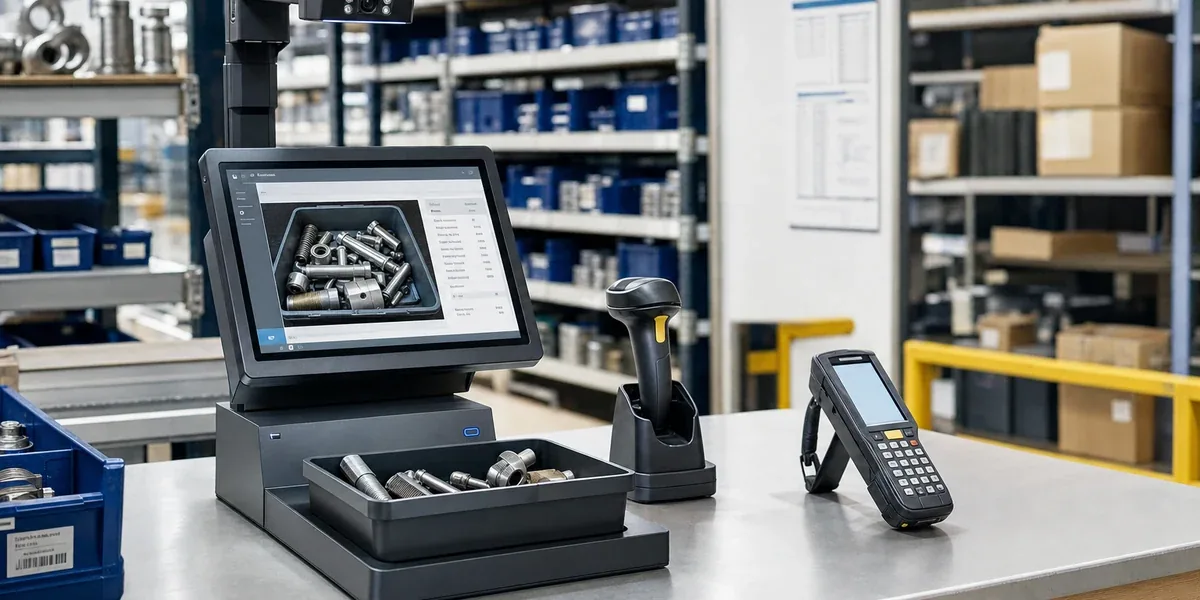
The difference between an AI vision workstation and a handheld barcode scanner is not simply that one is "smarter." They serve different workflow boundaries. If the warehouse process only needs fast barcode reading during mobile work, a handheld scanner or PDA is lighter. If the process also needs unlabeled item recognition, operator identity, photo evidence, and WMS or ERP writeback, an AI vision workstation is the better fit.
Start with the workflow before looking at device specifications. A scanner solves reading and entry. An AI recognition workstation solves identification, confirmation, evidence capture, and system writeback at a controlled operation point. Using a workstation for a normal barcode process adds cost and friction. Using only scanners in a high-traceability process pushes visual judgment, accountability, and exception handling back to manual work.
1. The first question: mobile scanning or fixed verification
The strength of a handheld scanner is speed and mobility. It works well when operators move across shelves, pallets, store aisles, or production lines, as long as items have readable labels, barcode quality is stable, and SKU rules are already standardized.
The strength of an AI vision workstation is concentration. It brings several actions into one controlled point: receiving desk, outbound verification desk, spare-parts issue desk, archive digitization station, or exception review desk. It is useful when visual recognition, barcode verification, face or IC card authentication, image capture, and system writeback must happen together.
| Decision factor | Handheld scanner / PDA fits better | AI vision workstation fits better |
|---|---|---|
| Work location | Operators move to shelves and pallets | Items pass through a fixed desk or verification point |
| Recognition object | Labels are complete and SKUs are clear | Items look similar, labels are missing, visual checks matter |
| Accountability | Login or team records are enough | Operator, time, action, and evidence must be bound together |
| Evidence needs | A scan record is enough | Images, exception confirmation, or audit evidence is required |
| System integration | Inventory or order fields are updated | WMS, ERP, work orders, and access systems are involved |
| Deployment cost | Lightweight devices and simple training | Desk space, cameras, model tuning, and process redesign |
The practical conclusion is that scanners optimize efficiency, while AI workstations optimize accuracy, traceability, and workflow closure. They are not mutually exclusive. Many warehouses keep PDAs for mobile picking and use a workstation for receiving, outbound verification, or exception handling.
2. Handheld scanners fit barcode-trusted workflows
If the site already has reliable one-dimensional codes, QR codes, carton codes, pallet codes, or location codes, handheld devices are usually the first choice. Their value comes from low friction: operators scan, confirm quantity, move inventory, or pick orders without bringing every item to a fixed desk.
This usually works when:
- Every item, package, or storage location has a readable label.
- The main problem is scan speed, travel path, or system entry speed.
- Wrong issues come mostly from missed scans or wrong-code scans, not from hard-to-identify objects.
- Operators need to move frequently, so a fixed workstation would slow the process.
- The business system already handles inventory, orders, batches, and locations.
Under these conditions, improving scanners, PDA apps, location coding, and WMS workflows is usually more direct than adding AI vision. AI recognition is not the default upgrade for every warehouse. If the primary data source is a reliable barcode, a vision model may add only limited value.
3. AI workstations fit workflows where both item and responsibility need verification
An AI recognition workstation becomes useful when the site cannot trust a barcode result alone. In a factory spare-parts store, bearings, connectors, cables, molds, and small consumables may look similar, and labels may be missing or dirty. In retail receiving, packaging condition, batch, and damage records may need evidence. In medical supplies or archive workflows, identity and operation records are part of the business requirement.
Evaluate a workstation when:
- Items look similar and manual visual checks or single barcode scans are error-prone.
- The record must show who operated, what they handled, when it happened, and whether it was confirmed.
- High-resolution image capture, exception evidence, or audit records are required.
- Receiving, outbound issue, return, counting, or archiving happens at a fixed operation point.
- Results must sync through APIs to WMS, ERP, EAM, OMS, or internal systems.
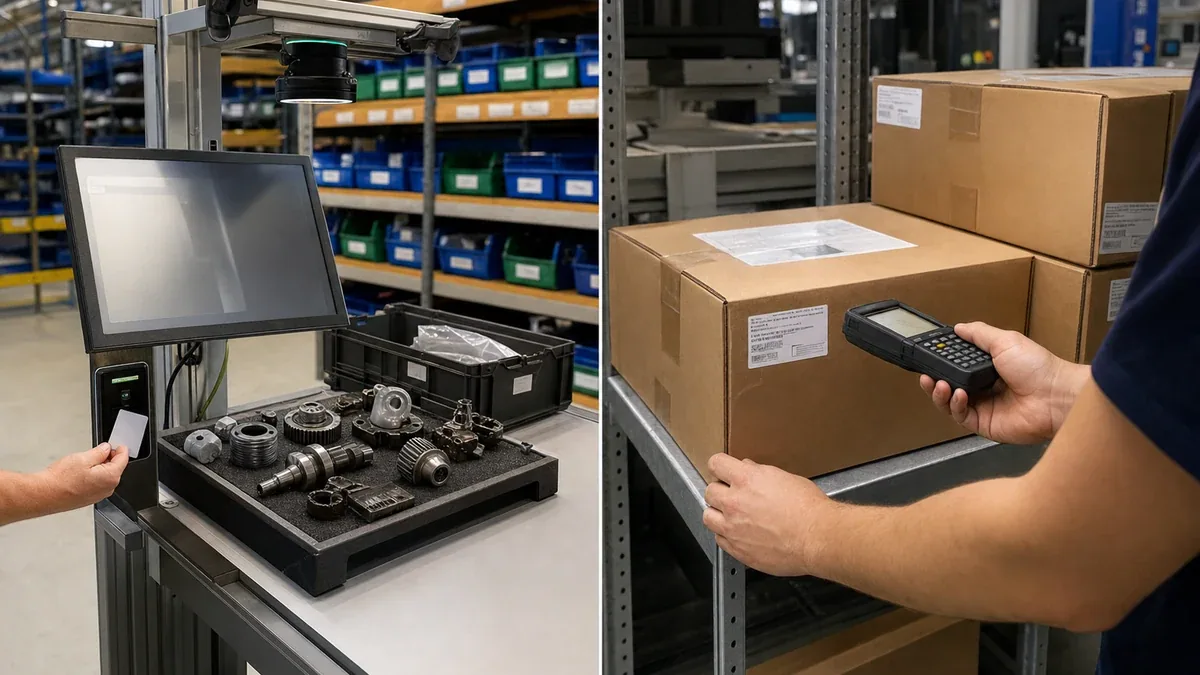
In these workflows, the value of an AI warehouse recognition workstation is not just clearer imaging. It places visual recognition, barcode verification, operator authentication, and business writeback into one operation point. This extends the same use cases discussed in AI warehouse recognition workstation scenarios: spare-parts stores, receiving inspection, medical supplies, archive digitization, and fixed verification desks.
4. Decision flow: choose by operation point first
Do not start with "should we use AI?" A better question is: where does the error come from, who owns the error, and how does the system know the result is trustworthy?

The key boundary is that an AI workstation should not be isolated. It must connect to inventory, orders, work orders, archive records, or permission systems. Otherwise it only produces an image or recognition result without changing the warehouse workflow.
5. A common architecture: PDA for movement, workstation for risk points
Many teams do not need to choose only one device type. A more practical mix looks like this:
- Receiving: an AI workstation verifies item appearance, captures evidence, and checks batch information.
- Putaway and relocation: a PDA scans location, pallet, and item codes.
- Picking: a PDA supports mobile scanning and path confirmation.
- Outbound verification: an AI workstation checks item, quantity, operator, and exceptions again.
- Counting and audit: PDAs cover many locations, while the workstation handles confusing or abnormal items.
This places each device where it is strongest. PDAs improve mobile efficiency. Workstations control risk at key operation points. For projects that need AI vision models, YOLO detection, or local inference, YOLO vision development and the ZedIoT platform can support model deployment, device management, dashboards, and system integration.
6. When not to use an AI vision workstation
An AI recognition workstation is not suitable for every warehouse project. Keep handheld scanning or improve the current WMS first when:
- Items already have reliable barcodes and scan accuracy is good enough.
- Work is fully distributed across aisles, and a fixed desk would slow the process.
- Operator identity, image evidence, and exception confirmation are not required.
- Recognition results cannot be written into the business system.
- The site has not prepared samples, labels, exception handling, and operator training.
In other words, an AI workstation fits high-value, high-confusion, high-traceability operation points; it should not replace every barcode scanner just to make a warehouse look intelligent. The better upgrade path is to clean up labels, locations, WMS fields, and exception flows first, then decide which points deserve AI vision.
7. Final recommendation
If the main warehouse problem is slow mobile scanning, poor location coding, or missed scans, improve handheld devices and WMS workflows first. If the problem is item confusion, weak accountability, missing evidence, or incomplete real-time writeback, evaluate an AI recognition workstation.
The choice can be simplified to one sentence: handheld scanners are best for mobile data capture when barcodes are trustworthy; AI vision workstations are best for visual verification, operator authentication, evidence capture, and system writeback at critical operation points. Once that boundary is clear, warehouse recognition upgrades are less likely to become equipment purchases without process value.