

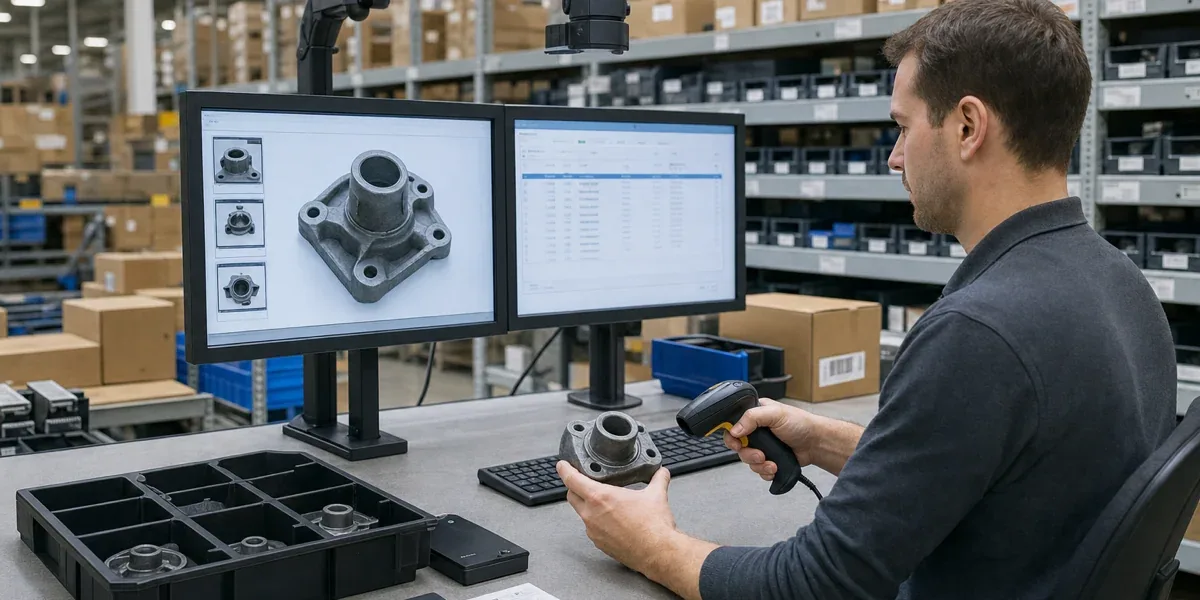
An AI warehouse recognition workstation is most useful when a workflow needs more than a camera in a warehouse. It should combine item recognition, barcode scanning, image capture, operator identity, and system updates at one controlled operation point. When the same process must identify the item, verify the operator, create evidence, and write back to a WMS or ERP, an AI recognition workstation can justify its complexity.
The core decision is simple: use an AI recognition workstation when items are easy to confuse, manual records are unreliable, operator accountability matters, and the result must enter a business system. It is not a replacement for every warehouse device. If the workflow is stable barcode scanning with simple SKUs and a working system loop, a handheld scanner or PDA may be the lighter option.
Decision block
If the site only needs a barcode entry point, use a scanner or PDA first. If the site also needs visual verification, photo evidence, identity binding, exception confirmation, and system writeback, evaluate an AI warehouse recognition workstation. Using an AI workstation for a low-complexity scan process adds cost; using only scanners in a high-traceability workflow pushes errors back to manual work.
1. Start with the workflow, not the AI model
The workstation's value comes from workflow closure, not from the recognition model alone. A typical deployment combines cameras, barcode scanning, a touch screen, face recognition, IC card access, and network connectivity so that receiving, outbound picking, counting, or archiving can happen through one controlled desk.
| Workflow problem | Limitation of simple devices | Workstation role |
|---|---|---|
| Similar-looking items or incomplete labels | Barcode scanning depends on labels; manual visual checks are error-prone | Visual recognition adds information beyond the label |
| Delayed inventory records | Staff handle the item first and update the system later | The operation creates a record at the same time |
| Operator accountability is required | A scanner usually does not bind every action to identity | Face or card authentication links operator, time, item, and action |
| Photo evidence is required | A document camera stores images but may not close the business loop | Image capture, recognition, and record creation happen together |
| WMS or ERP integration is required | A single device only captures data | APIs or integration services complete the workflow |
The important point is that an AI recognition workstation digitizes an operation point, not a single recognition task. If the recognition result does not flow into inventory, orders, archive records, or permission logs, the workstation becomes an expensive imaging device.
2. Spare-parts stores: the strongest fit for visual verification
Factory spare-parts stores are one of the strongest use cases. Parts are often visually similar, labels are inconsistent, requests are urgent, and traceability matters. A manual "find item, write it down later" process can damage both maintenance speed and inventory accuracy.
A workstation is worth evaluating when:
- Spare parts, consumables, molds, cables, or small components have many similar variants.
- Picking, return, or replenishment happens frequently and manual records lag behind.
- The site needs operator, time, item, quantity, and photo evidence in one record.
- Results must sync to WMS, EAM, ERP, or a maintenance work-order system.
- Outbound picking requires a second verification step to reduce wrong issues.
In this scenario, the workstation is not only identifying objects. It turns "authenticate operator -> recognize item -> verify quantity -> confirm operation -> sync record" into one action flow. When inventory accuracy and maintenance response are more important than the cost of a single device, the workstation starts to make sense.

The workflow boundary matters: visual recognition provides candidates, a barcode or feature code can provide deterministic verification, identity binding provides accountability, and the WMS or ERP remains the final inventory system.
3. Retail and supermarket receiving: good for verification, not every shelf action
Retail and supermarket operations usually benefit most at receiving, inspection, and exception handling. The workstation can combine barcode scanning, image capture, and visual checks to verify item type, packaging condition, batch, or quantity differences when goods enter a store or warehouse.
Good fits include:
- Receiving workflows that need photo evidence for supplier disputes.
- Packaging or SKU changes that make visual inspection unreliable.
- Store teams that need a lower-training receiving station.
- Inventory, purchasing, or store systems that must receive clean records.
It does not need to replace every shelf-side action. If barcodes are reliable and the SKU set is simple, a workstation may be better placed at the receiving desk, return desk, or exception review station rather than in every aisle.
4. Medical supplies: identity and traceability matter more than "AI"
Medical supplies, drugs, lab materials, and refrigerated items often require identity, batch, expiry, usage records, and exception traceability. A workstation can combine face recognition, IC card access, barcode scanning, and image capture so that issue, return, count, and archive operations become auditable.
The boundary should be explicit. A workstation can assist recognition, recording, and verification, but it does not replace medical inventory policy, batch controls, cold-chain monitoring, or compliance approval. If a rule requires human confirmation, the AI result should be treated as a prompt and evidence, not as an automatic release decision.
Priority workflows include:
- High-value consumable issue records.
- Medical refrigerator or supply-cabinet outbound checks.
- Image evidence for samples, boxes, reagents, or supplies.
- Binding operator identity to item movement records.
The project succeeds only when recognition results are tied to batch, permissions, approvals, exception handling, and audit records.
5. Archives and document digitization: a controlled capture point
Archive and document workflows may not require complex object recognition, but they do require stable capture, identity confirmation, numbering, and system filing. A workstation can act as the fixed digitization point for paper files, forms, receipts, or archive boxes.
It fits when:
- Files must be captured or scanned during intake.
- File number, operator identity, time, and storage location must be bound together.
- Capture, confirmation, and upload should happen at one desk.
- A simple document camera is creating images but not business records.
If the organization only scans occasional documents, or already has a mature batch-scanning line, the workstation may not be the lowest-cost answer. It fits best as a fixed entry point with a repeatable process and accountable operators.
6. When not to use an AI recognition workstation
An AI recognition workstation is not the default answer to every warehouse problem. Use a lighter path first when:
- Items already have stable standard barcodes and the workflow only needs scanning.
- WMS or ERP master data is still messy: item codes, locations, and permissions are not ready.
- The team has not defined who confirms recognition errors and how rollback works.
- The process only needs image capture, not item recognition or identity binding.
- The team cannot maintain hardware, model updates, and system integration.
The common failure pattern is buying an AI device first and then trying to invent the process around it. A better path is to define the operation, system fields, permissions, and exception handling before deciding which workstation capabilities are needed.
7. A practical rollout path
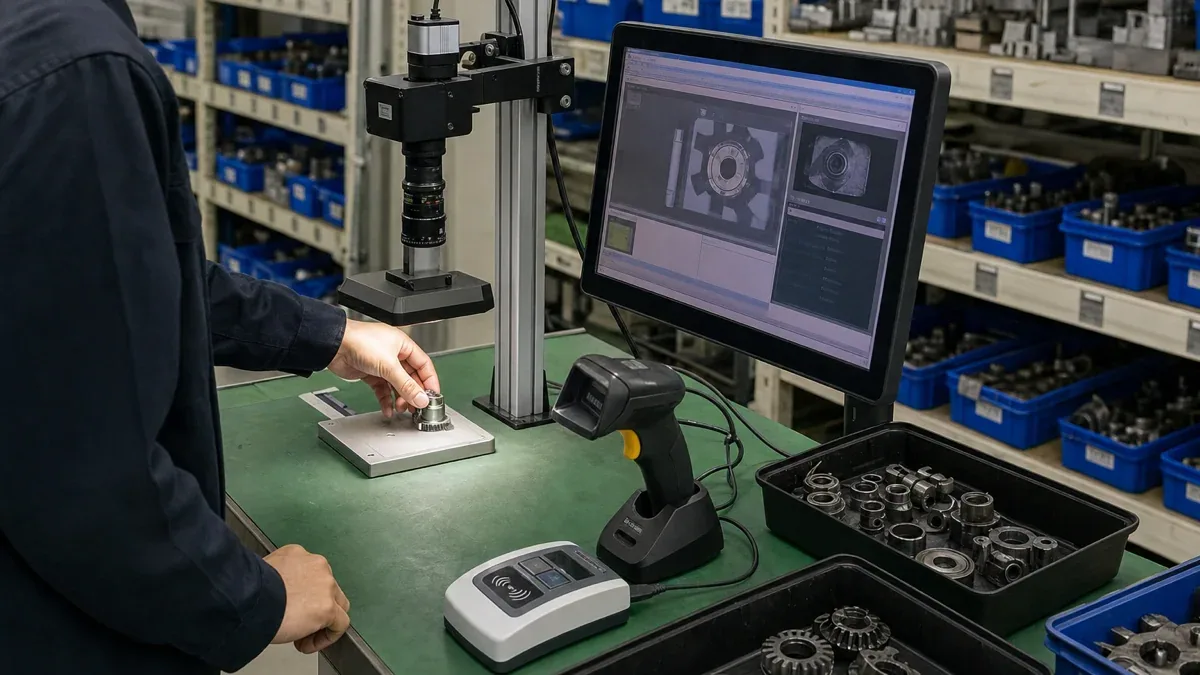
A controlled rollout can follow four steps:
- Pick one high-value workflow: spare-parts outbound, receiving inspection, consumable issue, or archive intake.
- Clean the master data: item codes, image samples, locations, operator permissions, and system fields.
- Define verification rules: low confidence, missing labels, similar-looking items, and quantity mismatch require human confirmation.
- Integrate with the business system: write recognition results into WMS, ERP, or archive systems instead of leaving them on the device.
The final judgment is that an AI warehouse recognition workstation fits workflows where people, items, images, barcodes, and system records must meet at the same operation point. If the workflow is complex, error cost is high, and traceability matters, it can reduce manual re-entry and after-the-fact dispute handling. If the workflow is simple, barcodes are stable, and the system loop is already clear, traditional scanning devices remain the lighter choice.