

Tuya APP development for product-specific smart-device experiences
Choose the right app route: OEM App, App SDK, Mini App, or private app connected through Tuya Cloud.
The app is where users judge the product. A Tuya app project must align device pairing, panel behavior, smart scenes, account flow, push notifications, analytics, support, and store release with the actual hardware behavior.
Tuya app delivery modules
The implementation can stay close to Tuya OEM App for speed or move into App SDK when the product requires deeper control.
OEM App configuration
Branding, app settings, language, device categories, standard panels, push notification rules, and launch preparation.
App SDK development
Custom mobile app architecture, login, pairing, device control, scenes, notifications, analytics, and release pipeline.
Device panel customization
Product-specific control panels, state display, command safety, schedules, alarms, and user guidance.
Smart scenes and automation
Design scene logic, trigger conditions, device linkage, notification behavior, and edge cases for real users.
Testing and release support
Pairing tests, firmware compatibility, app QA, analytics events, crash tracking, store release, and version planning.
Compare the main Tuya app customization routes
Different app paths create different delivery cycles, engineering investment, and control over the user experience. Start with the business goal, then select the technical route.
| Decision area | OEM App | SDK App | Mini App and Device Panel |
|---|---|---|---|
| Typical use | Fast market entry, product validation, and basic brand customization. | Independent brand experience, data ownership, and complex system integration. | Lightweight industry functions and device-specific interaction inside the Tuya ecosystem. |
| Best fit | Startups, hardware brands, and standard smart devices. | Mid-to-large brands, complex workflows, and private platforms. | Industry mini apps, distinctive panels, and reusable cross-device functions. |
| Key engineering focus | Visual configuration, language settings, module selection, and release QA. | Custom UI, account model, device communication, migration, analytics, and release pipeline. | Ray/Web implementation, panel logic, scene calls, host-app compatibility, and fast iteration. |
What shapes a Tuya app project estimate
A useful estimate starts from the chosen Tuya route and the real device workflow. We scope the work around these four factors instead of quoting an app screen count in isolation.
App route and ownership
OEM App, App SDK, Mini App, or a private app create different responsibilities for UX, accounts, data, maintenance, and release.
Devices, panels, and scenes
Device families, pairing routes, DP models, control panels, schedules, alarms, sharing, and automation determine the interaction scope.
Migration and integrations
Existing users, device ownership, private APIs, CRM, support, analytics, payments, maps, or AI services add integration and validation work.
Markets, QA, and release
Languages, privacy requirements, target app stores, representative hardware, weak-network tests, and support handoff shape release readiness.
Share your current Tuya project, target devices, required app route, and launch market. We will return a scoped implementation path before commercial estimation.
Request a scoped estimate
Design the app around real device uncertainty
Smart-device apps must handle weak networks, pairing failures, stale status, delayed commands, firmware versions, safety limits, and support diagnostics.
Pairing and ownership
Wi-Fi, Bluetooth, QR, sharing, reset, family accounts, and first-use guidance.
Panel and control states
Commands, status feedback, schedules, warnings, disabled states, and hardware safety boundaries.
Release and support
Analytics, crash reporting, app store materials, user feedback, logs, and release notes.
Where Tuya app projects usually need extra engineering attention
The visible UI is only part of the app. The deeper work is making device behavior understandable and supportable for users.
Device onboarding
The first pairing experience should reduce support burden and make failure states explainable.
- Pairing route selection
- Reset and retry guidance
- Network permission prompts
- Device ownership and sharing
Panel and command safety
Controls should reflect device state, firmware limits, user role, and risky commands.
- Status freshness
- Command confirmation
- Error and offline states
- Scheduled action behavior
Scenes, notifications, and analytics
Automations need a clear user model and logs so product teams can understand how devices are actually used.
- Scene templates
- Trigger/action mapping
- Push notification policy
- Analytics event plan
Tuya app delivery path
We keep app decisions connected with device behavior and release requirements.
Product and business definition
Clarify target device types, Tuya ecosystem status, user roles, market plan, data ownership, and the first release boundary.
Scope, risk list, and delivery roadmapPrototype and integration validation
Validate DP model, app experience, cloud API, firmware behavior, account flow, and connected-device test cases before full development.
Prototype, API notes, and test planDevelopment and QA delivery
Build the app, panel, cloud integration, firmware coordination, dashboards, alerts, and business-system links according to the confirmed scope.
Production-ready modules and QA evidenceLaunch and iteration support
Support app release, Tuya project configuration, data monitoring, issue triage, documentation, and the next version roadmap.
Release handoff and iteration backlogWhy use ZedIoT for Tuya APP development
The team can connect app decisions with device, firmware, cloud, and support realities instead of treating the app as an isolated UI project.
App route selection before cost expands
We help decide when OEM App is enough, when App SDK is justified, and when a private app route makes sense.
Device-aware UX
Controls, errors, logs, and onboarding are designed around hardware behavior and field conditions.
Release-ready handoff
QA devices, store materials, analytics, support notes, and version planning are included in the release path.
Connect app decisions with real devices, accounts, and migration constraints
These examples show branded application, gateway, user migration, device behavior, and staged release work in real Tuya delivery contexts. The final route still depends on the product and its current Tuya project.
- Available Tuya app capabilities, product categories, account models, data centers, permissions, and review requirements shape the feasible app route.
- Migration scope depends on the current cloud project, user and home ownership, bound devices, scenes, DP models, app versions, and representative hardware.
- App-store approval, third-party SDKs, privacy obligations, release dates, and production results remain dependent on external review and customer-owned inputs.
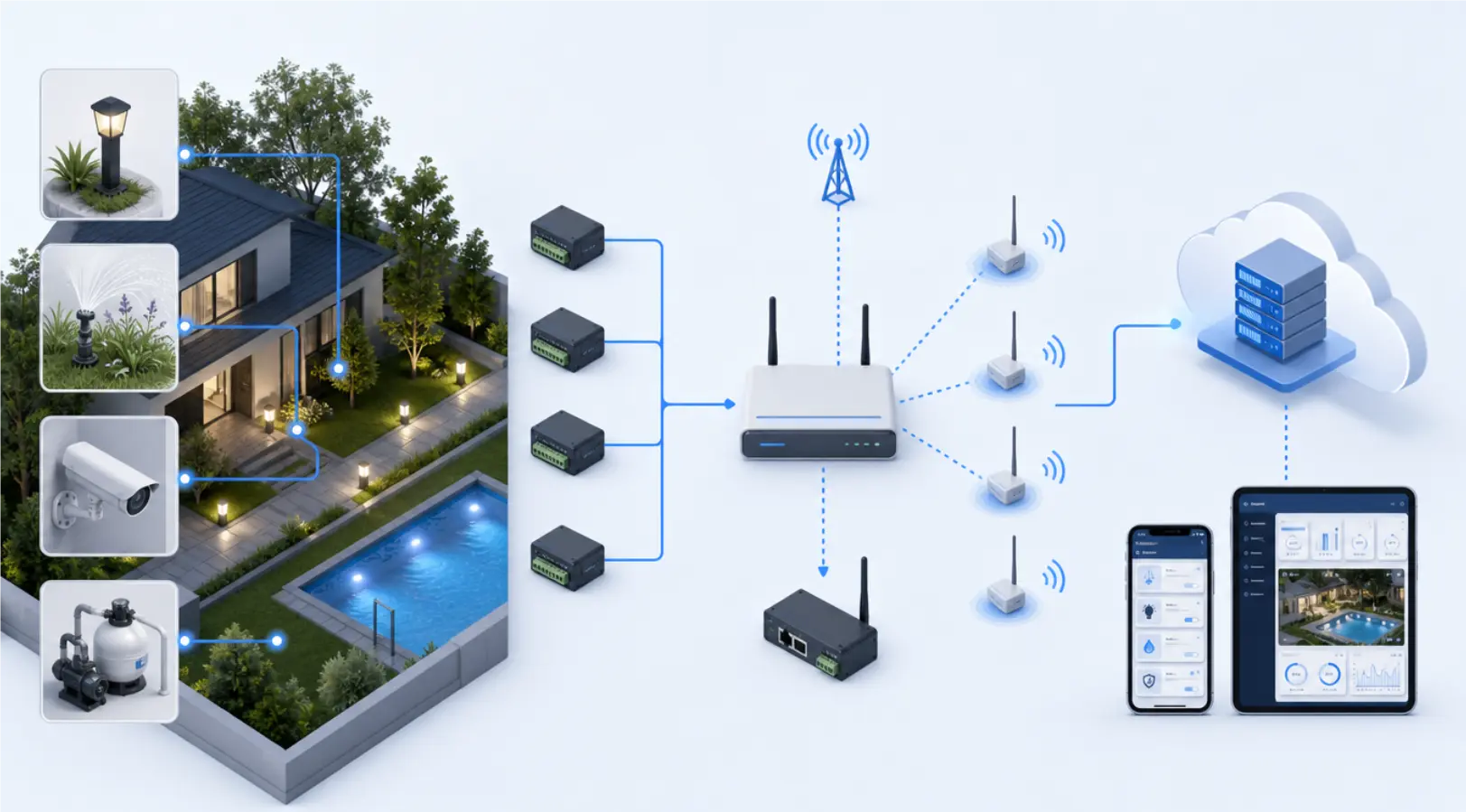
 Outdoor smart-home Tuya SDK integrationA branded application and gateway path for mixed RS485, LoRa, 4G, and Tuya-connected devices across an outdoor site.
 Commercial HVAC OEM-to-SDK migrationA controlled migration from an existing Tuya OEM product toward an owned SDK application and modular operating strategy.
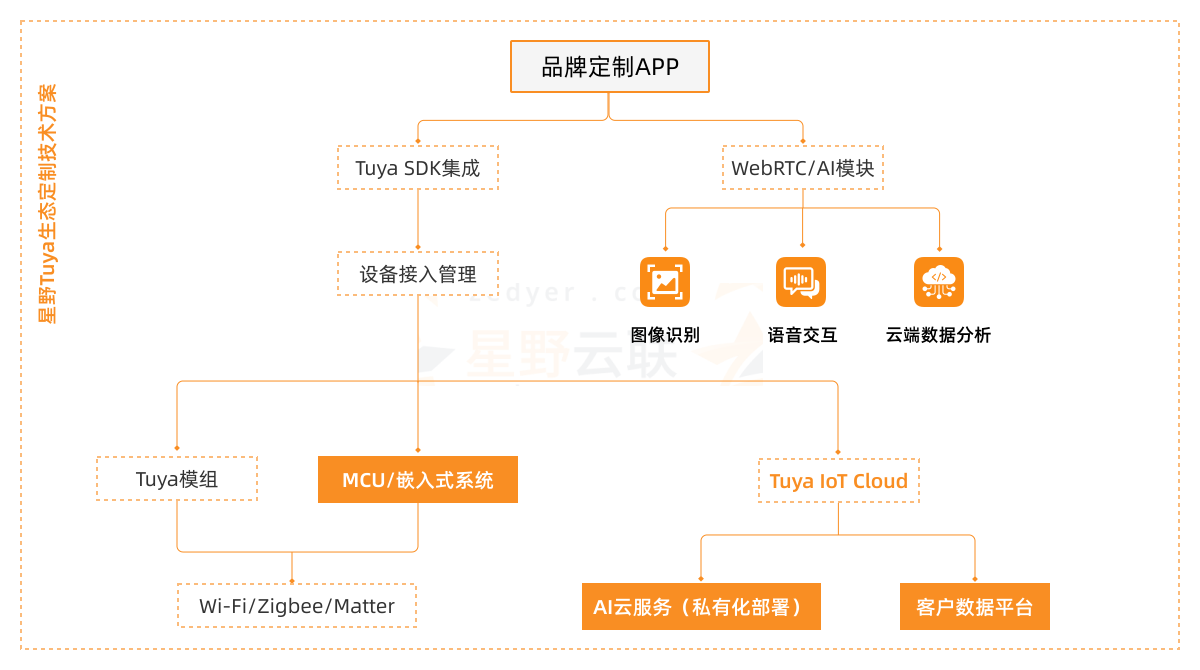
 Tuya SDK product developmentApplication architecture, account and device flows, product behavior, testing, analytics, and staged release planning.
Related Tuya implementation paths
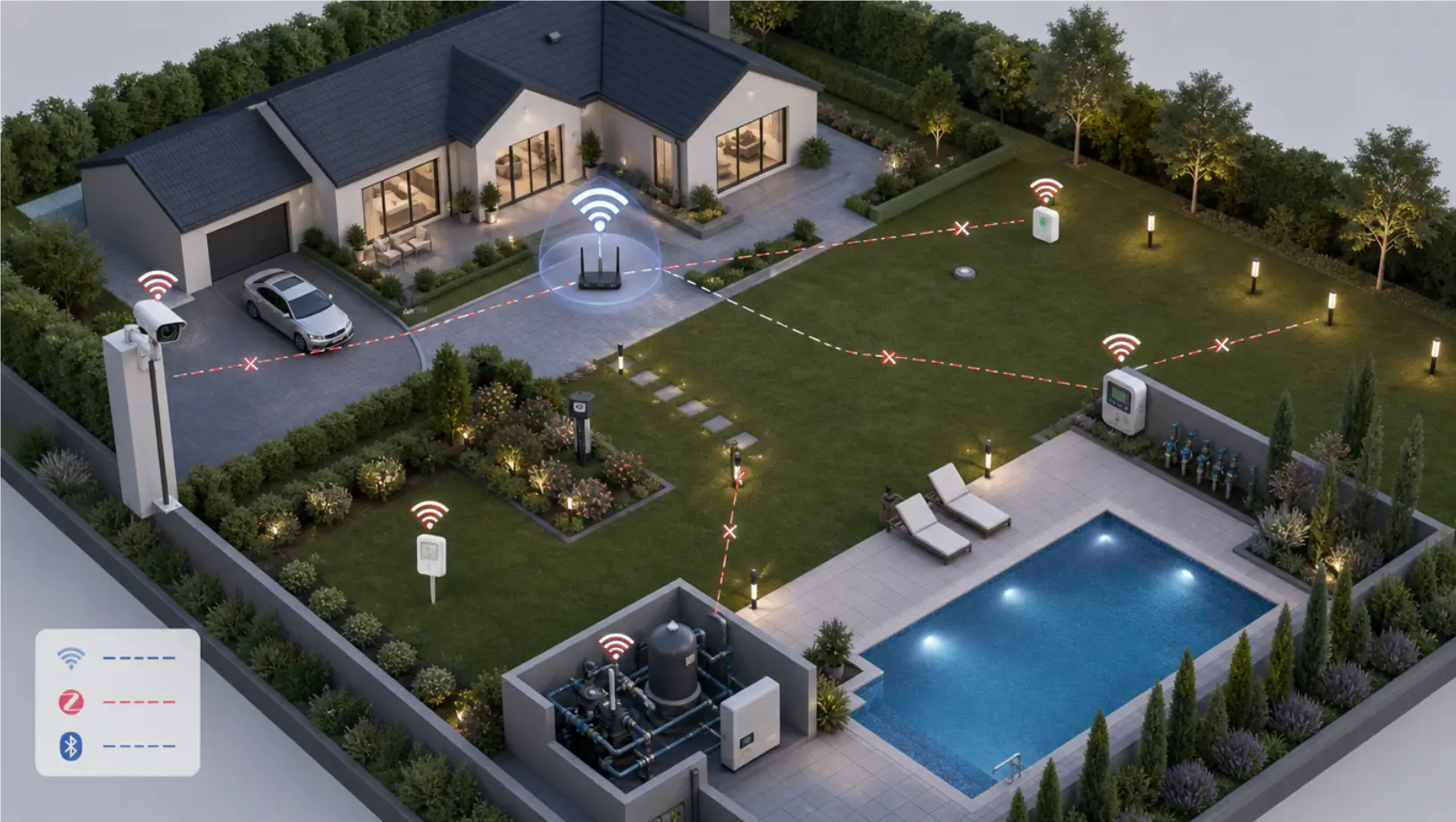 Tuya SDK App for Outdoor Smart Home DevicesSee how a branded Tuya SDK app, gateway, RS485, LoRa, 4G, Wi-Fi, and BLE were coordinated for an outdoor product system.
 Tuya AIoT DevelopmentUse the broader route when app delivery also needs cloud, hardware, DP model, certification, and rollout planning.
 Tuya IoT Cloud IntegrationConnect app and device events with private dashboards, alerts, and business systems.
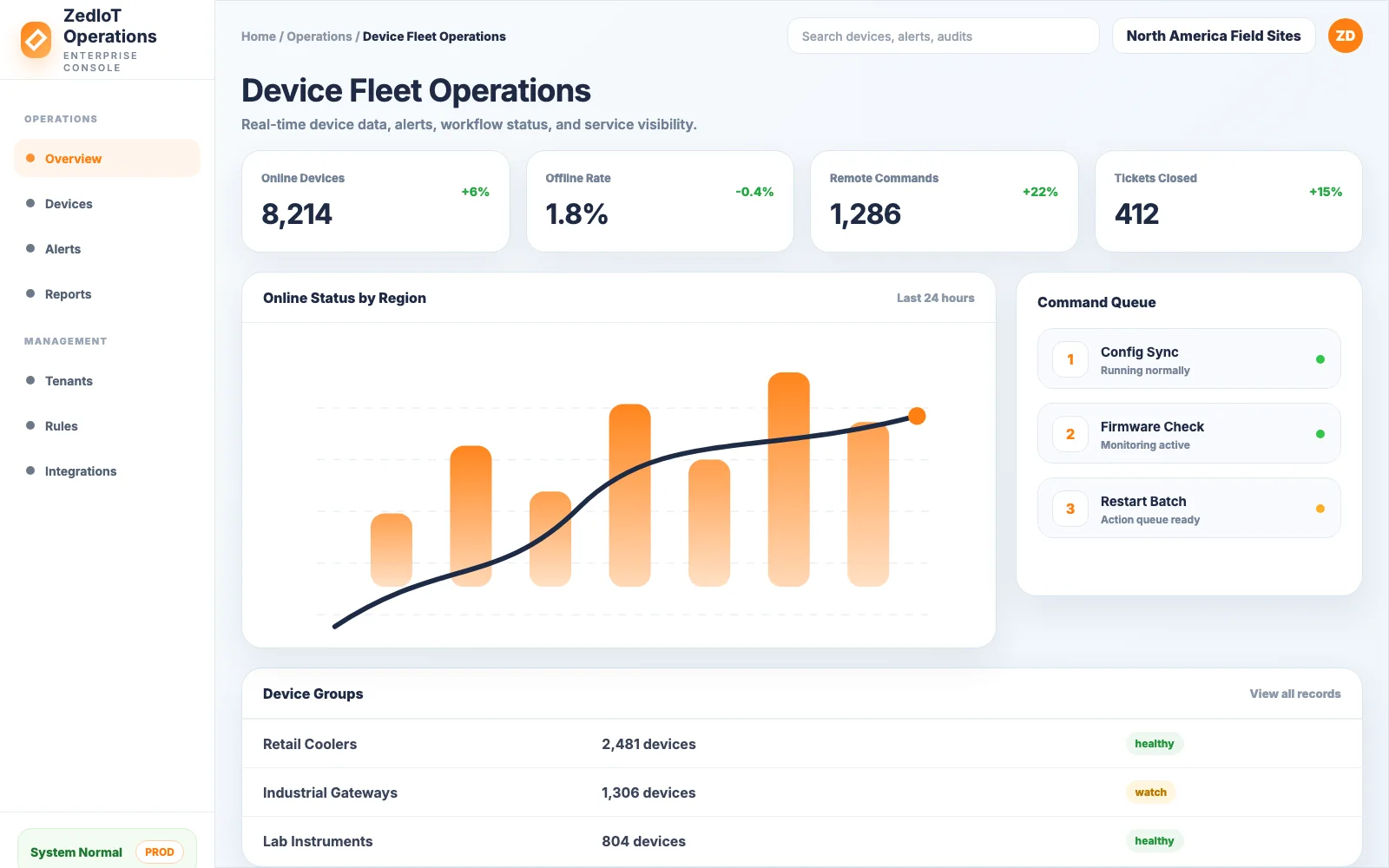 ZedIoT PlatformUse a private AIoT platform when Tuya device data must connect with dashboards, alerts, APIs, and customer-owned operations.
 Custom IoT DevelopmentFor projects that need device connectivity, apps, cloud services, gateways, dashboards, and business workflows beyond Tuya alone.
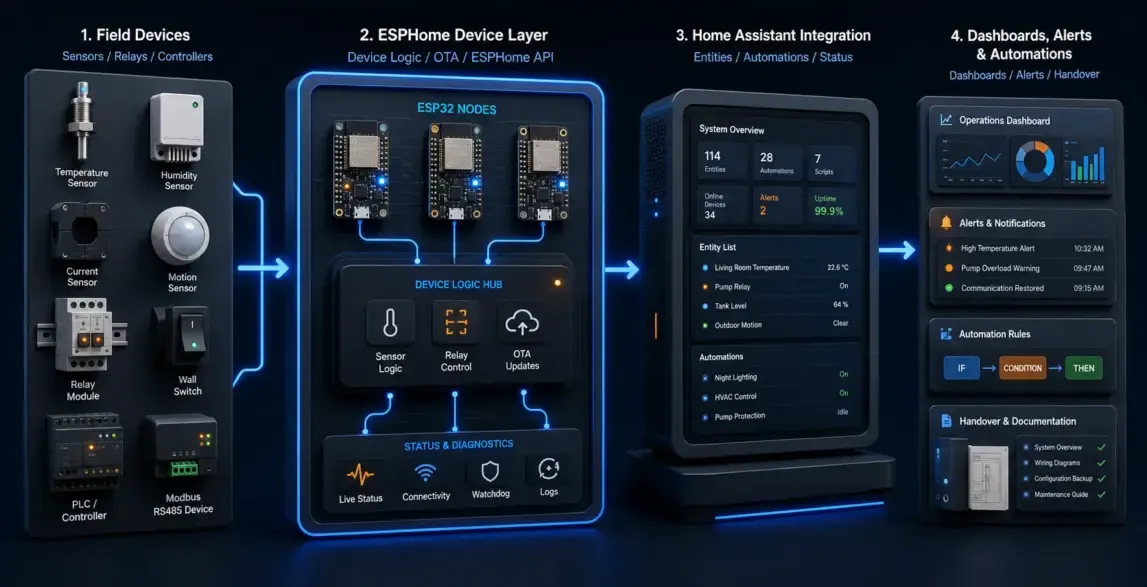 ESPHome + Home Assistant IntegrationA practical path when local automation, Home Assistant dashboards, and open integration are more important than a closed app flow.
Tuya app development guides
Use these notes to evaluate the right app route and avoid late changes.
 Tuya strategyHow to move from OEM App to App SDK without breaking usersChoose the right upgrade path when branding, user ownership, and control experience need more flexibility.
 App deliveryTuya Mini App use cases for fast smart-device experiencesUse mini apps when the product needs lighter workflow delivery inside the Tuya ecosystem.
 Hardware planningTuya module selection and hardware integration checklistAvoid late-stage surprises by reviewing module, DP, power, certification, and production constraints early.
Confirm the ecosystem boundary before defining the development scope
Clarify the Tuya product path, account model, data ownership, integration boundary, and rollout expectations before implementation.
Can you build a custom app with Tuya App SDK?
Yes. Scope can include mobile architecture, Tuya SDK integration, account flow, pairing, device panel, scenes, notifications, analytics, QA, and release support.
Is Tuya OEM App enough for most products?
It can be enough for fast launch and common device control. If the product needs custom workflows, private data, unusual onboarding, or deeper brand control, App SDK or a private app route should be reviewed.
Can you customize device panels?
Yes. We can support panel logic, UI states, schedules, fault display, alarm prompts, and user guidance. The exact path depends on Tuya project type and panel capabilities.
What information is needed for a Tuya app project estimate?
Share the current Tuya project type, target devices and DP models, desired app route, panel and scene requirements, existing users or migration needs, external integrations, target languages and markets, representative hardware, and release expectations. We use these inputs to define a scoped delivery path before estimating the work.
Send us your device type, Tuya status, and target market
Tell us your current app route, target devices, control panels, pairing requirements, release market, and what the standard Tuya app cannot cover.
Full contact pageSubmit project details