When a team moves from a Tuya OEM app to a custom SDK app, the riskiest question is not whether the SDK can be integrated. The real question is whether existing users will open the new app and still see the same homes, devices, panels, automations, and alerts. If the migration is managed like a normal mobile rebuild, the failure usually appears on launch day: users can sign in but cannot find devices, shared homes disappear, panels behave differently, and support has no clear answer except asking people to pair devices again.
A safer migration separates two workstreams. One workstream builds the SDK-based app. The other protects continuity for existing users and devices. The project only becomes close to user-transparent when account mapping, home relationships, device visibility, panel behavior, scene automation, rollback, and support operations have all been validated.
1. Treat this as a migration project, not a new app project
Tuya Smart App SDK provides capabilities such as device pairing, home management, group management, device management, and scene automation. These capabilities are useful for building a branded app, but they do not automatically solve every continuity problem for an existing OEM app user base.
If the goal is to launch a new app for new users, the main work is app design, SDK integration, cloud project setup, device pairing, panel integration, and store release. If the goal is to absorb existing OEM app users, the project must answer three harder questions first:
| Question | What fails if it is not answered |
|---|---|
| How will old accounts map to the new app identity? | A user signs in but becomes a new empty account |
| How will existing device relationships stay visible? | Support is forced to ask users to pair devices again |
| How will panels, automations, and support operations carry over? | The new app appears to be a functional regression |
The practical rule is simple: once the installed base is large enough to create support pressure, an OEM-to-SDK move should be managed as a production cutover, not as a mobile UI replacement.
2. You are migrating relationships, not only screens
Many migration plans fail because they verify login, pairing, and device control, but do not model the relationships behind the app. A user seeing a device in an OEM app can involve account identity, home membership, shared devices, gateway sub-devices, DP models, panels, scenes, push notifications, and cloud project linkage. The SDK app must preserve the usable relationship, not merely reproduce the old navigation.
Break the migration into five layers:
- Account layer: phone, email, region, third-party login, verification, consent, and account deletion.
- Home layer: homes, rooms, members, admin rights, and shared devices.
- Device layer: bindings, gateway sub-devices, firmware state, DP codes, online status, and logs.
- Experience layer: panels, scenes, automations, messages, and high-frequency entry points.
- Operations layer: support lookup, issue triage, staged rollout, rollback, and user notifications.
If any one of these layers is untested, the migration pushes troubleshooting to the user. Gateway sub-devices, shared homes, and automation scenes are especially easy to miss because they rarely show up in a clean demo account.

The important point is the order. Validate relationships first, then let existing users into the SDK app. Stage old users before broad release. Prepare support fallback before retiring the OEM app.
3. Account mapping and device continuity are the real acceptance criteria
Users do not care that a product moved from an OEM app to an SDK app. They care whether they can sign in, find devices, and control the same features. The migration acceptance criteria should be built around those three outcomes.
Account mapping must not confuse registration success with migration success. If the old app and new app differ in region, phone or email flow, third-party identity, or verification policy, the same person can become a new empty user in the SDK app. The login succeeds, but the home and device graph is gone.
Device continuity also needs more than one-device control testing. Real deployments can include homes, shared members, gateway sub-devices, automations, old firmware, and cloud project linking. A new SDK app that can pair one fresh device has not covered the migration risk. A better test set includes Wi-Fi devices, BLE devices, Zigbee gateway sub-devices, shared devices, offline devices, old firmware versions, and devices that historically create support tickets.
| Acceptance area | Minimum check | If it fails |
|---|---|---|
| Existing user sign-in | Same phone, email, and region preserve the intended user relationship | Stop rollout and fix identity mapping |
| Homes and rooms | Homes, rooms, members, and shared devices remain visible | Do not ask users to rebuild homes; locate relationship sync failure |
| Device list | Direct devices, gateway sub-devices, and offline devices appear correctly | Triage by device type, not with one generic support script |
| Panel control | Core DP functions, timers, modes, and firmware actions work | Keep old panel path or delay that device category |
| Automation and messages | Common scenes, notifications, and alerts still trigger | Reduce rollout scope and fix event or permission regression |
The acceptance standard should be whether old user workflows avoid regression, not whether the new app feature checklist is complete.
4. Stage rollout by migration risk, not only by app-store percentage
App rollout is often planned as 5%, 20%, 50%, and 100% distribution. That is too shallow for an OEM-to-SDK migration. The better rollout dimension is user and device risk.
A practical sequence is:
- Internal test accounts: SDK initialization, cloud project setup, login, pairing, control, and push.
- Employee real devices: homes, shared members, gateway sub-devices, old firmware, and weak network cases.
- Low-risk customers: small device count, simple categories, reachable support contacts.
- High-value customers: advance notice, planned support window, and technical escalation path.
- Full user base: old app fallback note, known-issue channel, and support runbook.
If rollout only follows app-store percentage, failures arrive as random user complaints. If rollout follows migration risk, every failure can be classified: account, device type, panel, notification, automation, or support process.
5. Freeze panel behavior and DP models during the migration window
Panel compatibility and DP model stability are often underestimated. From the user's perspective, the app is the control surface for device functions: switch, mode, temperature, fan speed, alerts, timer, energy data, and firmware update. If DP codes, panel configuration, device category behavior, and app UI all change in the same migration window, any incident becomes hard to diagnose.
During the migration window, freeze three things where possible:
- Do not redesign core DP models while moving users.
- Do not rebuild every panel entry point at the same time.
- Do not bundle mandatory firmware upgrades into the app migration.
This does not mean panels cannot be improved later. It means the app migration should not be mixed with DP redesign, panel redesign, and firmware rollout. Bundling these changes removes your ability to attribute failures and weakens rollback.
If a panel change is unavoidable, split it by device category. Low-risk categories can use the new panel first. High-risk devices should keep a stable panel path until old user migration has been proven.
6. Rollback should restore usability, not just the old version number
Rollback in this type of project is not only about reverting app code. Once users install the SDK app, sign in, trigger sync, or modify homes, a version rollback might not restore the working state. The practical rollback target is user usability: users can still control critical devices, receive critical alerts, and get support that can identify their account and device state.
A rollback plan should cover:
- Entry rollback: whether the old app can still sign in, and whether download or guidance remains available.
- Function rollback: which device categories can keep the old panel or control path.
- Account rollback: how support confirms the real user if old and new identities diverge.
- Operations rollback: announcement, support script, ticket labels, and technical escalation.
For locks, security devices, cold-chain controllers, commercial lighting, and similar categories, control availability matters more than app consistency. A rollback is successful when critical workflows continue, not when the build number goes backward.
7. When a fully transparent migration is not worth promising
Not every OEM-to-SDK migration should promise full transparency. Full transparency requires account cleanup, sample coverage, support tooling, staged rollout, and rollback work. If the user base is small or the old account data is inconsistent, a clear re-login or device confirmation flow may be less risky than pretending the migration is invisible.
Avoid promising full transparency when:
- The old app contains many historical accounts whose ownership cannot be confirmed.
- Device categories are broad, but the team lacks enough test samples.
- The old panel was heavily customized and the SDK app cannot reproduce critical behavior on time.
- The market has strict privacy requirements, but old consent and authorization records are incomplete.
- Support cannot look up migration status, account state, and device category from one ticket flow.
A more defensible promise is "phased migration with minimal re-pairing" rather than "fully invisible migration for everyone." The more absolute the promise, the more likely edge accounts and special devices will break it.
8. A practical delivery checklist
For a production Tuya OEM-to-SDK migration, prepare at least this delivery set:
| Deliverable | Why it matters |
|---|---|
| User and device sample table | Covers region, identity type, device category, gateway sub-device, and old firmware |
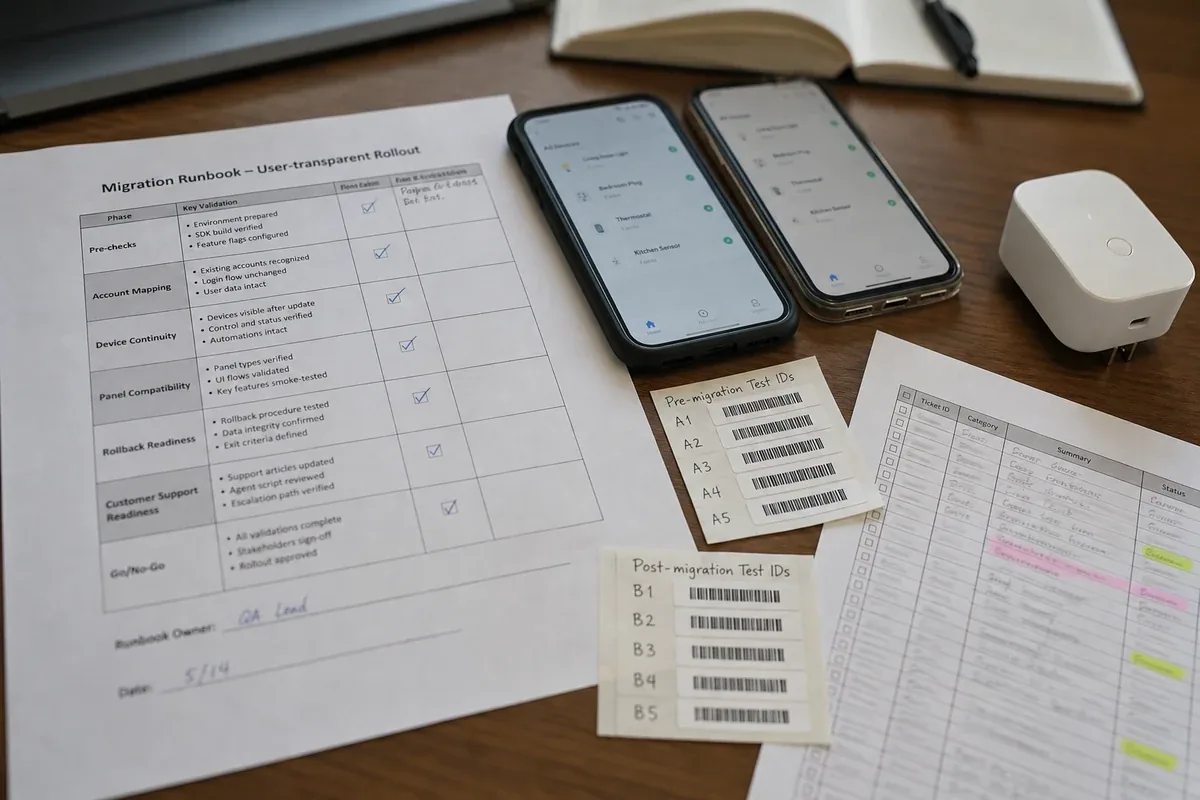
| SDK app regression checklist | Verifies login, pairing, home, control, scene, notification, and firmware flows |
| Panel compatibility matrix | States which device categories use old panels, new panels, or delayed rollout |
| Staged rollout plan | Groups by migration risk, not only by app-store percentage |
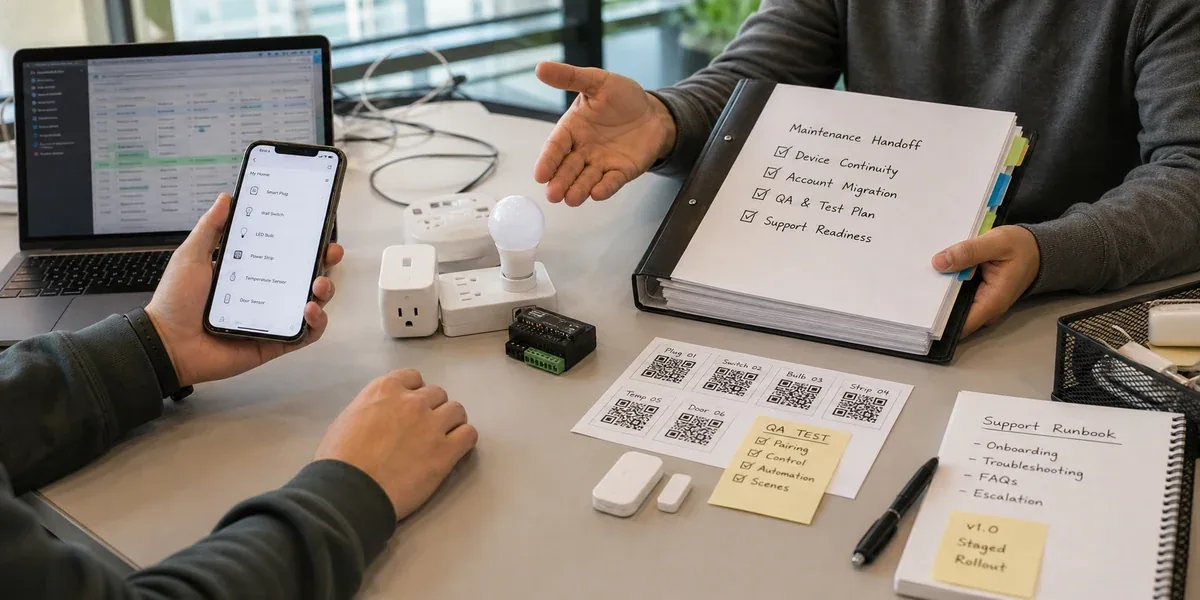
| Rollback and support runbook | Defines how to handle identity split, missing devices, and panel regressions |
| Post-release monitoring board | Tracks login failures, missing devices, control failures, tickets, and crashes |
This checklist turns the work from "the app is built" into "the migration can be launched." For enterprise customers, the reason to choose an SDK app is not only UI freedom. It is the ability to gain control over brand experience, data integration, business workflows, and long-term evolution without breaking the installed base.
Conclusion
A Tuya OEM app to SDK app migration is not mainly a mobile rewrite. It is a controlled transfer of existing users, device relationships, and operating workflows into a new branded control surface. A custom SDK app gives the team more freedom over UI, integration, and future product direction, but those benefits only matter after account mapping, device continuity, panel compatibility, rollout, rollback, and support readiness are proven.
For an early project with few users and few devices, the migration can stay lightweight. Once there are real users and support obligations, treat it as a production cutover. Prove that users do not need to re-pair devices, that critical controls do not regress, and that support can handle exceptions before positioning the new app as an upgrade.