

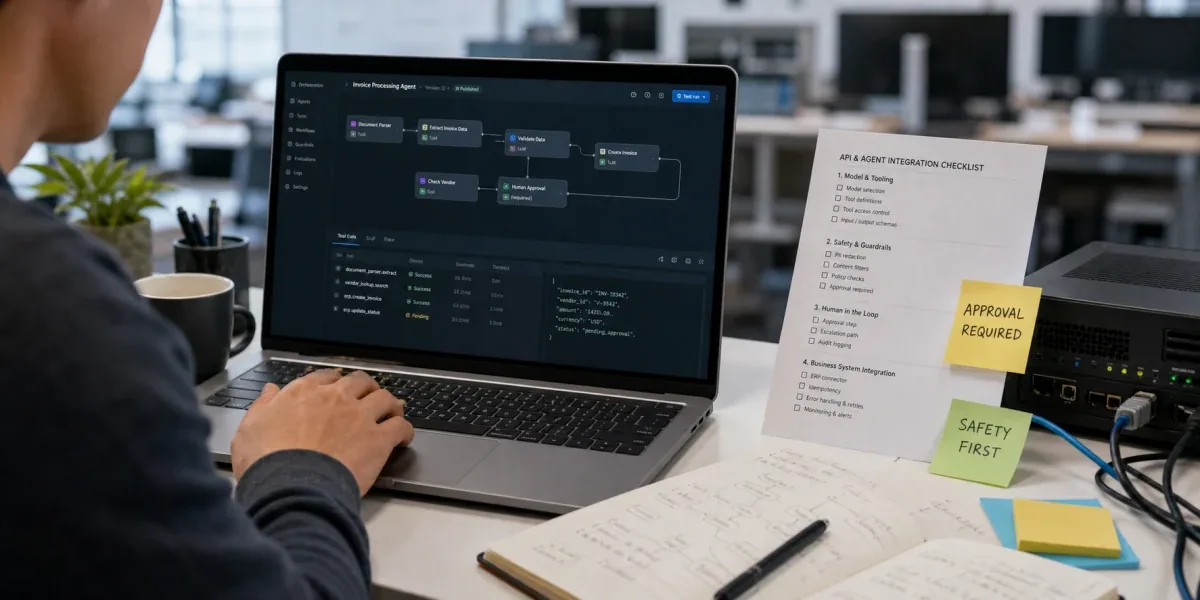
Practical OpenAI API and agent development is not mainly about whether the model can answer a question. The real production question is: when may the model call a tool, what can that tool do, who approves high-risk actions, how are results written back to business systems, and how can failures be traced or rolled back? If the project is only Q&A, summarization, or content generation, a direct model call with structured output may be enough. If it needs to query a CRM, create a ticket, call an IoT platform, draft a quote, or trigger an approval, tool calling, authorization, logging, and human confirmation must become explicit engineering boundaries.
This article answers a practical implementation question: how can an enterprise AI project move from OpenAI APIs into real business systems without becoming a demo-only chat window?
1. Define the agent boundary first
OpenAI's official API documentation treats tools, structured outputs, and the Agents SDK as core building blocks. In enterprise projects, those capabilities should not be interpreted as "letting the model operate the business system." A safer framing is: the model proposes a structured action request, and the backend decides whether that action is valid, authorized, and executable.
A reliable agent boundary usually has four layers:
| Layer | Responsibility | Why it matters |
|---|---|---|
| Model layer | Understand intent, produce structured requests, and select candidate tools | Model output is not the same as business authorization |
| Tool layer | Define callable actions, input schemas, output formats, and error types | Over-broad tools push business risk into prompts |
| Orchestration layer | Manage state, retries, human approval, rollback, and multi-step workflows | Business workflows rarely finish in one model response |
| System layer | Call CRM, ERP, ticketing, device platforms, databases, and queues | Enterprise systems require idempotency, audit, permissions, and error handling |
The practical conclusion is simple: OpenAI APIs handle reasoning and structured expression; the enterprise backend handles validation, authorization, execution, and audit. When teams merge those responsibilities into the idea of an "AI operator," projects become fragile around permission, misoperation, and incident review.
2. What must be added after a chatbot demo
Many AI projects can produce a chatbot demo quickly. The hard step is connecting it to real business systems safely.
2.1 Keep tool definitions narrow
OpenAI function calling and tools allow the model to produce arguments that match a schema. The key engineering rule is that a tool should become narrower as it gets closer to a real business action.
For example, create_ticket is safer than operate_crm, and schedule_maintenance_visit is more controllable than update_customer_account. Narrow tools limit parameter ranges, permissions, and audit fields. Broad tools leave too much business judgment inside prompts, which becomes risky when context is missing or user intent is ambiguous.
2.2 Use structured output for validation, not just formatting
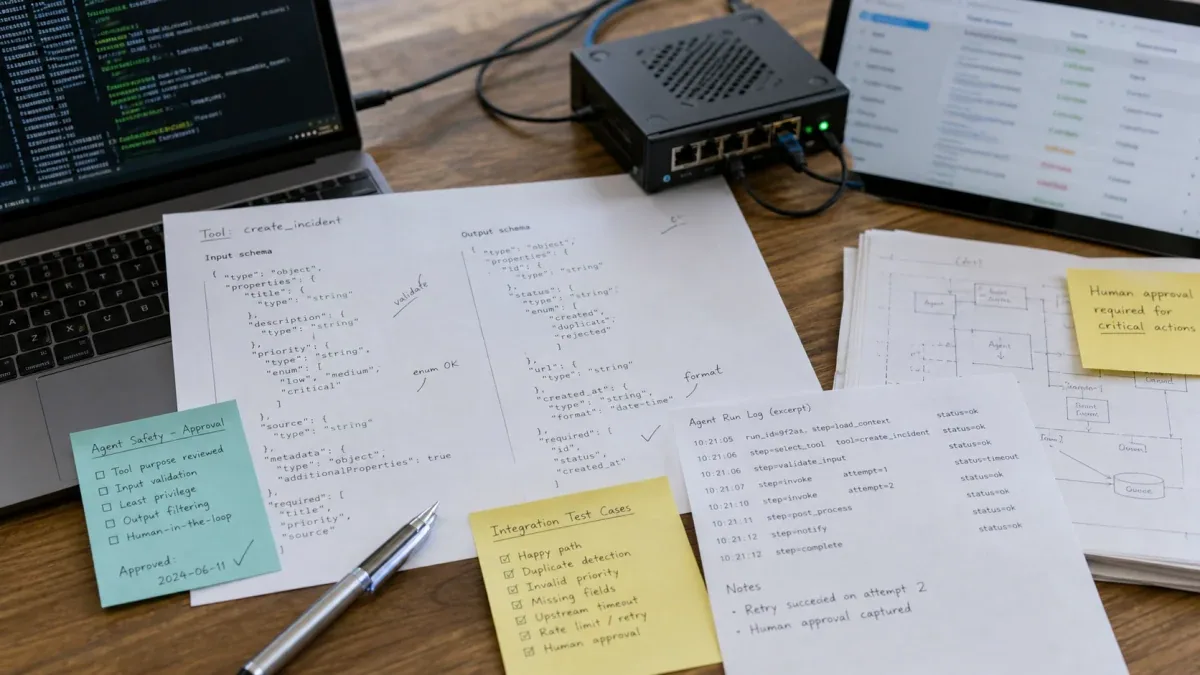
Structured output is not only about clean JSON. It should help the backend validate fields, types, enums, missing values, and business constraints. Enterprise agents should define input schemas, output schemas, error codes, idempotency keys, and business states.
A good tool call result should answer four questions:
- Is the current user allowed to perform this action?
- Are all required fields present and within business constraints?
- Would retrying the request create duplicate orders, tickets, or commands?
- If the action fails, can the user and operations team understand why?
2.3 High-risk actions need human review
Refunds, price changes, permission updates, device restarts, inventory adjustments, contract edits, and production commands should not execute just because the model sounds confident. They need approval nodes, secondary confirmation, action previews, and audit records.
The rule is straightforward: if an action required permission or approval in the traditional system, it still requires permission or approval after an agent is added. The agent can reduce understanding, search, and form-filling cost, but it should not bypass governance.
2.4 A tool contract must include execution semantics
JSON Schema alone is not a complete production contract. A schema constrains the shape of arguments, but it does not say where identity comes from, whether a request may be replayed, whether an upstream timeout occurred before or after execution, or how a pending run should behave after the tool changes. Each production tool should define these execution semantics as well:
| Contract field | Question the backend must answer | Typical failure when missing |
|---|---|---|
actor_id / tenant_id | Who is acting for which tenant, and did identity come from a trusted session? | User text is mistaken for identity and enables an unauthorized action |
idempotency_key | Should repeated submissions of one business intent execute only once? | A retry creates duplicate tickets, orders, or device commands |
expires_at | When does the action stop being meaningful? | A delayed command executes after its operational window |
expected_version | Is the business object still at the version the agent read? | Old inventory or ticket state overwrites a newer update |
result_status | How are success, rejection, timeout, and unknown result distinguished? | A missing response is incorrectly treated as “not executed” |
Identity, tenant, and permission attributes should be injected by the backend from an authenticated session, not generated by the model. The model may draft a ticket title, fault description, or suggested priority, but it must not declare itself to be an administrator. A timeout also does not necessarily mean failure. If a payment, email, or device-control endpoint accepted the request before the response was lost, a blind retry can duplicate the action. The gateway should query by idempotency key before it retries, compensates, or sends the case to a human.
3. A production-ready OpenAI agent architecture
The following architecture works for many enterprise applications. The model understands the request and proposes actions. The tool gateway validates and executes them. The business system remains the source of truth.

The point of this architecture is not adding a gateway for its own sake. It separates what the model wants to do from what the system is allowed to do. The model may propose create_support_ticket, but the tool gateway should check identity, fields, duplicate requests, rate limits, and business state. The approval node decides whether high-risk actions continue. The business system stores the final result.
4. Business state cannot live only in model context
Model context is useful for information needed during the current reasoning process. It is not the final state machine for an order, ticket, approval, or device command. A production design should separate at least three kinds of state: conversation state organizes the interaction, run state records the current orchestration step, and business state remains in the CRM, ERP, ticketing system, or device platform. When all three exist only in a chat transcript, recovery becomes unreliable after process restarts, context trimming, or human takeover.
Consider an “analyze an alert and create a field-service ticket” flow. The agent can read the alert summary, call a read-only tool for current device state, create a draft, and wait for approval. Before approval, the draft should already be stored with a run_id, tool_call_id, business_action_id, and explicit status. A resumed worker reads that record instead of asking the model to infer whether the previous step succeeded. If approval may take hours or days, the pending task should also pin the tool version and argument snapshot so a later deployment does not reinterpret old work under a new contract.
Our project-owned agent safety boundary follows the same rule. Knowledge Q&A, alert triage, ticket summarization, workflow routing, and operator assistance are appropriate early scopes. Physical-device actions require authentication, roles, a command queue, human confirmation, audit logs, state readback, timeout handling, rollback or manual override, and exception handling. This evidence does not claim a universal model accuracy or throughput result; it demonstrates the permission and execution boundaries used in our delivery practice.
5. Observability must connect model, tool, and business outcome
Saving only the prompt and final answer cannot explain why a ticket was created or whether the failure happened during tool selection, argument validation, approval, upstream execution, or write-back. A diagnosable run should connect these identifiers:
trace_idfor one end-to-end user task across model turns and tool calls.tool_call_idfor the specific action proposed by the model.business_action_idfor the operation accepted by the system of record and used for idempotency or compensation.approval_idfor who approved or rejected which version of the arguments.response_id / model_snapshotfor the API response and model configuration used at that time.
The OpenAI Agents SDK tracing system can record model generations, tool calls, handoffs, guardrails, and other run events. Enterprise teams still need to correlate those traces with their own business actions, approvals, and error codes. They must also decide deliberately whether sensitive inputs and outputs belong in traces. Customer data, API keys, and device credentials should not become widely accessible logs merely because detailed tracing makes debugging easier.
Operations metrics should also extend beyond model-request success. Useful measures include schema-validation rejection rate, tool timeout rate, unknown outcomes, approval wait time, approval rejection rate, duplicate requests blocked, human takeover rate, and cost per successful business action. Without these measures, a team may know that the API is available while remaining unable to prove that the agent shortened the workflow or reduced risk.
6. How OpenAI API, Agents SDK, LangGraph, and Dify fit together
Enterprise AI projects often struggle because the boundaries between tools are blurred. This table is a better starting point:
| Option | Best fit | Should not own alone |
|---|---|---|
| OpenAI API | Model calls, tool calling, structured output, multimodal understanding and generation | Enterprise authorization, business state, long-running process governance |
| Agents SDK | Agent definitions, tools, handoffs, guardrails, run state, and observability | Replacing business systems or skipping backend validation |
| LangGraph | Stateful, multi-step, recoverable workflows with human nodes | Simple Q&A or one-off tool calls |
| Dify / n8n | Low-code flows, fast prototypes, and cross-system automation | Deep custom state machines, complex authorization, and high-risk action governance |
| Custom backend | Permissions, idempotency, audit, adapters, and production operations | Replacing model reasoning |
If the project only needs "model generates an answer and the backend saves the result," OpenAI APIs plus focused backend code may be enough. If it needs multi-agent handoffs, run state, and guardrails, evaluate the Agents SDK. If it needs complex state machines and recovery paths, review When to Use LangGraph for AI Agent Workflows. If the business team needs to validate a process quickly, a low-code platform can help prototype, but production actions should still return to backend permissions and audit.
7. A practical rollout path
7.1 Stage one: assistive decisions only
Do not let the first version of the agent directly modify business data. A safer first stage is to let it read user input, retrieve context, generate summaries, propose actions, and ask a human to confirm.
The acceptance criteria include stable responses, parseable structured output, explainable error cases, and logging for model inputs, outputs, and candidate tools.
7.2 Stage two: narrow tools
The second stage can connect low-risk, narrow tools such as order lookup, draft ticket creation, email draft generation, device-status checks, or product-information retrieval. Tools should have explicit schemas and a read-only or draft-first policy.
At this stage, teams should measure tool-call accuracy, missing-parameter rate, retry behavior, and idempotency. Avoid giving the agent high-risk operations such as modifying customer records, executing payments, or remotely controlling devices too early.
7.3 Stage three: approval and write-back
Once tool calls are reliable, add human approval and business-system write-back. The approval screen should show the user intent, model rationale, tool parameters, expected effect, rollback method, and audit ID.
The key principle is that the agent should not bypass enterprise workflows. It should reduce the cost of understanding, retrieval, and form filling. The business system should still know who approved the action, when it ran, and how to recover if it fails.
7.4 Test failure paths, not only the happy path
A production trial should deliberately inject at least five failures: the model emits arguments that fail schema validation; a tool times out after the business action was stored; the target record changes while approval is pending; the upstream system rate-limits or becomes unavailable; and the agent worker restarts after tool success but before run-state write-back. Each failure needs an explicit exit through retry, status query, compensation, quarantine, or human takeover.
Upgrades also need a rollback plan. Version prompts, tool schemas, model settings, and orchestration code separately. Test them against replay cases and shadow traffic before routing a tenant or a low-risk tool to the new version. If validation rejects, human takeovers, or unknown outcomes rise materially, new traffic should return to the previous version while old and new traces remain comparable. Agent rollback is not just changing a model name; it restores a coherent and explainable runtime contract.
8. When an OpenAI agent is not the right first step
OpenAI agents are not the answer to every enterprise automation problem. Narrow the scope first in these cases:
- The business workflow is not stable, and even the manual steps are unclear.
- Tool permissions cannot be segmented, and every action requires an administrator account.
- Critical systems do not have APIs and can only be operated through copy-paste or fragile browser automation.
- Compliance requirements prevent sending necessary context to an external model, but the team has no redaction or private deployment strategy.
- The project has no budget for logging, monitoring, and rollback, and expects the model to get everything right on the first attempt.
This is not an argument against OpenAI APIs. It is an engineering-order argument: when a business system lacks permission boundaries, audit, and recovery paths, strengthen those foundations before expanding agent authority.
9. Production trial checklist
An OpenAI API agent that is ready for a production trial should pass at least these checks:
| Check | Passing standard |
|---|---|
| Tool definitions | Every tool has a clear purpose, input schema, output fields, and error codes |
| Authorization | Tool execution checks user, role, tenant, and business state |
| Structured output | The backend rejects missing fields, out-of-range enums, and invalid formats |
| Approval | High-risk actions have human confirmation and action preview |
| Idempotency | Retries do not create duplicate orders, tickets, or device commands |
| Logging | The team can trace model input, candidate tools, parameters, results, and approver |
| Monitoring | Failure rate, timeout, rejection rate, handoff rate, and cost are visible |
| Recovery | Critical actions have rollback, compensation, or manual repair paths |
| Version governance | Prompt, tool schema, model settings, and workflow versions are traceable and reversible |
| Failure testing | Timeout uncertainty, duplicate calls, state conflicts, and worker restarts have test records |
If these checks are missing, the agent may still be useful as an internal assistant, but it should not directly operate core business systems.
10. Conclusion
The production value of OpenAI API and agent development comes from combining model capability with system engineering. The model understands, generates, selects tools, and organizes context. The enterprise backend authorizes, validates, executes, audits, and recovers. When a team treats OpenAI APIs as a natural-language entry point into business systems, not as an autonomous replacement for those systems, the agent is much more likely to move from demo to maintainable production pilot.
If you are planning an enterprise AI application, start with How to Choose an AI Development Toolchain for Enterprise Projects to separate the technology stack, then decide whether you need LangGraph, Dify, n8n, or custom orchestration based on workflow complexity. OpenAI APIs are the capability layer; boundaries, permissions, and validation determine production quality.
References: