

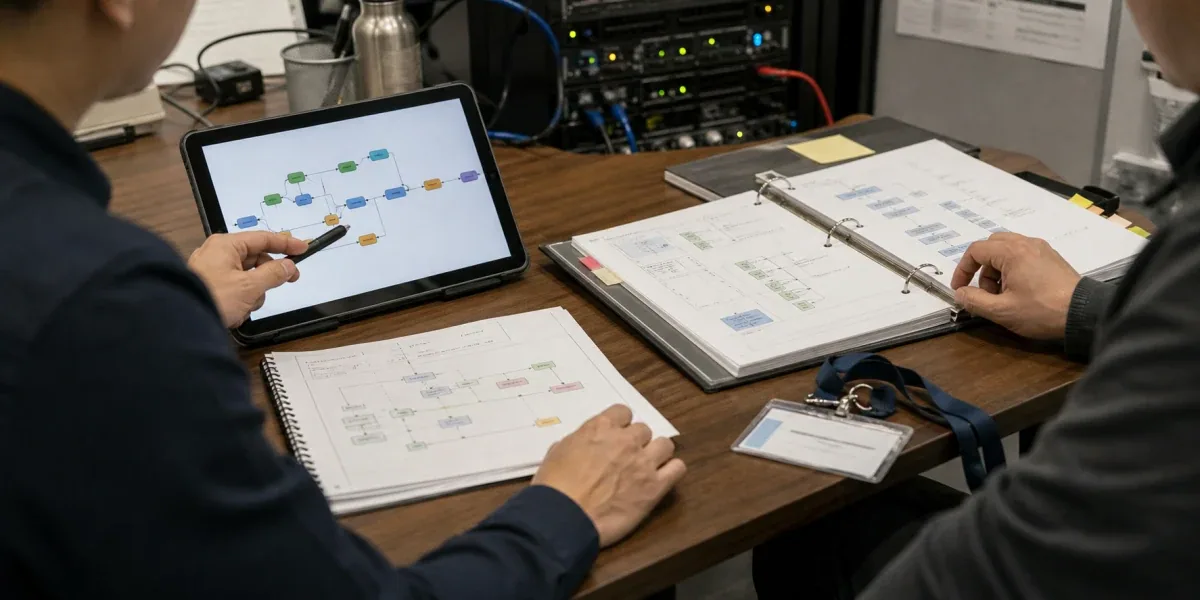
If the main job is to connect user input, knowledge retrieval, model calls, branches, tools, and output into an observable AI process, Dify is often faster than starting from an empty backend. It puts workflows, knowledge bases, model configuration, plugins, and application APIs in one workspace, which gives product, domain, and engineering teams a shared operating surface.
Dify is not a replacement for every business backend. When a system requires strong transactional consistency, complex domain state, long-running scheduling, strict latency targets, fine-grained multi-tenant authorization, or core rules that must be protected by code review, keep custom services in control. Use Dify above them for AI orchestration, retrieval, prompts, and bounded tool calls.
| Project condition | Default choice | Cost to accept |
|---|---|---|
| FAQ, document Q&A, internal knowledge assistant | Dify RAG / Chatflow first | Govern document access, chunking, retrieval, and citations |
| Content generation, ticket summaries, lead classification | Dify Workflow first | Add versioning, tests, and failure handling as flows grow |
| Agent with a small, low-risk tool set | Dify Agent or Workflow + Tool | Enforce allowlists, budgets, timeouts, and confirmation |
| Orders, billing, inventory, device state, permissions | Custom backend owns the ledger | Slower delivery, but state and transaction boundaries are testable |
| High concurrency, low latency, queues, or long jobs | Custom execution plane + Dify orchestration | Define idempotency, callbacks, and observability across layers |
| Fast discovery with a likely productization path | Validate in Dify, then extract by boundary | Plan data and API exit paths early |
The decision is not simply “low code versus code.” It is who owns the final state. If one failed run can affect money, inventory, devices, access, or compliance evidence, the final state should not exist only in a visual workflow run record.

1. Which part of delivery does Dify accelerate?
Dify is strongest in the AI application orchestration layer. Its official quick start demonstrates how input, extraction, branching, document processing, model nodes, templates, and output form a testable workflow. The knowledge layer connects document ingestion and retrieval to model context. The plugin system extends models, tools, data sources, triggers, and endpoints.
Together, these capabilities shorten the path from a business hypothesis to a runnable AI process. Teams can validate:
- whether user requests can be classified reliably;
- whether retrieval provides enough evidence;
- which steps should be deterministic and which require a model;
- where a tool call needs human approval;
- how model quality, latency, and cost compare;
- whether domain owners can understand and maintain the process.
When those questions contain most of the project uncertainty, a visual workflow and accessible run history are valuable. The team can prove the AI path first and decide later which capabilities deserve long-lived custom code.
2. What should Workflow, RAG, and Agent each own?
2.1 Workflow: the deterministic skeleton
Workflow is a good fit for validation, variable transformation, branching, model calls, tool calls, and output formatting. If a process can be described with explicit nodes and exit conditions, prefer a Workflow over asking an Agent to discover every step.
A support-ticket flow, for example, can identify the product and fault category, retrieve relevant documents, draft a recommendation, check risk terms, return low-risk answers, and route high-risk cases to a person. The sequence is visible and regression tests are easier to reproduce.
2.2 RAG: controlled knowledge context
RAG is useful when answers depend on enterprise documents, manuals, policies, or project records. It addresses what evidence the model should see, but it does not automatically solve document authorization, version conflicts, retrieval quality, or citation integrity.
A production RAG system should record the source, document version, chunking policy, retrieved passages, and final citations. Tenant or sensitive-document filtering must happen through a trusted identity and authorization layer before retrieval. A prompt that tells the model not to leak data is not an access-control system.
2.3 Agent: bounded autonomy
An Agent is useful when the goal is stable but the exact sequence cannot be fully predefined, such as querying several approved systems and comparing results. It should not have unlimited tools or execute high-risk actions without confirmation.
Use a tool allowlist, call budget, timeout, step limit, structured output, and human approval for payments, deletion, permission changes, or device control.
3. What must stay in custom services?
The first category is core business state. Orders, invoices, inventory, device shadows, account permissions, and approvals require durable models, transactions, concurrency control, and audit. Dify may read them or request a change, but it should not be the only ledger.
The second is complex domain logic. Rules with many interacting constraints, exact calculations, regulatory traceability, or cross-request state machines are usually safer as reviewed code with focused tests.
The third is performance and scheduling. High request volume, long-running jobs, retry queues, priorities, batch processing, GPU scheduling, and strict latency targets need dedicated infrastructure. An AI workflow may launch work and summarize results, but it should not carry every scheduling responsibility.
The fourth is identity and authorization. Enterprise SSO, tenant boundaries, object-level permissions, secrets, and audit retention belong in mature IAM and backend services. Workflow nodes should receive only the minimum authorized context.
The fifth is stable product contracts. When mobile apps, customer systems, or partners depend on an API, versioning, idempotency, rate limits, error semantics, and backward compatibility need an explicit service contract.
4. A practical hybrid architecture

This split lets Dify iterate quickly on prompts, retrieval, models, and AI flow without owning identity or final business state. Tool calls enter custom APIs, where domain services enforce idempotency, transactions, queues, audit, and rollback.
Every cross-layer request should carry:
- a
request_idor idempotency key; - user, tenant, and authorized scope;
- Workflow or App version;
- input and output schema versions;
- timeout and maximum retry policy;
- human-approval result when required;
- final business status and audit reference.
If Dify replays a node, the domain service must recognize the duplicate rather than charging twice, opening a second ticket, or sending a second device command.
5. A reviewable production deployment scenario
Consider an enterprise after-sales knowledge assistant as a reference design. This is not a claim about a named customer deployment. It is a way to verify that every operational responsibility has an owner. Employees enter through an enterprise portal. An API gateway handles SSO, tenant identity, rate limits, and request IDs. Dify classifies the question, retrieves knowledge, drafts the answer, and invokes approved tools. Custom domain services remain responsible for tickets, device state, customer permissions, and approvals. If the model provider, vector store, or Dify becomes unavailable, the portal can still show existing tickets and service status and can route work to a person.
The design needs at least four independent paths. A synchronous path handles short questions. Long diagnostics enter a queue and return through a callback or status endpoint. A knowledge synchronization path propagates document versions, permissions, and deletions. An audit path connects the user, tenant, Workflow version, retrieved evidence, and final business action. Putting all four paths into one Workflow may simplify a demo, but it mixes retry, authorization, and recovery semantics in production.
Self-hosting also requires more than one docker compose up. Even a Compose deployment has separate boundaries for ingress, Dify API/Web/Worker, PostgreSQL, Redis, vector storage, object storage, and plugins. Recovery must cover database state, uploaded files, vector data, environment configuration, SECRET_KEY, and Workflow DSL together. Backing up only an application image does not restore the service.
6. Use an evaluation matrix to assign ownership
| Evaluation dimension | Dify can own | Hybrid ownership | Custom system should own |
|---|---|---|---|
| Final state | Drafts, recommendations, temporary context | Dify requests, domain service confirms | Orders, billing, inventory, devices, permissions |
| Execution duration | Short retryable interactions | Async job plus status callback | Long jobs, priorities, compensation |
| Failure consequence | Regenerable output | Idempotency, approval, or fallback needed | Money, compliance, access, or physical action |
| Change frequency | Prompt, retrieval, and model experiments | Stable API around a changing flow | Reviewed rules and versioned contracts |
| Observability | Workflow execution record | Dify run correlated with backend trace | Business SLO, retention, and incident response |
| Upgrade recovery | Re-importable experiment | Pinned version, backup, rehearsal, rollback | Data migration and recovery ownership |
Do not turn the matrix into an arbitrary total score. Look for an irreversible responsibility. If any row lands in the right-hand column, design the custom control plane first and then decide what Dify may orchestrate above it. A support recommendation is regenerable, but a device command in the same flow still needs an authorized, idempotent, auditable domain API. A low-risk first half does not make the final action low risk.
7. Observability must cross the Dify boundary
Dify's Workflow Logs API exposes execution information such as run ID, version, status, error, elapsed time, token usage, step count, and exception count. That data answers “what happened inside the AI flow,” but it does not prove that the customer outcome completed. A production trace should correlate the external request_id, Dify workflow run ID, domain-service trace ID, and final ticket or device-action ID.
Track at least four metric groups: ingress success and latency; retrieval hits, missing citations, and authorization denials; model and plugin errors, timeouts, tokens, and cost; and domain-action idempotency conflicts, compensation, human takeover, and final success. A Workflow may be marked succeeded even when the generated answer could not be written to the ticket system or the device action was rejected.
Alert ownership should follow the same boundaries. A model timeout may use a backup model or a degraded response. A vector-store outage should stop answers that require evidence. Authorization failures from a domain service must not be retried as a way around policy. An idempotency hit is often a protection event rather than a service error. Each alert needs an owner, threshold, diagnostic context, and human-takeover path.
8. Upgrade and rollback require more than changing an image
Official Dify release notes may include database migrations, Docker environment-layout changes, and dependency updates. Before an upgrade, pin the target release tag, save the active Compose and environment files, back up persistent volumes, and run migrations against an isolated copy. Regression coverage should include login, retrieval, plugins, external tools, asynchronous workers, and existing API clients—not only whether the home page opens.
Write the rollback procedure before starting. If a release applies a database migration that older code cannot read, changing the container tag back is not recovery. A safer rollback restores a mutually compatible database, vector store, uploads, configuration snapshot, plugins, and Workflow DSL. The recovery-time objective determines snapshot frequency, backup location, and whether a blue-green environment is justified.
In a hybrid architecture, Dify applications and domain APIs need independent rollback. Version Tool request and response schemas and keep a compatibility window for older Workflows. For a breaking change, deploy and verify the new Tool first, switch the Workflow second, and retire the old endpoint last. This sequence keeps a rollback in one layer from making the other layer unusable.
9. Failure cases to rehearse before release
First, simulate a duplicate Tool call after a Worker timeout. The domain service should return the prior result for the same idempotency key instead of charging, opening a ticket, or controlling a device twice. Second, test retrieval authorization leakage with a tenant that asks a semantically similar question about a document it cannot access. Authorization filtering must happen before retrieval, and logs must not store the complete sensitive content.
Third, inject model, plugin, and vector-store failures: timeouts, rate limits, empty retrieval, and malformed output. The flow should block high-risk actions, preserve diagnostic context, and degrade or transfer to a person. Fourth, run a post-upgrade behavior regression with fixed prompts and compare citations, Tool arguments, tokens, latency, and takeover rate. Checking only whether some text was returned will miss permission, cost, and business-action regressions.
Fifth, break the audit chain deliberately: let the Dify run succeed while the domain write fails. The team should still be able to trace the entry request to the failed service, responsible owner, and compensation status. A Workflow is production-ready only when these failures are detectable, bounded, and recoverable.
10. When should a Dify node become a service?
Extract a node into a custom service when:
- a Code node accumulates domain logic that is hard to unit-test;
- several workflows copy the same rule and drift during updates;
- the node needs long-lived state, a queue, or a distributed lock;
- the business requires a defined P95/P99 latency or isolated capacity;
- the capability needs independent deployment, canary release, and rollback;
- audit requires a code version, approval, and change record;
- third parties depend on a stable API contract.
Extraction does not mean removing Dify. Keep it as the experience and AI orchestration layer, and replace the complex node with a controlled Tool or HTTP API. The business process remains visible while the critical capability enters a normal software lifecycle.
11. A 10-point production checklist
- Identify whether Dify stores any core business state.
- Version Workflow, knowledge, and model configuration.
- Maintain fixed inputs, expected outputs, and a regression dataset.
- Record source, authorization, version, and citation for retrieval.
- Add idempotency and server-side authorization to every write.
- Limit Agent tools, budget, timeout, and maximum steps.
- Add human confirmation and secondary validation to sensitive actions.
- Correlate Dify runs with backend traces, business audit, and alerts.
- Test degradation for model, vector store, plugin, and external API failures.
- Document the data and interface exit path for extracting a node or leaving Dify.
Without the first five, the project is still close to a demo. Without the last five, a pilot may run, but production operations and exit cost remain unresolved.
FAQ
Can Dify serve as an enterprise AI backend?
It can own AI orchestration, retrieval, model calls, and application-facing AI APIs. It should not be the sole ledger for orders, billing, inventory, permissions, or device state. Use authenticated, idempotent, auditable domain services for those responsibilities.
How should a team choose between Dify and LangGraph?
Dify is usually faster when the team values visual orchestration, domain collaboration, integrated knowledge, and quick publishing. LangGraph or a custom framework is stronger when the system needs code-first state machines, deep testing, a customized runtime, and fine-grained execution control. They can also be layered.
Does self-hosting Dify solve data security?
No. Self-hosting changes the deployment location, but identity, network controls, secrets, plugin supply chain, document authorization, log redaction, backups, and vulnerability management still need explicit design.
When is Dify unnecessary?
If the application makes one simple model call and an existing backend already handles it reliably, another platform may only add operations cost. If nearly every node requires complex custom code or bypasses platform constraints, the core system probably belongs in custom services.
Conclusion
Dify is strongest as an orchestration layer for AI applications that change quickly, require cross-functional collaboration, and center on models and knowledge. It can compress the validation cycle for Workflow, RAG, Agent, and API-based applications while making prompts, knowledge, and runs visible.
A sound architecture does not treat Dify and custom development as mutually exclusive. Let Dify manage AI flow. Let custom systems manage identity, state, transactions, scheduling, audit, and stable contracts. Clear ownership is what allows a prototype to become a production system without a full rewrite.
For implementation patterns, continue with Dify Workflow templates for smart home and IoT automation. For private deployment and enterprise integration, see Dify AI workflow development.