

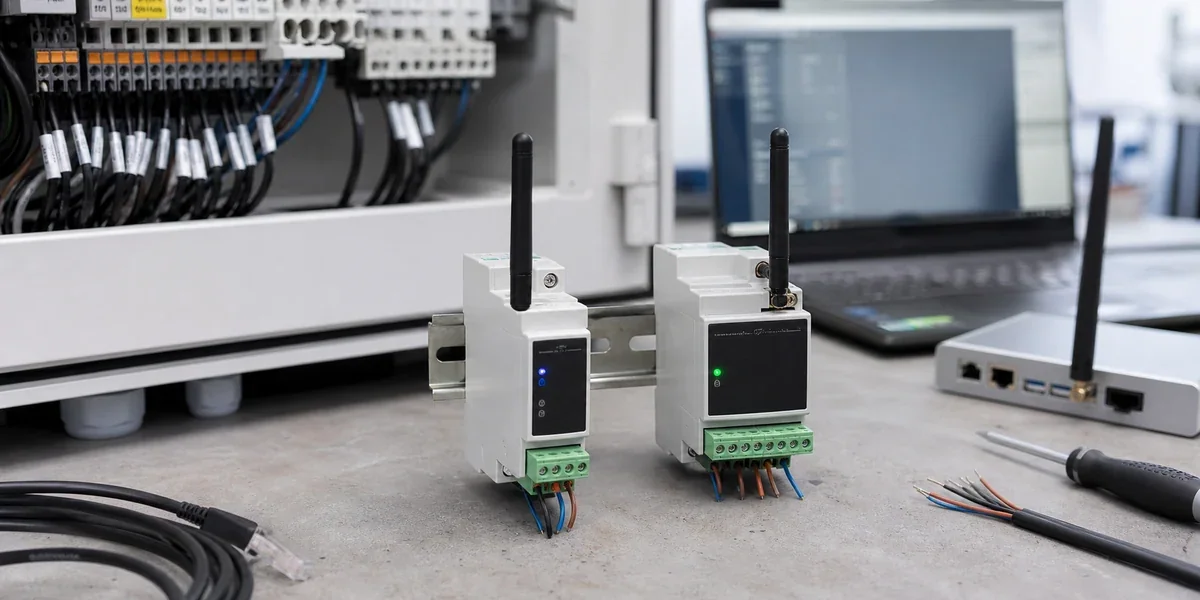
A commercial kitchen can have working refrigerators, ice machines, energy meters and controllers while still depending on manual checks for equipment status. Connecting those devices can support remote monitoring, but the first task is to establish which information can actually be read and who will act on it. A useful retrofit connects a permitted equipment interface to an operational response that staff can verify.
Existing controllers can remain in place when they expose a suitable RS485 or RS232 interface. A serial converter, a gateway and a platform may provide the path from device data to an alarm or service task. Compatibility, wireless coverage and local safety responsibilities still need to be confirmed for the specific installation.
Confirm the interface and permission to read it
An RS485 terminal does not identify the application protocol or establish permission to write parameters. TI's RS-485 Design Guide describes an electrical interface, while the equipment protocol determines what the exchanged bytes mean. Obtain documentation for the actual controller model and firmware, and confirm an authorized method of accessing its data before selecting the integration hardware.
Kitchen conditions also affect installation: metal cabinets, crowded equipment, partitions and short maintenance windows can all constrain the design. Record the proposed converter and gateway positions rather than assuming that a link tested beside the equipment will work after installation. If the protocol or access conditions are unknown, make that an explicit investigation item before committing to a fleet purchase.
The operational question matters just as much as the interface. A temperature value is useful when staff understand its units, freshness and relationship to an action. Agree whether the first objective is an alarm, a maintenance history or a shared equipment inventory; those objectives require different platform work.
Choose equipment with a clear monitoring purpose
Start with an accessible controller and information that can support a specific operational decision. A familiar equipment label does not prove that every controller revision exposes the same registers or fault codes.
| Equipment | Information to investigate | Candidate pilot purpose |
|---|---|---|
| Refrigerators and temperature controllers | Temperature, setpoint, fault state | Notify an operator about an agreed abnormal condition |
| Ice machines and refrigeration equipment | Operating state and documented faults | Support inspection and maintenance decisions |
| Energy meters | Accumulated and instantaneous readings | Build a consistent energy history |
| Environmental controllers | Documented measurements and status | Provide a shared view of the kitchen environment |
These are investigation categories, not a tested compatibility list. Keep safety interlocks, flame control and time-critical protective actions with the local controller. A monitoring retrofit must not make the safe operation of equipment depend on the availability of a wireless link or cloud service.
Separate transport, protocol adaptation and operations
At the equipment boundary, retain the existing controller and use its permitted communication interface. A ZigBee serial port converter can be considered for wireless serial access when the site conditions and required traffic suit that approach. Confirm whether the specific firmware forwards bytes or performs any local parsing; the integration contract should assign protocol decoding and field mapping explicitly.
The gateway can coordinate protocol adaptation and platform connectivity according to the project design. The platform then needs equipment identities, store grouping, data quality, alarm routing and a maintenance history. Those responsibilities are not automatically delivered by transporting serial bytes successfully. For the wider integration scope, see the engineering inquiry.
Check for an existing HMI or PLC that already polls the serial bus. The Modbus serial specification V1.02 permits one master at a time on that bus. Adding another independent polling gateway can therefore require a shared collection path or another authorized interface. Wireless transport does not resolve competing masters or undocumented register meanings.

This diagram proposes responsibilities. It does not establish compatibility with a controller or show that a particular installation has passed acceptance.
Distinguish stale data from healthy equipment
A platform should retain the time of collection, the time of reception and the communication state. When a reading is too old for the agreed purpose, display that condition rather than continuing to present the previous temperature as a current healthy measurement. A temperature alarm, a device that does not respond and an offline store gateway need different diagnostic paths.
Assign an owner to each alarm category. If a notification reaches a shared inbox but nobody acknowledges it, the communication path has not established a working maintenance process. Agree who checks equipment, who checks wiring or connectivity, and how the incident is closed. Those responsibilities should be exercised during the pilot rather than left until the rollout.
Accept a pilot before copying it to other stores
Begin with read-only monitoring and compare raw responses, the equipment display and platform fields. Check units, scaling and fault interpretation individually. Agree sampling intervals, timeouts and response expectations from the equipment capability and operational risk; there is no universal polling interval for all kitchen monitoring projects.
Under safe conditions that do not disrupt service, test loss and restoration of upstream connectivity. Check the stale-data indicator, notification delivery, acknowledgement and any agreed buffering behavior. Keep records that show what was tested, including controller versions and installation positions. Published specifications cannot substitute for these records.
Use a successful pilot to define a repeatable equipment and installation template. A different controller revision or materially different store layout requires renewed confirmation. Before requesting an assessment, prepare model information, interface photographs, protocol documents, intended data fields, equipment quantities and the proposed site layout. This makes the next discussion a bounded pilot assessment with specific unknowns to resolve.
Sources and scope
Protocol boundaries are based on TI SLLA272D, revised May 2021, and Modbus serial V1.02. The operational recommendations are proposed project checks, not measured results from a customer kitchen. Wireless range, latency, compatibility and financial benefits require installation-specific evidence.