

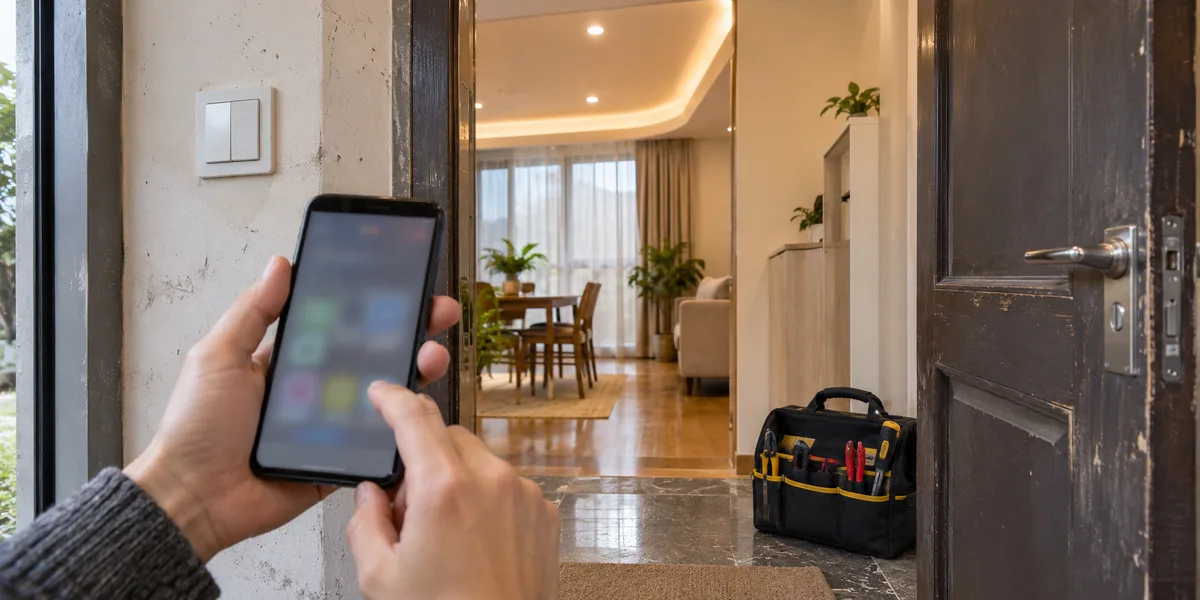
The customer turns a light on from their phone. The installer packs the tools and leaves. That may be a completed installation—or simply a second account gaining access while the installer's account still manages the customer's devices.
Handover needs two independent outcomes: the customer receives the agreed management capability, and the installer loses access that is no longer needed. Testing only the first leaves a temporary commissioning arrangement in place indefinitely. Choose the relationship according to who should manage the installation after delivery, not according to which sharing button is easiest to integrate.
The lighting installation below is illustrative, not a customer case or a tested migration. API references are the publicly readable Android SmartLife App SDK and Extension SDK documents checked on 17 November 2026. They establish interface scope, not a compiled example or a guarantee for a particular binary SDK release.
Choose the relationship before choosing the API
Write a testable final state on the handover record: the customer manages this installation's home; the installer has no continuing control; later service requires a new authorization. That immediately exposes the weakness of keeping every customer's installation under an installer's personal account and sharing devices outward.
Tuya documents home roles and home transfer in Home Member Management, while Device Sharing describes a separate receiver relationship. Check the permission table for the actual integration. Opening a control panel is not evidence that the customer can manage members, remove equipment, or perform the next handover.
| Delivery situation | Route worth evaluating | Cost or condition to accept |
|---|---|---|
| A new installation the customer should manage long term | Let the customer establish the final home early; grant the installer only agreed access | Account setup and customer availability must be coordinated before the last site visit |
| A temporary home contains only this customer's complete installation | Evaluate transferring the home-owner role | The change has home-wide scope; inspect the installer's remaining relationship afterward |
| Someone only needs to use a device held by another owner | Evaluate supported device sharing | Usage is not automatically management; document revocation and support responsibility |
| A customer's equipment is mixed into an installer test home | Plan device-level unbinding, pairing and association reconstruction | A maintenance window and renewed acceptance may be necessary; do not transfer the whole test home |
These are route-selection criteria, not migration commands. A new light, an occupied installation and a gateway's sub-devices can have different recovery costs. Confirm the inventory and customer boundary before authorizing a destructive operation. A successful delete-and-add demonstration is not permission to repeat it on a live site.
Sharing adds a user; it does not settle delivery responsibility
Sharing is useful when the controlling household remains the same and another person needs access. It can also fit a contract that deliberately provides limited use rather than administration. It is a poor default substitute for transferring a product to the person expected to maintain it: the customer may operate a light yet lack the management path needed when occupants change.
The Android Extension SDK sharing interface distinguishes sharers from receivers and includes a capability query. A brand app should therefore show the relationship clearly—shared device, home member, or another supported arrangement—instead of flattening everything into “added.” Check the target product and module rather than importing assumptions from a different device demonstration. See the sharing API documentation.
For a sharing route, test acceptance, normal use and a fresh request after revocation. A device remaining on a receiver's cached screen does not by itself prove continued control. A disappearing list item does not prove that another signed-in phone or another authorization route has stopped working. Correlate relationship readback, request results and device state.
Removing a recent sharing contact is not the same decision as revoking a device relationship. Contacts, shares and home memberships represent different objects. Select an operation by its documented scope and query the corresponding relationship afterward. Do not solve an uncertain revocation method by deleting the physical device from the installation.
A home-wide transfer is not an arbitrary single-device move
The documented Android Extension SDK method transferOwner(homeId, memberId, callback) transfers the home-owner role to a home member. Its objects are a home and a member—not an arbitrary device ID and an unrelated destination account. Prepare the correct customer membership and confirm the inventory before evaluating this path. The home transfer section is the relevant contract.
If the temporary home contains only the illustrative customer's lights, a complete home handover may fit. If it also contains a showroom lamp, another customer's controller or the installer's own gateway, transferring first and tidying later expands the change beyond the intended customer. A longer migration appointment is preferable to presenting a home-wide operation as a single-device shortcut.
After transfer, read the membership again and confirm the customer's role before addressing the installer account. Do not infer that the previous owner has automatically left. Equally, do not remove the only recovery entrance before the customer has verified takeover. The old member's resulting role needs inspection on the actual integration; this guide promises neither automatic removal nor automatic downgrade.
Keep three business states separate: relationship accepted, customer management verified, installer exit verified. These are suggested app or work-order states, not claims that Tuya exposes a matching enumeration. An SDK success callback may complete one step without completing the service obligation.
Unbinding, erasing and changing customers are separate decisions
When re-pairing is necessary, specify what should happen to device data, connectivity and associations before selecting an operation. Tuya's Android Device Management distinguishes device removal from restoring factory defaults. An informal request to “reset it” does not authorize every form of erasure. A cloud-side relationship change is not device-side wipe evidence.
Ask who can reach the reset control, whether the device is online, which schedules or groups should survive, and whether rebuilding a sub-device relationship affects other equipment. A single migration label must not hide another site visit or an uncompleted network setup. These questions may span several product-specific operations rather than one API.
If a device is offline and no valid device-side result is available, do not announce that a remote reset or wipe has completed. Retain an incomplete handover state and inspect the product's supported recovery path; physical access may be needed. This is an acceptance principle, not a universal statement about every Tuya firmware's offline behavior. Repeating a remote command is not evidence that the missing result has appeared.
When the customer merely wants the installer removed, examine relationship revocation first. Re-pairing an entire installation to resolve one permission issue can create unnecessary downtime and labor. Escalate to migration only when the relationship scope cannot achieve the agreed outcome, and include reconstruction and renewed acceptance in the plan.
Two-account acceptance needs two real authorization contexts
Illustrative generated scene, not a Tuya interface screenshot or evidence that revocation or device acceptance has passed.
Use customer and installer accounts in independent sessions. Signing the installer out of one phone and signing the customer in tests a change of interface, not revocation. Retain the before-state relationship record and operation time; afterward, refresh the memberships, shares and device information needed for the acceptance task.
Use an authorized, low-risk test device. On the customer side, exercise the agreed viewing, control and management tasks. On the installer side, check whether new requests are denied after the change. Separate an explicit permission refusal from timeout and unknown outcome: no visible movement can also mean an offline device. Check both an existing session and a new login rather than relying on cleared cache.
Inventory entrances outside the changed relationship: another installer account, an independent device share, a third-party platform authorization or a separate business cloud account. These are additional checks, not things a home transfer is assumed to clear. Report only the scope actually verified. “All external access removed” is too strong unless each relevant path has supporting evidence.
If customer use passes but installer exit is unknown, record that split outcome. Keep redacted subject identifiers, relationship type, operation target, component versions, callback result and readback; exclude passwords, verification codes and keys. Obtain SDK versions and app identity from the actual dependencies and deployment, not a documentation page's update date.
Support access should reopen, not remain open forever
For later service, describe what needs inspection or control, request a supported authorization from the customer, and verify its removal when the work ends. If automatic expiry is required, implement and test it through a supported capability or a separate business service. A deadline on a ticket does not make the SDK revoke access automatically.
Continuous managed service may legitimately retain a dedicated operations subject. That is a different contract and permission design—not a reason to leave an installer's personal account behind after a one-time handover. Evaluate whether the household model fits multiple sites, occupants and long-term operations before building the product around it.
The practical choice is straightforward: establish customer management early for new work; evaluate whole-home transfer only for a correctly scoped home; use sharing when collaboration really is the goal; and treat re-pairing as a migration with its own acceptance. Then prove installer exit separately. The few minutes saved by omitting that final check can leave the next support engineer unable to explain who still controls the equipment.
For the preceding product decision, see public app, OEM app or App SDK. A branded app's delivery scope should cover relationships, failure recovery and independent-account acceptance alongside pairing and panels; see Tuya app development.